
Warranty Management Software

Warranty management has become far more complex than simply recording a purchase date and approving a repair request. Today’s businesses deal with multi-channel sales, distributed dealer networks, extended warranty programs, global supply chains, service-level expectations, and rising product complexity. Customers expect claims to be resolved quickly, with real-time updates and minimal paperwork. Dealers and service centers expect faster approvals and reimbursements. Finance teams need visibility into warranty costs, reserves, fraud risk, and supplier recoveries.

At the same time, warranty-related expenses are increasing. Fraudulent claims, repeated repairs, replacement costs, parts returns, and poor service coordination can quietly drain margins. Manual warranty management often makes the problem worse because data is scattered across emails, spreadsheets, call logs, service tickets, and disconnected systems. That is why businesses are investing in warranty management software, warranty claim management software, warranty tracking software, and custom warranty management software development to automate processes, reduce claim cycle times, and improve post-sales service visibility.
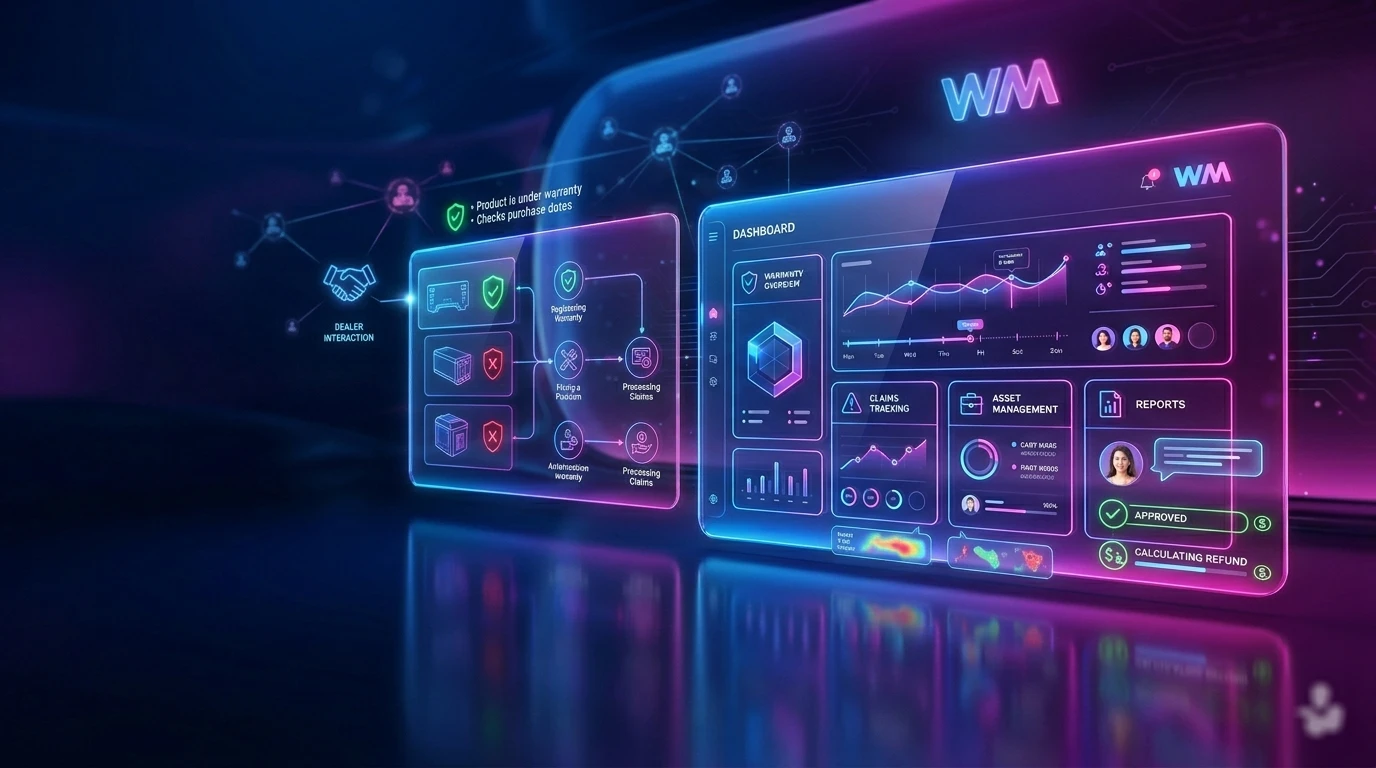
Warranty Management Software-og

What is Warranty Management Software?

Warranty management software is a tool that helps companies manage warranties for products or services. It takes care of everything from registering a warranty to fixing a problem with a product. This software makes it easy to handle warranty claims send replacements and pay people back. It also helps with talking to customers and looking at numbers to see how things are going.

The main reason to use a warranty management system is to make things more organized and faster. From doing everything by hand the software creates a simple way to do things. For example it checks if a product is still under warranty looks at purchase dates and talks to dealers. It also assigns service centers approves claims and figures out how money to give back. This way every step of the process can be. Done automatically.

A good warranty management software brings together customers, dealers, service teams, money people, suppliers and company leaders. It helps companies manage warranties fix products and meet needs for certain industries. For example, a warranty parts return management software can help with car warranties, home warranties or returning warranty parts. This makes it an useful tool, for many different types of businesses.


Ready to simplify warranty operations?

Build a smarter warranty management software solution with Experion

Difference between manual warranty handling vs automated systems

Manual warranty handling needs a lot of work from people. People can send in claims, by email they can call on the phone. They can use spreadsheets or paper forms or they can go through dealer portals or they can send in customer support tickets. The teams have to check the product numbers by hand they have to check the purchase dates the coverage periods, the claim history, if the repair is eligible and the approval rules. This makes things slow people do the work twice there are mistakes and it is hard to see what is going on.

Automated warranty management systems are different. They make the whole process digital. Customers can send in claims through a portal or a warranty management app. The system can check if the product is covered automatically it can check for claims it can start the approval process it can assign a service center it can track spare parts it can send updates on the status and it can make reports. This makes handling warranties it is easier to see what is going on and it is a lot easier to handle a large number of warranties.


Why Traditional Warranty Processes Fail?

Traditional warranty processing usually starts after a customer reports a problem. A support executive then gathers product information checks the warranty by hand and sends the claim to another team. They wait for approval contact a dealer or service center and coordinate repair, replacement or reimbursement. In companies this process still uses spreadsheets, emails, manual forms and separate systems. This approach can work for a number of claims. It fails quickly as businesses expand. When there are products, regions, dealers, suppliers, service partners and approval levels manual processing gets slow, costly and prone, to mistakes. The warranty process gets complicated with products and regions. It is also hard to manage with dealers and service partners. Manual processing of warranty claims is error-prone.

Common Problems in Manual Systems

Claims handled through emails and spreadsheets often get delayed, duplicated, or lost. Teams may struggle to find the right customer record or product history when a claim is raised. Approval workflows become inconsistent because each claim depends on who receives it and how quickly they respond.

Delayed approvals frustrate customers and dealers. Lost customer records make it difficult to verify entitlement. Duplicate or fraudulent claims may go unnoticed when there is no automated validation engine. Poor coordination with dealers and service centers creates confusion over responsibilities, repair status, parts availability, and reimbursement timelines.

Manual systems also lack real-time claim tracking. Customers have to call repeatedly for updates, dealers may not know whether a claim has been approved, and internal teams may not have a clear view of pending work. Slow reimbursements further damage dealer relationships. Inaccurate warranty cost forecasting affects financial planning because businesses do not have reliable data on claim frequency, defect trends, and future liabilities.

Business Impact

The business impact of warranty management is really big. You have to do a lot of things over which costs a lot of money. It also takes a time to fix problems and there are a lot of things that are not done well. This makes customers unhappy when they have to wait long for something to get done or when nobody tells them what is going on.

Dealers also get frustrated when they do not get their money on time or when they are not sure what is going on with a claim.

Over time if warranty service is slow and not the same it can hurt how people think about a brand. If someone has a time, with a claim they might not come back to buy something else even if they liked the thing they bought in the first place. Traditional warranty management can also cause a company to lose money when fake claims or paying someone by mistake goes unnoticed.


How Warranty Claims Management Software Reduces Claims Processing Time?

Warranty claims management software reduces claim processing time by automating repetitive tasks and eliminating unnecessary handoffs. When a customer or dealer submits a claim digitally, the system can immediately capture required information such as serial number, invoice details, product photos, purchase date, issue description, and warranty plan.

The warranty validation engine can then check whether the product is eligible for coverage, whether the warranty period is active, whether the claim matches the terms and conditions, and whether there is any suspicious claim history. If the claim meets predefined rules, it can move automatically to approval, repair assignment, or replacement authorization.

Automated workflows reduce waiting time between departments. Multi-level approvals can be routed to the right person based on claim value, product type, region, dealer, or warranty category. Service centers can receive assignments instantly. Customers can receive SMS or email updates without needing to call support.

By replacing manual checks with rule-based automation, businesses can reduce claim handling time, improve accuracy, and create a smoother experience for customers and partners.


How is Warranty Tracked Using Software?

The warranty is tracked by software that looks at a lot of things like the product details, customer information, purchase records, what the warranty covers, if anyone has made a claim before and what service has been done. When someone buys a product the warranty software can automatically add it to the system using the invoice records from the company, online sales, QR codes or the products serial number.

Once the product is in the system it stores information like when the warranty starts and ends what kind of coverage it has the product model, batch number, who sold it who bought it what service has been done and if anyone has made a claim. If someone wants to make a claim the warranty software checks all this information to see if it is okay.

Companies can see everything that happens with a warranty from when it starts to when someone makes a claim gets it approved gets it fixed or replaced gets their money back and when it is all done. This helps people in charge see which products are still, under warranty, which claims are waiting, which sellers are involved how much each claim costs and where things keep going wrong with products.


Key Benefits of Warranty Management Software Solutions

Warranty management software solutions create value across operations, finance, customer experience, and long-term strategy.

Operational Benefits

One of the biggest operational benefits is faster claim approvals. Automated validation rules reduce manual checking and help teams approve eligible claims quickly. Automated workflows ensure that claims move to the right person, dealer, technician, or service center without unnecessary delays.

Centralized customer and product records make it easier to access purchase history, warranty status, repair history, and claim documentation. This reduces administrative workload and allows teams to focus on exceptions rather than routine processing.

Financial Benefits

A warranty management software solution can help lower warranty costs by reducing errors, duplicate claims, and unnecessary payouts. Supplier recovery tracking improves the ability to claim reimbursements from vendors when defects are linked to supplier parts or components.

Fraud detection reduces losses from suspicious claims, duplicate serial numbers, repeat abuse patterns, and invalid documents. Accurate reserves forecasting helps finance teams plan better by using real claim data, product failure trends, and projected liabilities.

Customer Benefits

Customers benefit from faster service turnaround, easy claim submission, and real-time updates. Instead of navigating long phone calls or unclear processes, they can submit claims through a customer portal or warranty management app.

Real-time notifications reduce anxiety and improve transparency. A better post-sales experience increases customer trust and strengthens the relationship beyond the initial purchase.

Strategic Benefits

Warranty data can reveal valuable product quality insights. By analyzing failure trends, defect patterns, repair frequency, and cost by product or region, companies can improve design, manufacturing, supplier selection, and service planning.

Warranty management systems also improve vendor accountability by showing which suppliers, components, or batches are linked to recurring issues. Better service experiences can improve retention, loyalty, and brand reputation.


Turn warranty complexity into faster claims, lower costs, and better customer experiences with Experion


Core Features Every Buyer Should Look For in a Warranty Management Software

In a nutshell, warranty management software works by capturing warranty data at the point of sale or activation, validating claims against predefined rules, routing requests through digital workflows, coordinating repairs or replacements, tracking reimbursements, and generating analytics. The best warranty management software should support both day-to-day claim operations and long-term business intelligence.

  1. Warranty Registration and Activation: The system should let people register automatically when they buy something. It should also let them register by using a QR code or the serial number, on the product. Additionally there should be a website where customers can do things themselves like register their warranty without needing help from someone. This ensures warranties are activated accurately and reduces dependency on manual entry.
  2. Claim Management: A strong warranty claim management software platform should allow digital claim submission, claim validation rules, automated approval workflows, and multi-level approvals. This helps standardize claim handling across regions, dealers, and product lines.
  3. Warranty Validation Engine: The validation engine should check coverage period, product eligibility, purchase date, and terms and conditions logic. This is essential for reducing invalid claims and improving approval accuracy.
  4. Repair / Replacement Management: The platform should support service center assignment, technician scheduling, spare parts usage tracking, and replacement authorization. This is especially important for product warranty management software and warranty service management software use cases.
  5. Vendor / Dealer Management: Dealer claim submission portals, distributor claim workflows, and supplier reimbursement recovery features are critical for businesses with large partner networks.
  6. Fraud Detection: The system needs to catch claims that are filed more than once, flag numbers that seem fake or are used many times, stop customers from taking advantage of the system over and find patterns of abuse, from the customers. Fraud prevention should be built into the workflow rather than treated as an afterthought.
  7. Reporting & Analytics: Buyers should look for claim trends, failure reasons, product defect heatmaps, and cost analysis by region, product, or vendor. These insights help improve products and reduce future warranty expenses.
  8. Customer Communication: SMS and email updates, claim status notifications, and escalation alerts help keep customers informed throughout the process.
  9. Integration Capabilities: ERP integration, CRM integration, inventory systems, finance systems, and IoT device integration are essential for enterprises that need connected warranty operations.
  10. Mobile Access: A modern warranty management app should support field technician access, dealer mobile portals, and customer uploads of photos or videos.


Advanced Features Enterprises Should Look for in a Software for Warranty Management

  1. AI- based claim scoring: Enterprise warranty management requires more than basic claim tracking. Advanced software for warranty management should include AI-based claim scoring to prioritize claims, identify fraud risk, and accelerate approvals.
  2. Predictive warranty reserve forecasting: Helps finance teams estimate future liabilities based on historical data, product behavior, and claim patterns.
  3. Automated root cause analysis: Can help quality teams identify recurring defects and failure patterns faster.
  4. OCR invoice scanning: Reduces manual document review by extracting purchase details from invoices.
  5. Chatbots for claims support: Can guide customers through claim submission, status checks, and documentation requirements.
  6. IoT-triggered proactive service alerts: Valuable for smart products, vehicles, industrial machinery, and connected devices.
  7. Multilingual support and multi-country tax or compliance support: Important for global businesses.
  8. SLA monitoring dashboards: Help teams track service performance and escalation risks.


Types of Businesses That Need Warranty Management Software

Warranty management software helps businesses that sell products or equipment with warranty. Any company that offers warranty on their products needs this software. Manufacturers use it to manage product defects and get back money from suppliers. They also use it for repairs and replacements. Retailers use warranty management software to handle customer claims.

They manage warranties and coordinate with service providers. Original Equipment Manufacturers or OEMs need warranty management systems. These systems help them manage dealer networks and track parts returns. They also ensure suppliers are accountable. Automotive brands use special automotive warranty management software for vehicles.

This software handles vehicle claims and submissions from dealers. It also manages workflows at service centers. Tracks parts replacements. The software helps with reimbursement cycles. Healthcare equipment providers require reliable warranty management systems. These systems ensure critical equipment is serviced quickly. They help with compliance documents and fast resolution. Industrial machinery companies use warranty management software to track assets.

They monitor field repairs and spare parts. The software helps them manage warranty costs across regions. Home warranty management software is important for managing household systems. It helps with appliances and repair partners. The software also handles customer service requests. It is useful, for businesses that offer home warranties. Warranty management software makes it easy to manage warranties. It helps businesses provide service to their customers.


Build vs Buy: Should You Purchase or Develop Custom Warranty Management Software?

Choosing between ready-made warranty software and custom warranty management software development depends on business complexity, growth plans, budget, and integration needs.

Buy Ready-Made Software If:

Buying ready-made software may be the right option if you need faster deployment, your workflows are fairly standard, and lower initial cost is a priority. A packaged warranty management software solution can help businesses digitize basic claim handling quickly.

This works well when claim rules are simple, integrations are limited, and the organization does not need deep customization.

Build Custom Software If:

Custom warranty management software development is a better fit when your business has complex multi-brand warranty logic, dealer network workflows, unique approval hierarchies, or competitive differentiation needs.

It is also the stronger choice when legacy systems need deep integration with ERP, CRM, finance, inventory, eCommerce, or service management tools. Custom software allows businesses to design workflows around their real operating model rather than forcing teams to adapt to rigid software.

Hybrid Model

A hybrid model combines both approaches. Businesses can buy a core platform and customize modules around specific requirements such as dealer portals, supplier recovery, advanced analytics, mobile apps, or fraud detection. This can reduce implementation time while still supporting business-specific needs.


Common Challenges and How to Overcome Them?

One big problem that companies face is that they do not really understand their processes before they try to put them into action. Companies often try to make their existing workflows digital without thinking about whether these workflowsre actually working well. To solve this problem the company should start by taking a look at their processes and figuring out where things are going wrong.

Another issue that companies have is getting people to use the system. Dealers and service centers and technicians and other teams might not want to use the system if it is too hard to use or if they do not get enough training. The company can solve this problem by having a plan for getting people started with the new system making sure the system is easy to use and providing training that is tailored to each persons role.

Integration is also a challenge. When it comes to warranties companies need to have access to a lot of information such as data about products, customers, invoices, spare parts, reimbursements and service history. To deal with this companies should figure out what they need to integrate on and create a clear plan for how they are going to do it.

The quality of the data is also important. If customer records are incomplete or serial numbers are wrong or product data is inconsistent it can make it harder for the system to work accurately. Companies should make sure that they have a plan, in place to clean up their data and make sure it is quality. Warranty operations and data quality and process understanding and user adoption are all things to think about when it comes to warranty operations and integration complexity and data quality and user adoption.


Warranty Management Software Pricing Models

The cost of warranty management software can be different depending on how it’s set up how many claims are made how many people use it what other systems it needs to work with and what special changes are needed.

Cloud-based systems use a subscription plan where companies pay every month or every year. They charge based on how many people’re using the system like the people who work for the company, the people who sell the products or the people who fix things. They also charge based on how many claims or warranty problemsre handled.

Big companies that need to use the system a lot need features and need a lot of help usually use a special kind of plan called an enterprise license. If a company wants a system that is made for them they have to pay for it to be built from scratch, which can be very expensive.

There are things that can affect the cost like how many people use the system how many claims are made what other systems it needs to work with, how complicated the work is and what kind of reports are needed.

Companies should think about how much the system will cost them in the run not just how much it costs to start using it. Warranty management software costs can add up so companies need to think about the cost of using the system including the warranty management software.


ROI of Warranty Management Software

The ROI of warranty management software comes from reduced operational costs, lower fraud losses, faster claim cycles, improved customer satisfaction, and better financial control.

Measurable Returns

Measurable returns include reduced claim handling time, lower fraud payouts, reduced call center workload, faster supplier recoveries, and higher customer retention.

For example, automation can reduce the time spent validating claims manually. Self-service portals can reduce support calls. Fraud alerts can prevent duplicate payouts. Supplier recovery tracking can help businesses recover costs that might otherwise be missed. Faster claim resolution can improve customer satisfaction and increase repeat purchases.


Integration Requirements Enterprises Often Miss

Companies usually do not understand how important it is for warranty management to be connected to things. It is necessary to integrate warranty management with the business system for things like invoices and products and information about purchases and financial records. It is also important to integrate warranty management with the system that manages customer relationships so that we can see what happened with the customer before and provide support.

We need to have systems that handle money so that we can give refunds and credits and set aside money for things that might go wrong and get money back from suppliers. We also need systems that keep track of inventory so that we know when we have parts and when we need to use them and when we need to replace them.

For businesses that have partners in places it is very important to have a special website that these partners can use. It is also important, for companies that sell things online to have systems that allow customers to register their warranties online and get help after they buy something.

The tools that help us manage services are important because they help us coordinate with the people who fix things and make schedules and do repairs and work in the field.

If we do not have all of these connections it can limit how much work can be done automatically and it will make teams have to go to doing things by hand, which is warranty management.


Security & Compliance Considerations

Warranty management systems handle sensitive customer information, product data, invoices, service documents, and financial records. Security must be a core requirement.

Role-based access control ensures that users only see the data and actions relevant to their role. Data encryption protects information during storage and transmission. Audit trails help track who viewed, changed, approved, rejected, or escalated a claim.

GDPR and regional privacy compliance are important when customer data is collected across countries. Backup and disaster recovery protect business continuity. Secure customer document storage is essential for invoices, photos, identity documents, and claim attachments.


Let’s build a custom warranty management system software that works exactly the way your business does


Implementation Roadmap for Warranty Management System

A structured implementation roadmap helps companies reduce risk and achieve faster value from a warranty management system.

Phase 1: Discovery

The discovery phase includes current process audit, pain point mapping, and KPI definition. Teams should document how claims are submitted, validated, approved, repaired, reimbursed, and reported today.

Phase 2: Design

The design phase includes workflow architecture, UI/UX planning, and integration blueprint creation. This is where businesses define user journeys for customers, dealers, service agents, technicians, finance teams, and administrators.

Phase 3: Development

The development phase includes core modules, APIs, and automation rules. This may involve warranty registration, claim management, validation engines, repair workflows, dealer portals, reporting dashboards, and mobile access.

Phase 4: Testing

Testing should cover claims scenarios, load testing, and security testing. Businesses should test standard claims, exception cases, fraudulent claims, dealer submissions, reimbursement workflows, and integration failures.

Phase 5: Rollout

The rollout phase includes pilot launch, team training, and full deployment. A pilot helps identify usability issues before scaling the system across all users and regions.

Phase 6: Optimization

Optimization includes analytics tuning and process improvements. Once real data starts flowing through the system, businesses can refine rules, dashboards, approval workflows, and fraud detection models.


Common Mistakes Companies Make

One common mistake is choosing the cheapest software only. Low-cost tools may not support complex workflows, integrations, analytics, or scale.

Another mistake is ignoring integrations. Without ERP, CRM, finance, inventory, dealer portal, and service tool connectivity, teams may still need manual workarounds.

Many companies underestimate workflow complexity. Warranty rules can vary by product, region, customer type, dealer, supplier, warranty plan, and purchase channel. No dealer onboarding strategy can lead to poor adoption. No fraud prevention rules can increase revenue leakage.

Lack of reporting requirements is another issue. If analytics are not defined early, businesses may miss important insights. Poor user training can also weaken adoption and reduce ROI.


KPIs to Track After Deployment

After deploying warranty management software, businesses should track average claim resolution time to measure speed. Claim approval rate helps assess process efficiency and claim quality.

Fraud detection rate shows how well the system identifies suspicious claims. Repeat product failures reveal quality issues and recurring defects. Cost per claim helps finance teams monitor warranty expenses.

Supplier recovery amount measures how much cost is recovered from vendors or suppliers. Customer satisfaction score helps evaluate the post-sales experience and overall service quality.


Future Trends in Warranty Management Software

The future of warranty management software is going to be shaped by intelligence and automation and products. Artificial intelligence will help with scoring claims and detecting fraud and recommending approvals and routing exceptions accurately. Warranty management software will be able to do all these things because it is smart.

Predictive maintenance and warranty linkage are going to become more important as products that are connected to the internet generate real-time performance data. This means businesses can fix problems before they become issues and cost a lot of money. For example businesses do not have to wait for something to break before they fix it.

Blockchain technology may also be used to verify that a claim is real. It can check if someone really owns a product and what has been done to it in the past. People will also be able to file claims on their devices and get quick answers. Warranty management software will work with all sorts of devices like cars and appliances and medical devices.

Companies will be able to make special warranty offers that are just right for each customer. They can look at how a customer uses a product and what they like and do not like and make a warranty offer that’s just right, for them. This is what the future of warranty management software will look like.


Why Custom Warranty Management Software Can Be a Competitive Advantage?

Custom warranty management software can become a competitive advantage because it allows businesses to design workflows around their exact operating model. Tailored workflows reduce friction for customers, dealers, service centers, and internal teams.

Faster dealer operations improve partner satisfaction and reduce delays. Better customer experience strengthens loyalty and brand perception. Unique pricing and warranty programs allow businesses to differentiate their offerings in the market.

Full ownership of data and roadmap is another major advantage. Companies can decide which features to build, which integrations to prioritize, and how analytics should support business decisions.


Why Choose a Software Development Partner?

When you need to build a warranty management system that works well you should find a software development partner. This software development partner will have the know-how and the strategic capabilities that you need to make this system work. The software development partner has domain expertise which means they can take what you do with warranties and turn it into a workflow that makes sense.

The system they build will be able to handle claims, users and products as your business grows. This is because the architecture of the system is scalable. The software development partner will also be able to connect your warranty management system to important systems like ERP, CRM and finance systems. They can even connect it to things, like eCommerce platforms and IoT devices.

The software development partner will make sure that the system is easy to use for everyone, including customers, dealers and the people who work for you. They will also be there to help you after the system is launched. A good software development partner can even help you get your system up and running faster. This is because they have experience and know how to do things right the time. They have engineering practices that work and components that they can use again so you do not have to start from scratch with your software development partner.


Conclusion

Warranty management is not an office task anymore. It impacts how customers feel how a business runs, its profits how happy dealers are and how much people trust the brand. With products getting more complicated and customers wanting service companies need more, than just spreadsheets and manual approvals. They require a connected, smart and flexible warranty management software.

Whether you want a -made warranty software, a customized system, a warranty app or a complete warranty management software solution the aim is the same: to process claims faster cut costs have better oversight, prevent fraud and offer a top-notch experience after a sale.

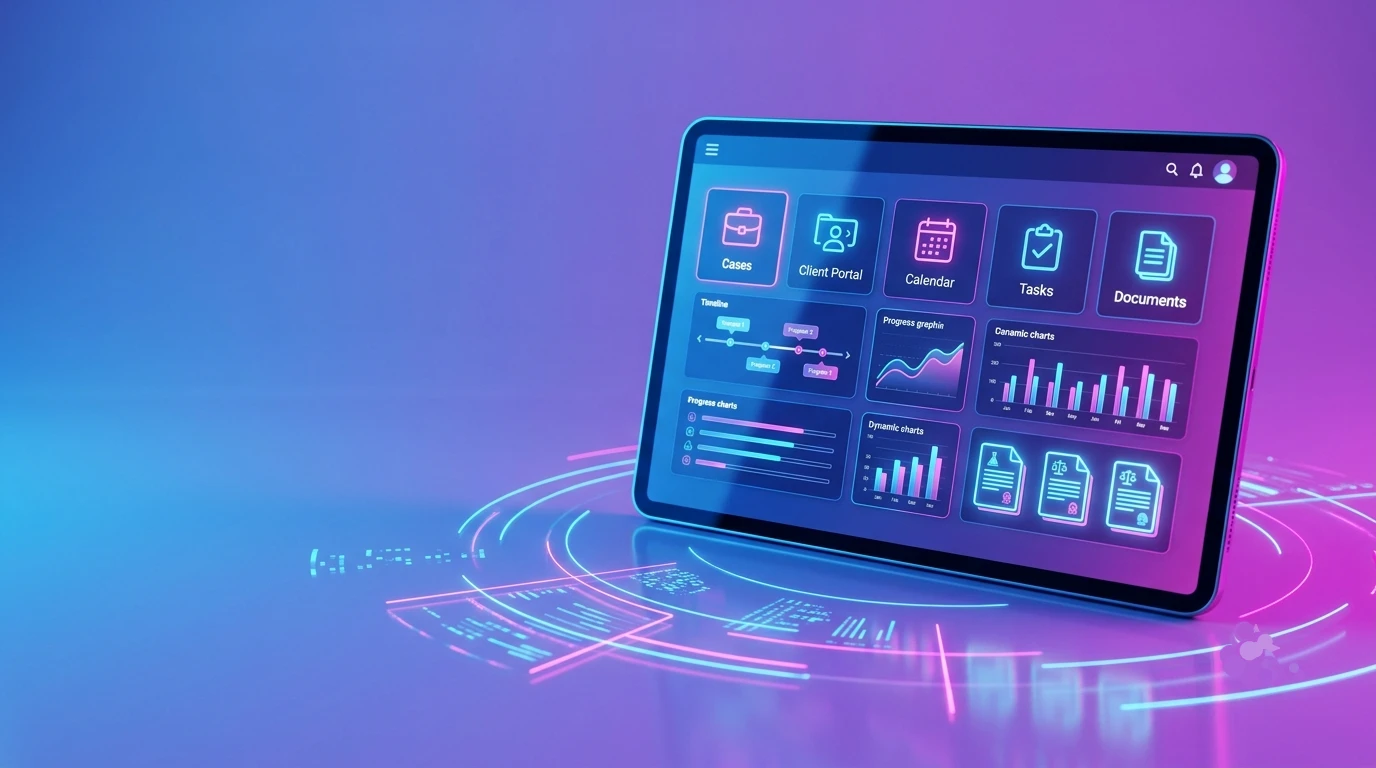
Senior Living Software

Introduction: The Digital Evolution of Senior Living

Senior Living Software-og

According to the 2020 Census Report, by 2030, the U.S. will have more adults over 65 than children under 18. This demographic shift is termed the “Silver Tsunami”.

This reality is already visible across the senior care industry through rising occupancy demand, staffing strain, and the increasing complexity of care needs in assisted living and independent living communities.

With this sudden boom of the senior population, caregivers have more on their plates than ever before. They spend more time managing documentation than on their primary work of caregiving. At the same time, families expect transparency and personalized care experiences for their loved ones.

To meet these growing demands, senior living communities are adopting health tech solutions.  Solutions that can help communities improve operational efficiency and deliver more personalized experiences. Specifically designed for senior living communities, a modern senior living platform is an integrated set of tools including EHR, CRM, scheduling, procurement, resident engagement, and billing.

The right senior living software solutions balance two things that often feel in tension: clinical precision and a genuine home-like environment.


Key Takeaways

  • Senior living management software reduces administrative burden and supports regulatory compliance across care settings.
  • Customized senior living EHR software outperforms general healthcare EMRs for documentation accuracy and survey readiness.
  • Senior living CRM software shortens the lead-to-move-in cycle and improves occupancy forecasting.
  • Staff scheduling software senior living reduces agency dependency and helps maintain mandated care ratios.
  • Resident engagement, procurement, billing, and analytics modules work best when integrated on a single platform.
  • The right software choice depends on community size, care level mix, budget, and existing systems.


Why Your Community Needs Dedicated Senior Living Management Software?

Communities that switch from manual processes to integrated senior living management software typically see documentation time drop by 30-40% within the first quarter.

The case for dedicated software comes down to four problems in communities still running on fragmented systems:

  • Manual paperwork and fragmented systems: When a caregiver finishes a shift, they often spend 45 minutes at a nursing station documenting what happened six hours ago from memory.
  • Scheduling inefficiencies: Senior living staffing software powered by smart scheduling helps efficiently assign staff. When supervisors can see coverage gaps, they fill them with their own staff instead of agency nurses at three times the hourly rate.
  • Communication gaps between caregivers and families: Families who are unable to contact staff or receive vague updates become a source of grievances, negative reviews, and early move-outs.
  • Limited visibility into operations and resident care: Without consolidated reporting, leadership is always looking backward. By the time a trend in fall incidents or medication errors surfaces in a manual audit, it’s already a survey risk.

Different Senior living communities, such as Assisted living, independent living, and memory care, all operate under different regulatory frameworks. The best senior living software is configurable enough to serve each care setting without forcing operators to run separate platforms.


The Core Pillars of a Comprehensive Senior Living Solution

Resident  Health & Senior Living EHR Software

Senior living EHR (Electronic Health Record) software is different from a traditional hospital EMR (Electronic Medical Record).

General-purpose EMRs handle episodic, physician-driven encounters such as hospital visits and diagnoses. Meanwhile, Senior living EHR handles long-term resident care. Nurses and CNAs document ADL assistance, behavioral observations, medication rounds, and functional assessments.

Key capabilities of purpose-built senior living EHR include:

  • eMAR with barcode verification – Reduces medication errors at the point of administration.
  • ADL tracking and functional decline alerts – Identifies patterns before they become clinical crises.
  • Real-time vitals and incident reporting – Immediate documentation with automatic notifications to the care team.
  • HL7/FHIR interoperability – HL7 and FHIR are healthcare data standards that help different healthcare systems exchange patient information securely. It maintains continuity of care when residents move between healthcare providers.
  • Survey readiness – Every care interaction is audit-logged and available in organized reports when surveyors arrive.

Senior Living CRM Software – Managing the Long Sales Cycle

The average family takes 90 to 120 days from first inquiry to signed move-in agreement. Senior living CRM software structures that process: it tracks every touchpoint, automates follow-up sequences, schedules tours, and scores leads based on engagement.

Features to look for include:

  • Lead scoring
  • Multi-touch nurture automation
  • Referral source attribution
  • Family engagement tools,
  • Integration with marketing platforms

CRM data connects to occupancy dashboards. In effect, leadership can gain insights

into which referral sources actually convert.

Senior Living Property Management Software

Senior living property management software helps senior living communities handle maintenance work orders, preventive maintenance scheduling, unit inspection workflows, and turnover tracking.

Thereby reducing the time it takes to turn a vacant unit from weeks to days.

For independent living communities, lease management adds unit pricing, lease renewals, rent escalations, and occupancy reporting.  When property management data is integrated with the resident record, operators get a complete picture in one place.

Senior Living Scheduling Software & Staff Management

Caregiver turnover in senior care averages 65% annually in many markets. Mobile-first staff scheduling software senior living addresses the major causes: Inflexible scheduling, mandatory overtime, and last-minute shift changes.

Key features include:

  • Self-scheduling portals – Staff view open shifts and submit availability without calling a supervisor.
  • Shift swap management — Peer-to-peer swaps within approved parameters, reviewed for ratio compliance.
  • Credential tracking and expiration alerts — Prevents a lapsed CNA certification from appearing on a schedule.
  • Shift optimization – Automated coverage recommendations based on census, acuity, and historical patterns.
  • Payroll integration and Payroll Based Journal reporting — Approved schedules flow directly into payroll and CMS Payroll Based Journal submissions.

Senior Living Resident Engagement Software

Engaged residents have longer lengths of stay, lower hospitalization rates, and generate more family referrals. Senior living resident engagement software provides activity directors with the infrastructure to deliver programming consistently: digital activity calendars, RSVP and attendance tracking, family communication portals, and wellness tracking that feeds into the clinical record. When a resident stops attending programs they used to enjoy, that’s a clinical signal — and the engagement platform is what surfaces it.

Senior Living Procurement Software

A 100-bed community can spend $2M+ annually on food service, medical supplies, housekeeping, and maintenance, most of it informally, without visibility or controls. Senior living procurement software brings structure to that spend:

  • Approved vendor catalogs with pre-negotiated pricing.
  • Digital purchase orders (PO) with role-based approval workflows.
  • Three-way matching – PO, receiving record, and invoice reconciled before payment is approved.
  • Spend analytics by category, department, and vendor.

For multi-site operators, centralized procurement management creates the leverage to negotiate volume-based contracts and enforce purchasing policy consistently.

Billing & Financials

Billing in senior care is complex — Private pay, Medicaid, long-term care insurance, and VA benefits (Assistance for eligible veterans) often coexist in a single community. A well-designed billing module handles:

  • AR/AP (Accounts Receivable/Accounts Payable) management – Automated Charge capture, payment posting, and aging reports.
  • Census-driven billing — charges auto-populate when care levels change, eliminating revenue leakage.
  • Medicaid and insurance workflows — state-specific claim submission, denial management, and remittance processing.
  • Private pay invoicing — automated monthly statements with payment portal integration.
  • Multi-site financial rollup – consolidated P&L across all communities accessible in real time.

The month-end close that once took a week can happen in a day when billing is integrated with the rest of the platform.

Analytics & Reporting

Strong analytics within a senior living platform gives different roles different visibility:

  • Occupancy dashboards – Real-time and trended data by unit type, care level, and move-in/move-out velocity.
  • Staffing ratio reporting – Live nurse-to-resident ratios by shift and wing, with compliance alerts before ratios breach mandated thresholds.
  • Clinical quality metrics- Fall rates, medication error trends, hospital readmission rates, and incident patterns tracked over time.
  • Financial performance – Revenue per occupied unit, labor as a percentage of revenue, agency spend, and budget vs. actual by department.
  • Custom report builder – Role-specific dashboards so a Director of Nursing, executive director, and ownership group each see what matters to their decisions.

At Experion, our senior living software development teams embed analytics architecture from day one – so the data your platform collects becomes intelligence your leadership team can act on.


Enhancing the Resident Experience through Technology

Technology in senior care often gets discussed purely in operational terms. But the resident experience is where it shows up most visibly.

  • Beyond care delivery: Senior living resident engagement software creates the digital layer of a community’s social life — resident-facing activity boards, interest-based programming, and communication tools that reduce isolation.
  • Family transparency: Families who can log in to a portal, view activity participation, read care notes, and message the care team directly are far less anxious — and far less likely to call the front desk three times a week. That transparency also accelerates the sales process.
  • Integrated wellness tracking: Senior living solutions that connect physical activity data, dining participation, and social engagement to the clinical record provide care teams with a longitudinal picture of resident well-being that point-in-time assessments miss entirely.

Types of Senior Living Communities That Use These Platforms

Senior living software isn’t one-size-fits-all. Different care settings need different configurations depending on the level of care delivered.

Assisted Living Facilities

The documentation volume in assisted living is high: Daily care coordination, medication administration, incident tracking, and care plan updates that must hold up in a state survey. (A state survey is an official inspection conducted by the state government.)

Assisted living software built for this setting handles that density without creating a documentation burden that drives caregivers out.

Independent Living Communities

Independent Living residents chose a community, not a care program.

Software for independent living puts lifestyle management at the center: activity programming, dining preferences, amenity scheduling, and the family communication tools that make the community worth recommending.

Memory Care Communities

Memory care requires safety monitoring that other settings don’t:

Door and wander alerts, behavioral documentation, and care workflows designed for residents who can’t reliably communicate their needs.

The software needs to surface the right clinical triggers fast and support workflows that memory care teams actually use day to day.

Continuing Care Retirement Communities (CCRCs)

A CCRC campus may house residents at IL( Independent Living), AL (Assisted Living), memory care, and skilled nursing levels simultaneously.

The platform challenge is keeping a single resident record that follows a person across care levels, while supporting distinct clinical and operational workflows at each level — and then rolling it all up into unified billing and reporting for the organization.


Partner with us to develop customized Senior Living Software for your community


Top Benefits of Implementing Senior Living Software Solutions

  • Operational efficiency — Documentation time drops, manual processes shrink , and staff spend more time on care.
  • Cost reduction – Agency labor costs fall when scheduling is proactive, procurement controls stop budget leakage, and billing cycles shorten.
  • Compliance assurance – Documentation is audit-ready by default. Care plan deviations trigger alerts rather than showing up during surveys.
  • Staff satisfaction — Tools that work on mobile, don’t require double entry, and give staff control over their schedules reduce daily friction.
  • Revenue growth — Faster move-in cycles, better occupancy retention, and referral generation from satisfied families.
  • Family trust — Families that have visibility into care stay calmer, complain less, and refer more.
  • Improved Resident Care Quality- Real-time clinical data and early-warning alerts support better decisions before situations escalate.
  • Increased Occupancy and Revenue Growth- Better sales tools, faster onboarding, and a resident experience worth talking about all contribute to census.


Ready to cut admin time and reduce agency spend?

Let’s talk about what the right senior living platform looks like for your community


How to Evaluate Senior Living Software Vendors ?

Short checklist

  • Integration capabilities – Does the EHR connect natively to CRM, scheduling, billing, and payroll, or does each connection require custom middleware?
  • Compliance and security – HIPAA-ready, SOC 2 certified, with full audit trails and documented breach notification procedures.
  • Usability – Does it work for a CNA on a tablet during a shift, or only for an administrator at a desktop?
  • Implementation and support – Who specifically manages the implementation on the vendor’s side, and what does the first 90 days look like?
  • Pricing model – Per-resident, per-user, or bundled; and what happens to the price when you add communities or care levels?

Top Questions to Ask Any Vendor

  1. Who owns the data if we end the contract?
  2. What is your uptime SLA, and how do you handle downtime incidents?
  3. Can we talk to three current clients: Communities of our size with the same care mix?
  4. Who leads implementation on your team, and what does the onboarding timeline look like?
  5. How do you handle state-specific regulatory updates when requirements change?
  6. What’s on your product roadmap for the next 12 months?
  7. How does your system handle Medicaid billing in our state specifically?
  8. What integration support do you provide for our existing payroll and pharmacy systems?
  9. What training is included, and how is it delivered for frontline staff?
  10. Have any of your clients undergone a state survey while using your platform? What were the outcomes?


Senior Living Solutions: Implementation Roadmap

A failed software implementation has adverse effects, as it disrupts the entire care delivery system and erodes staff trust, which is hard to rebuild.  The following is a phased approach:

Stakeholder interviews and requirements

Talk to the people who will use the system before choosing it.

For example, a nursing assistant, charge nurses, activity directors, billing staff, and administrators all have different workflows and frustrations.

Map the current workflow before deciding on what the new system needs to do.

Vendor shortlist & demos

Compare two to four vendors against your documented requirements. Run demos using real scenarios from your community. This could be a care plan update, a shift swap, or a billing reconciliation.

Data migration plan

Clean your data before migrating it. Legacy systems accumulate years of inconsistencies.

A migration plan defines what moves, what gets archived, and how records are validated post-transfer. Skipping this step creates problems that appear weeks after go-live.

Pilot and training

Pilot on one wing or department before rolling out elsewhere.

Use real staff and real workflows. The edge cases that break the system are much easier to fix when they affect 20 people rather than 200.

Go-live and Hypercare

The first 30 days after launch need dedicated support from both the vendor and an internal point of contact. Staff will be able to detect scenarios the pilot didn’t cover. A clear escalation path means those get resolved quickly instead of becoming workarounds.

Continuous improvement and quarterly reviews

Software implementation lacks a finish line.

Quarterly reviews need to be conducted. This is to check adoption rates and surface feature gaps, and to adjust for any regulatory changes to keep the platform delivering value.

Common Integration Scenarios

The value of a senior living platform grows when it connects to the adjacent systems that staff already use.

Integrations operators prioritize:

  • EHR to Pharmacy: Medication orders go directly to the pharmacy,, and fill confirmations are automatically returned to the eMAR (Electronic Medication Administration).
  • CRM to Marketing automation: Lead data syncs to email nurture sequences; Campaign results tie back to which sources actually generate move-ins.
  • Scheduling to Payroll: Approved schedules convert to time records without manual entry, and overtime flags appear before the hours are worked.
  • Billing to Medicaid portals: Claims are automatically submitted and reconciled, with state-specific formatting handled by the system.
  • EHR to Hospital systems: FHIR-based data exchange supports care transitions without relying on faxes or phone calls.


Use Cases

Assisted Living Community: Fewer Medication Errors After EHR Adoption

A 90-bed assisted living community in the Midwest went live with senior living EHR software that included eMAR and barcode verification. Six months later, reported medication errors had dropped by 62%.

Nurses said the difference came from real-time verification at the medication cart – the system caught discrepancies that paper MARs missed because they required a nurse to catch them manually.

The community’s next state survey had no medication-related deficiencies.

Independent Living Community: Occupancy Gains Through CRM and Engagement

A regional operator with three independent living communities deployed both a senior living CRM and a resident engagement platform during the same implementation. Lead-to-tour conversion improved by 28% after automating follow-up sequences that previously depended on individual counselor habits.

On the retention side, linking activity attendance data to family portals correlated with longer stays: residents whose families used the portal regularly stayed about 4 months longer on average.


 How to Choose the “Best Senior Living Software” for Your Community?

Requirements vary depending on the facility.

The best senior living software for a 60-bed assisted living facility in a rural market has different requirements than the right platform for a 12-community portfolio with mixed care levels and centralized finance.

A practical decision framework:

Factor What to Assess
Community size Single-site vs. multi-site

This determines reporting complexity, user management, and pricing structure.

Care level mix IL only, AL only, or continuum

Drives how deep the clinical modules need to go.

Budget Total cost including implementation, training, and annual licensing

Not just the monthly SaaS fee.

Existing systems What you’re replacing vs. what stays and needs to integrate
Staff tech comfort Mobile-first or desktop-primary

Affects training time and adoption risk.

Growth plans Whether the platform’s architecture supports adding communities or care levels


One thing that gets underweighted in vendor evaluations: ease of use for frontline staff. A platform that your CNAs won’t consistently adopt will underperform a simpler system they actually use. Involve frontline staff in the selection process.

Scalability matters most if growth is on the horizon. Ask about architecture, not features. A platform that handles five communities well may not handle fifty, and finding that out two years into a contract is an expensive lesson.


How Experion Could Offer Support in Developing Senior Living Software?

Experion builds custom senior living software for operators who have outgrown what off-the-shelf platforms offer or whose workflows don’t cleanly map to a vendor’s standard product.

Our teams have hands-on experience across the full operational stack of senior care, and we build those modules to function as a unified platform rather than a collection of integrated third-party tools with their own quirks and data models.


Future Trends in Senior Living Platform

  • AI-powered fall risk prediction- Models trained on vitals, movement data, and incident history can flag high-risk residents before falls happen; this capability is already embedded in some senior living EHR platforms.
  • Remote Patient Monitoring- Wearables and in-room sensors feed continuous health data into the EHR without requiring staff collection. Hence, the data is there when the care team needs it.
  • Voice-Enabled Resident Interaction- Conversational interfaces let residents request assistance or contact family without needing to navigate a screen. This is useful for residents with mobility or vision limitations.
  • Telehealth integration– Virtual physician visits and remote specialist consultations embedded directly in the EHR. This means fewer transport-related hospitalizations for residents who don’t need to leave the community.
  • Predictive StaffingDemand forecasting built from census trends, seasonal patterns, and historical data builds better schedules before any gaps appear.
  • IoT and smart building integration: IoT enables devices in a senior living facility to collect data and send it to the resident’s EHR. A smart bed can detect when a person is trying to get out of bed at night. Environmental sensors can track room temperature and pressure. A door sensor can alert caregivers if the resident wanders outside. Hence, caregiving staff need not manually check everything.
  • FHIR interoperability: As healthcare data exchange standards mature, senior living EHR systems will connect more cleanly to hospital networks, payer systems, and specialist platforms.


Whether you’re replacing a legacy system or building from scratch, Experion’s team is ready to map out your next step


Conclusion – The Right Technology Makes Every Part of Your Operation Better

Senior living software is the operational infrastructure of your senior living community. It determines whether it can grow without incurring proportional overhead, deliver care consistently, retain good staff, and compete seriously for families’ business, making one of the most consequential decisions of their lives.

The communities gaining ground in this market tend to share a few things: tight operations, staff with the tools to do their jobs without daily frustration, and a clear data picture to make decisions before problems become crises.

Software doesn’t create any of that on its own. But the right senior living software solutions remove enough friction that the people doing the actual work can deliver on what your community promises.

Legal Case Management Software

The modern legal landscape is defined by an unprecedented surge in operational complexity. For today’s legal professionals, managing a growing portfolio of cases while maintaining strict adherence to deadlines, client expectations, and ethical standards is a Herculean task. Without a centralized system, law firms often find themselves buried under “administrative debt”—the time lost to hunting for missing documents, manually tracking billable hours, and managing disjointed communication threads.

This is why legal case management software has moved from being a “tech-forward” option to an absolute essential for any modern practice. Whether you are part of a global firm or looking for the best legal case management software for small law firms, digital transformation is the only way to ensure that your legal expertise isn’t sidelined by clerical friction.


What is Legal Case Management Software?

what-is-Legal-Case-Management

At its core, legal case management software is a comprehensive digital platform designed to manage the full lifecycle of a legal matter—from initial intake to final resolution. Unlike general business practice management tools, this software for lawyers is built with the specific nuances of the legal profession in mind, including conflict checks, court-specific deadlines, and trust accounting.

Key Components

A robust legal case management system functions through four critical pillars:

  • Case Tracking: A centralized timeline of every action, event, and filing associated with a matter.
  • Document Management: A secure legal file management system that allows for the indexing, searching, and version control of complex legal artifacts.
  • Workflow Automation: The “logic engine” that triggers tasks, such as alerting a paralegal when a court date is set.
  • Client Communication: Integrated portals that allow for secure, transparent dialogue between the law practice management software and the client.

Building on those core pillars, here is an elaboration on why these capabilities are no longer optional, but are the primary drivers of firm profitability and risk mitigation in the modern legal landscape.


Capture every billable minute and delight every client. ⟶
Consult our Case Management Specialists


Why Law Firms Need Legal Software?

The transition from physical files to legal software represents a fundamental shift in how justice and advocacy are organized.

  • Increasing Case Volume and Complexity: Modern litigation often involves “Big Data.” In e-discovery alone, lawyers must sift through millions of emails and digital trails. A manual legal case and practice management software approach cannot keep pace with this volume, leading to missed evidence or “procedural defaults” that can tank a case before it reaches trial.
  • Operational Efficiency: Firms are facing a “margin squeeze.” Clients are less willing to pay for junior associates to do manual administrative work. Best legal case management software allows a firm to “do more with less,” automating the low-value tasks so that the billing hours reflect high-value strategic legal work.
  • Compliance and Regulatory Requirements: With the rise of GDPR and CCPA, the cost of a data breach is existential. Furthermore, the ethical handling of IOLTA (trust) accounts requires rigorous accounting. Ai-powered legal management software creates an immutable audit trail, ensuring that the firm remains in good standing with both the law and the Bar.
  • Client Expectations: In the era of instant gratification, a “no news is good news” approach to client service leads to churn. Clients want to see their case status at 2:00 AM without calling a secretary. Providing a digital window into their file builds a level of trust that paper-based firms simply cannot match.


Key Features of Legal Case Management Software

Case Tracking & Management

This is the “single source of truth.” By providing a 360-degree view, the legal practice & case management software eliminates the “tribal knowledge” problem—where only one person knows the status of a filing. If an attorney is sick or traveling, another can step in and immediately see every past motion and upcoming milestone.

Document Management and Automation

Document automation is the ultimate force multiplier. Instead of “Save As” on an old motion (which leads to embarrassing errors like keeping the wrong client’s name), legal practice management software uses intelligent templates. You enter the data once, and it populates a summons, a complaint, and a cover letter simultaneously, ensuring 100% accuracy.

Workflow Automation

This works like a safety net.

For example in injury law missing a Statute of Limitations is a common cause of malpractice claims.

Case management software can automatically calculate these dates based on the incident date. It can also create reminders for the team that get more urgent, over time. This helps prevent missed deadlines. The software keeps everyone on track. It sends reminders to the team.

Billing, Time Tracking & Accounting

Time is the only “product” a law firm sells. Integrated timers within legal software for case management ensure that a 6-minute phone call isn’t forgotten by the time the lawyer sits down to do billing at the end of the week. This feature alone often pays for the software’s annual subscription in the first month.

Client Communication Tools

Encrypted portals within the case management software for lawyers solve the “email security” problem. Sending sensitive discovery or medical records via standard email is a massive risk. A portal ensures that all communication is “vaulted” and secure, while also serving as a repository where clients can find their own documents without asking for copies.

Reporting & Analytics

Most firms know their total revenue, but few know their “profit per case type.” Legal and case management software can reveal that while a firm thinks they are successful in litigation, they are actually making a higher margin on estate planning due to lower overhead. This insight allows partners to make data-driven decisions on where to grow the firm.

Security and Compliance

For legal case management software for government or firms handling trade secrets, security is the top priority. High-tier systems use AES-256 encryption and geo-redundant backups. This means that even in the event of a local hardware failure or a cyberattack, the firm’s intellectual property and client data remain shielded and recoverable.

Experion’s legal software solutions are engineered to handle these specific complexities, ensuring that your firm’s digital backbone is as resilient as your legal strategy. By integrating these features into a unified ecosystem, we help you turn operational friction into a streamlined path for growth.


Transform your practice from administrative chaos to operational excellence ⟶
Connect with our Legal Tech Experts


Benefits of Implementing Software for Legal Case Management


  • Improved Productivity: By automating the mundane, legal services case management software allows lawyers to focus on the practice of law, not the practice of administration.
  • Reduced Administrative Workload: Firms can significantly reduce their reliance on manual data entry, lowering the risk of human error in court filings.
  • Enhanced Collaboration: Whether in the office or working remotely, the entire team has access to the same “source of truth” via cloud legal case management software.
  • Better Client Satisfaction: Transparency and speed lead to happier clients and more referrals.
  • Improved Risk Management: Automated conflict checks and deadline alerts protect the firm from malpractice claims.


Types of Legal Case Management Software

The deployment model of your legal software dictates your firm’s agility, security posture, and long-term cost structure.

Cloud-Based Solutions

Cloud-based legal case management software has become the industry benchmark. Because the data is hosted on secure, remote servers (like AWS or Azure), lawyers can access their entire legal file management system from a courthouse, a client’s office, or their home. This model is particularly effective as legal aid case management software, where limited budgets favor the “pay-as-you-go” subscription model over heavy hardware investments.

On-Premise Systems

For firms handling high-stakes intellectual property or legal case management software for government contracts, on-premise systems offer a “physical fortress.” While this provides absolute control over data residency, it requires a dedicated IT team to manage hardware refreshes, local backups, and manual security patches.

Hybrid Models

A hybrid legal practice & case management software setup offers the “best of both worlds.” It allows a firm to keep highly sensitive evidence on a local, firewalled server while using cloud legal case management software for client portals and team collaboration.


How Legal Case Management Software Works?

A legal case management system replaces fragmented manual steps with a continuous, automated pipeline.

  • Case Intake: The law practice management software acts as the digital front door. It doesn’t just collect names; it cross-references them against a database of past clients and adverse parties to perform an instantaneous conflict-of-interest check—a critical ethical requirement.
  • Data Entry and Organization: Once cleared, the legal case and practice management software automatically creates a digital workspace. It pulls in court rules based on the jurisdiction, populating the calendar with statutory deadlines.
  • Task Assignment: The system uses “if-this-then-that” logic. For example, if a “Personal Injury” case is opened, the case management software automatically assigns “Request Medical Records” to a specific paralegal.
  • Document Handling: Lawyers leverage the legal file management system to draft documents using pre-approved templates. Collaborative features allow multiple attorneys to “redline” a motion simultaneously, with a full version history to revert changes if needed.
  • Billing and Reporting: As tasks are completed, the legal software prompts the user to “release” the recorded time to the ledger. At month-end, the system compiles these into a professional invoice and updates the firm’s executive dashboard with profitability trends.


Use Cases Across Different Legal Practices

The best legal case management software is good for types of law.

  • Corporate Law Firms need software to help them with documents and company information. They use it to make sure all their company papers are correct and follow the rules.
  • Litigation Firms use software to help them manage a lot of information. They need to keep track of documents and make sure they can find what they need for court.
  • Family Law Practices need software that helps them keep client information private. They work with people going through times like divorce.
  • Government Legal Departments use software that helps them be open with the public. They need to follow rules, about sharing information and keeping track of their spending.
  • In-house Legal Teams use software to keep track of how much they spend on lawyers. They want to make sure they are getting a deal.

They all use legal case management software to make their work easier and more organized.


Key Considerations When Choosing Legal Services Case Management Software

Choosing legal software for case management is a commitment that will define your firm’s efficiency for the next decade.

  • Scalability: Ensure your legal practice management software can handle an increase in “data weight” as your firm accumulates years of case history.
  • Integration Capabilities: Your legal software shouldn’t be an island. It must sync with your existing tools—Outlook for email, Slack for chat, and QuickBooks for firm-level accounting.
  • Security and Compliance: In the era of cyber-warfare, your legal case management system must be a vault. Look for SOC2 Type II certification and advanced encryption standards.
  • User-Friendliness: If the case management software for lawyers has a steep learning curve, your staff will revert to old manual habits. Prioritize an intuitive UX.
  • Customization: Avoid “cookie-cutter” tools. You need software for legal case management that allows you to build custom data fields for your specific area of law.
  • Cost and ROI: Beyond the initial “per-seat” cost, calculate the ROI in terms of “hours saved.” If the software saves each lawyer 5 hours of admin time a month, it has likely paid for itself three times over.

Experion’s engineering philosophy is centered on building resilient, future-proof legal software solutions. We ensure that your case management system isn’t just a place to store files—it’s a strategic asset that powers your firm’s growth and protects its reputation.


Build a scalable, secure, and smart digital foundation for your firm. ⟶
Get Expert Guidance Today


Trends Shaping Legal Software for Case Management

Track and Trace Software-og2

As technology matures, legal software is shifting from a passive storage utility to an active participant in legal strategy.

  • AI and Automation: The integration of ai-powered legal management software has moved beyond simple keyword searches. Today, “Agentic AI” can perform sentiment analysis during document review, identify conflicting clauses across thousands of pages, and even predict potential case outcomes by analyzing years of judicial precedents.
  • Cloud Adoption: The shift to cloud-based legal case management software is no longer just about convenience; it is about resilience. Cloud systems allow for “real-time lawyering,” where a partner can review a draft in London while an associate updates case notes in New York, all within a unified, high-security environment.
  • Data Analytics: Modern firms are increasingly data-driven. By using legal software to perform “predictive insights,” firms can identify high-risk cases early on. This helps in resource allocation—ensuring that the firm’s top talent is focused on the matters with the highest probability of a successful and profitable outcome.
  • Mobile Accessibility: The “desk-bound” lawyer is a thing of the past. Legal aid case management software and enterprise apps now provide full desktop functionality on mobile devices. This allows attorneys to capture billable time, upload photos of evidence, and access their legal file management system directly from the courtroom steps.


ROI of Legal Case Management Software

The main reason law firms should get a legal case management system is that it helps them make the most of their time.

  • Hours that lawyers can charge for: Lawyers can lose a lot of time when they do things by hand. This is like throwing away money. When lawyers use timers in their legal software they often find ten to twenty percent more time that they can charge for. This time was lost because they were doing things by hand or they forgot to write it down.
  • Lower costs for running the office: When people do things by hand it takes a lot of staff to support the lawyers. A good case management system can automatically make documents. Keep track of court dates. This means law firms can take on cases without having to hire more staff.
  • Results: Being organized is not just a good thing to do. It helps lawyers win more cases. When all the documents are in one place and all the deadlines are automatic lawyers are better prepared. When lawyers do high-quality work they win cases. This means they can attract clients and charge more money for their work. This is why legal case management systems are important, for law firms and their legal case management.


How Experion Can Offer Support in Developing Legal Software Solutions?

Experion bridges the gap between complex legal requirements and cutting-edge software engineering. We recognize that no two firms operate the same way, which is why we focus on building a legal case management system that mirrors your specific practice’s workflow.

Our expertise includes:

  • Custom AI Integration: Developing ai-powered legal management software that automates the heavy lifting of discovery and document review.
  • Systems Integration: Connecting your legal software with legacy ERPs, accounting systems, and external court case management software and solutions.
  • Security Architecture: Building “security-first” platforms that ensure your firm meets the highest global standards for data residency and client confidentiality.


Conclusion

The use of cloud-based software for managing cases is a major tech gap, in the law sector. Firms that still use manual and separate methods will struggle to keep up with native practices that work fast and are transparent. Law firms that use software to manage cases and practices are not just fixing administrative issues they are creating a digital foundation. This foundation helps them make money in the long run and provide top-notch service to their clients. By doing law firms can compete effectively and meet client needs. The adoption of legal case management software helps firms achieve this. It enables them to work efficiently and deliver high-quality results.

Real Estate Software Development

Real estate development encompasses land acquisition, planning permissions, and the construction of buildings. However, in today’s digital landscape, to attain a competitive advantage, real estate development needs to adopt the right technology. This includes systems that can manage operations, handle pipelines, and decide how fast a deal moves from inquiry to close.

The real estate industry has already embraced technology in a significant way: AI-driven property matching, blockchain title transfers, IoT-enabled buildings, and AR property tours are already in full swing.

This blog covers what real estate software development actually delivers, where the highest-value use cases are, what a good development process looks like, and how to evaluate whether a development partner knows what they’re doing.


Key Takeaways

  • Fragmented technology stacks have hidden costs- Most firms do not set out to build a disjointed system, but it grows incrementally. The true cost only becomes visible when the portfolio scales and every manual workaround compounds.
  • Generic CRMs are structurally misaligned with real estate: Properties are not accounts, and offers are not opportunity stages. Real estate workflows cannot be adapted to tools built for other industries.
  • Deal velocity is increasingly a systems problem- Closing faster is no longer a function of negotiation skill. Firms that consistently outperform competitors have platforms that surface qualified leads earlier and automate follow-up before a rival has responded.
  • Data security requires first-principles treatment- Real estate platforms handle sensitive personal and financial data at significant volume. Security architecture needs to be a primary design requirement from the beginning.
  • Emerging technologies are in production: AI-driven lead scoring, blockchain title transfers, IoT building management, and digital twin modeling are operational realities at leading firms.
  • Vendor selection carries more weight than the feature specification: Software that works in isolation but falls short of actual operating requirements results from technical proficiency without real estate domain expertise. Strict review is necessary for portfolio depth and independent reference clients.


Why Invest in Custom Software Development for the Real Estate Industry?

Most real estate businesses don’t plan to end up with a fragmented tech stack. It happens gradually. A CRM is added first, followed by property portal subscriptions, accounting tools, marketing platforms, and eventually a growing collection of spreadsheets to bridge operational gaps. This process works at a certain size and pace.

But as the portfolio expands, the team doubles, or a competitor starts moving noticeably faster, the patchwork suddenly stops holding.

Here are some of the benefits custom software development for the real estate industry offers:

  • Scale without rebuilding: A system built for your business grows as the portfolio grows. You’re not renegotiating tier pricing or waiting for a vendor to add the feature you need.
  • Market-specific features: Luxury residential, commercial leasing, industrial development, and affordable housing don’t operate the same way. Generic platforms are built for the median user. Custom software is built for your specific process and clients.
  • Real integrations: MLS feeds, IDX data, financial ERPs, payment gateways, and document platforms. These can be connected properly and not through third-party connectors that break when an API updates.
  • Faster operations: When the system matches the workflow, processes flow faster. This leads to fewer manual steps, fewer handoff errors, and fewer hours spent on tasks the software should handle.
  • Actionable Data: Fragmented SaaS tools mean fragmented data. Meaningful reporting requires manual reconciliation. A custom platform centralizes everything, enabling real analytics without a dedicated analyst pulling it together every week.
  • Team-specific views: Agents, site managers, finance teams, and executives need different information. Custom role-based dashboards give each group what’s relevant to them.
  • Stronger Compliance and Documentation Management: Real estate software helps manage contracts, approvals, regulatory documentation, lease agreements, and audit trails more efficiently, reducing compliance risks.
  • Enhanced Customer Experience: Modern platforms support virtual property tours, AI-powered property recommendations, online booking, chat support, and real-time communication. This leads to a smoother customer journey.
  • Faster Deal Closures: Centralized workflows and follow-ups enable sales teams to respond to inquiries quickly and move deals through the pipeline faster.


Key Real Estate Software Development Services

Real estate software spans a wide range of functional domains. The appropriate starting point depends on where operational friction is creating the most cost: in deal velocity, asset management, project coordination, or portfolio reporting. Below are the core categories that real estate software development services address.

Property Management Systems (PMS)

For businesses managing residential or commercial tenancies at scale, property management software handles the full tenancy lifecycle – from application to lease-end. The manual overhead in this area tends to be high, so the efficiency gains from automation are usually immediate.

  • Automated rent collection with real-time reconciliation and arrears tracking
  • Maintenance request intake, contractor assignment, and job completion tracking
  • Tenant screening with credit checks and rental history verification
  • Billing automation for rent, utilities, and charges with itemized invoicing
  • Lease tracking with renewal alerts, escalation schedules, and document storage

Real estate management software development in this area typically shows up in the numbers in the first quarter of use: lower arrears, faster maintenance turnarounds, and fewer hours spent on admin.

Real Estate CRM Software Development

A CRM built for real estate does more than store contacts. It determines how quickly deals move and how reliably follow-up happens across a high-volume pipeline. The problem with adapting a generic CRM is that the data model is not built for real estate. Properties aren’t accounts. Viewing appointments isn’t a task. Offers aren’t opportunities. Forcing real estate data into these structures creates constant friction.

Real estate CRM software development builds around how the sales pipelines operate in the industry:

  • Client portals: Buyers, sellers, and investors get personalized dashboards – relevant listings, document history, and communication logs. They don’t need to contact agents for routine status inquiries.
  • Lead scoring: AI models assess inquiry patterns and browsing behavior to rank leads by conversion likelihood. Hence, agents can spend time on the ones worth chasing.
  • Omnichannel communication: WhatsApp, email, SMS, and portal messages are all consolidated in one place. No more checking four inboxes and missing a follow-up that was sitting in the wrong one
  • Automated workflows: Sequences triggered by deal stage, property activity, or elapsed time ensure follow-ups happen reliably. Inquiry comes in, follow-up goes out, task gets created. The deal moves.

Custom real estate CRM software development is one of the clearest ROI cases in this space.

Real Estate Management Software Development

Beyond individual tenancy management, real estate management software covers the portfolio layer: multi-property dashboards, owner reporting, vendor management, and financial consolidation across different asset types.

For firms running mixed-use or multi-geography portfolios, this is where having everything in one system saves the most time.

Immersive Technologies

AR and VR have moved beyond being novelties. In luxury residential and commercial leasing, they’re practical sales tools. A buyer in another city can do a detailed walkthrough without flying in. A developer can sell off-plan units before a building is finished. This integration is implemented in buyer-facing apps and listing platforms.

Modern real estate platforms have also begun adopting technologies such as 3D Gaussian Splatting and tools like SuperSplat to create photorealistic digital property experiences. These technologies generate highly realistic 3D environments from images and scans. It makes virtual property tours more immersive than traditional renders.

Real Estate Investment and Analytics Platforms

Investment teams need more analytical depth than generic BI tools provide. Custom investment platforms bring valuation models, cap rate calculators, acquisition risk assessments, and portfolio performance tracking into a single environment. This is built around specific asset classes and investment strategies. The goal is to compress the time between data and decision and reduce the amount of manual analysis in spreadsheets.

Listing and Marketplace Platforms

Real Estate has core data systems that enable property listing distribution and search accuracy. Among them are MLS (Multiple Listing Service) and IDX (Internet Data Exchange).

  • MLS helps agents and brokers share property listings.
  • IDX is the set of rules and technology that allows approved MLS listing data to be displayed on public-facing real estate websites.

Whether the platform is public-facing or internal, it needs to handle high-volume search, rich media, and real-time data sync with MLS and IDX feeds without slowing down. Key features include advanced search with saved alerts, virtual tour integration, agent dashboards with lead capture, and map layers with GIS and neighborhood data.

Project Management Software for Real Estate

General project management tools aren’t built for construction.

Applications such as Asana and Monday handle tasks. What real estate development needs is milestone tracking tied to regulatory and financial events, contractor coordination with document management, budget monitoring at the work-package level, and compliance tracking across permits and inspections.

  • Site tracking: Progress across multiple concurrent sites visible in one dashboard, with budget allocation and vendor performance updated in real time.
  • Compliance management: Digital storage and automated alerts for permits, safety certifications, inspection records, and regulatory deadlines. Missing a permit filing is expensive. Software that surfaces the deadline two weeks early is worth the investment.

On build vs. buy: for straightforward project coordination, off-the-shelf tools are sufficient. For development companies managing complex multi-site projects with construction-specific financial structures and regulatory obligations, custom project management software for real estate is the stronger choice. The question is whether the business’s operational complexity exceeds what any generic tool can sensibly handle. The best project management software is the one built around how your sites, contractors, budgets, and compliance obligations actually work together.

Mobile Apps for Real Estate Businesses

Real estate is a business field. Agents are at viewings, and site managers are on-site. Property managers are doing inspections. If the software only works well at a desk, it doesn’t work well for most people using it. Software development for real estate should factor in Mobile accessibility with the following features:

  • Buyer and seller apps with push notifications, saved searches, and in-app messaging.
  • Agent apps with CRM access, calendar integration, and document signing
  • Inspection apps with photo capture, condition grading, and automated report generation
  • Document management with offline access for low-connectivity construction sites


Features to Include in Your Real Estate Software

The right feature set comes from actual business requirements. However, certain capabilities consistently emerge as gaps in existing real estate systems. These are worth addressing in the initial build rather than retrofitting later.

  • Property listing management: Centralised database with status tracking, media management, and multi-portal syndication.
  • Document and contract management: Version-controlled storage for leases, sale agreements, inspection reports, and compliance documents, with workflow-driven approval routing.
  • E-signature: Integrated digital signing removes printing and scanning from the transaction process entirely.
  • Analytics dashboards: Real-time KPIs at portfolio, property, and transaction level. Executive views for leadership, operational views for team managers.
  • AI-based property recommendations: Matching buyers and tenants to listings based on behaviour and stated preferences, not just filter criteria.
  • GIS and map integration: Spatial views for listings, demographics, transport links, and market analysis.
  • Secure payment integration: PCI-compliant rent collection and transaction processing with full audit trails.
  • Role-based access control: Agents, managers, investors, tenants, and contractors each see what they need.
  • Cloud storage: Scalable, redundant infrastructure with disaster recovery and data residency controls where required.
  • Third-party API integrationsMLS/IDX, accounting platforms, payment gateways, DocuSign, Google Maps. These APIs should be connected from day one.
  • Property inspection tools: Digital checklists, photo capture, condition grading, and automated reporting for field teams.
  • Audit trails: Full activity logging across all users and system events. This is necessary for compliance, disputes, and governance.

From custom real estate CRM software development to enterprise property management systems, Experion designs around the specific  integration requirements, and growth objectives of each client engagement.


Technologies Under Real Estate Software Solutions Development

The tech stack chosen at the beginning of the project determines what the platform can handle and how much it costs to maintain. The following are the core layers:

Frontend:

The frontend delivers user-friendly experiences across web and mobile applications.

  • For web interfaces that handle complex views, React and Angular are the primary choices.
  • For mobile applications, React Native covers both iOS and Android from a single codebase.

Backend:

The backend powers business logic, integrations, workflows, and real-time system operations.

  • js is well-suited to platforms where multiple data streams need to run in parallel. This includes data streams such as live listings, in-app messaging, or real-time notifications.
  • Python is commonly used when the platform has significant data processing or machine learning requirements.
  • Java and .NET can be used in enterprise environments where existing infrastructure or internal IT policies make them the practical choice.

Database:

Different types of data have different database requirements:

  • PostgreSQL handles structured transactional data such as leases, financial records, and user permissions.
  • MongoDB works better for unstructured data models, such as property listings and documents.
  • Redis manages caching and session data to keep load times acceptable even as user volumes grow.

Cloud Infrastructure

Modern real estate platforms are built using cloud-native architectures.

  • AWS, Azure, and Google Cloud each have strengths depending on the existing enterprise environment.

The more important question is architecture: a cloud-native build that scales with the portfolio is a different investment from one that simply hosts on cloud servers. The former handles growth without re-engineering; the latter hits ceilings.

Third Party Integrations

Common integrations include

  • MLS and IDX feeds
  • Payment gateways
  • E-signature services
  • Accounting platforms

A strong integration architecture needs proper error handling and API version management.

AI and Machine Learning

Common applications of AI and ML capabilities include:

  • Lead scoring models
  • Automated valuation tools
  • Predictive maintenance systems
  • Recommendation engines

The effectiveness of this system depends on the underlying infrastructure – clean data pipelines, well-structured training data, and models that can be updated as market conditions shift.

Security

The following are the foundations for any platform handling financial transactions and personal data:

  • End-to-end encryption
  • Multi-factor authentication (MFA)
  • Role-based access control (RBAC)
  • Regular penetration testing


Ready to modernize your real estate operations?

Partner with Experion Technologies to build  future-ready digital solutions


Challenges in Real Estate Software Development

  • Data security and privacy: Real Estate handles a vast amount of personal and financial data. GDPR, CCPA, and local regulations have specific obligations around storage, access, and breach response. Security architecture has to be a first-order concern from the beginning.
  • Integration with legacy systems: Most real estate businesses have existing tools they can’t immediately replace – accounting systems, heritage CRMs and older databases. New software has to work alongside these without creating brittle dependencies that break on every update.
  • Managing large property datasets: High-volume operations generate a lot of structured and unstructured data. The platform architecture has to handle growth in data without performance degradation.
  • User adoption challenges: Technically strong software that teams don’t use delivers zero ROI. Real estate workforces span a wide range of digital comfort levels.
  • Regulatory compliance :Tenancy law, financial reporting requirements, data privacy rules, and environmental obligations differ across jurisdictions. Software needs to be flexible enough to accommodate this.


Best Practices to Overcome These Challenges

  • Agile development approach: Agile Development involves iterative builds, regular demos, and feedback loops. An agile process can handle changing requirements without derailing the project.
  • Scalable architecture: Building on cloud infrastructure from day one means the platform scales as data and user volume grows, without expensive re-architecture later.
  • Strong cybersecurity measures: End-to-end encryption, multi-factor authentication, and regular penetration testing. These are the baseline requirements for any platform handling financial data and personal records.
  • User-centric UI/UX : Involving real end users in the design process before development starts saves significant rework later.
  • Continuous testing and optimization: Incorporate automated test suites and performance monitoring from the beginning. Problems caught early cost less to fix than problems caught in production.


Custom Real Estate Software Development Services: What Businesses Should Expect

The following are the stages of custom software engagement. Knowing what to expect at each stage helps you evaluate vendors more accurately and manage the project better.

Requirement Analysis and Consultation

Before any design work begins, a quality partner interviews stakeholders, maps existing workflows, identifies integration requirements, and defines success in measurable terms. The output is a detailed requirements specification that will guide the entire build.

UI/UX Design for Real Estate Applications

Good design for real estate software has to work in all scenarios. This includes:

  • An agent updating a deal on their phone between viewings
  • A property manager reviewing and prioritizing maintenance requests on a tablet
  • An investor reviewing portfolio performance on a desktop.

These are different use cases with different constraints. UI/UX design should involve real users in wireframe reviews and prototype testing before development starts.

Backend and Frontend Development

The architectural decisions made here include:

  • Database design
  • API structure
  • Technology stack
  • Scalability approach

A good development partner brings reasoned recommendations to these decisions, not just execution of whatever is specified. They should be able to explain every significant architectural choice clearly and stand behind those explanations under scrutiny.

Third-Party API Integrations

MLS and IDX feeds, payment gateways, e-signature platforms, accounting tools, mapping APIs, communication services – these need to be integrated reliably and maintained over time. The integration architecture, built for resilience, handles API updates and version changes without breaking dependent workflows.

Cloud and DevOps Support

CI/CD pipelines established from the outset of the engagement enable reliable, frequent deployments throughout development and in production.

Monitoring and alerting infrastructure should be operational before launch and not configured after the first production incident.

QA Testing and Security Compliance

Comprehensive testing covers functional correctness, integration reliability, performance under realistic load conditions, and security vulnerability assessment. For platforms handling financial transactions and personal data, security testing is a regulatory obligation and a commercial necessity.

Ongoing Maintenance and Software Upgrades

A launch isn’t the end of the engagement. Maintenance, performance monitoring, security patching, and feature roadmap execution turn a software project into a business asset that improves over time. SLA commitments for support should be agreed upon before the contract is signed.


Real-World Use Cases of Custom Software Development for Real Estate Industry

The best way to understand what custom software development for the real estate industry actually delivers is through the specific business problems it solves.

  • Residential property management A property manager overseeing 500+ units across three cities replaces spreadsheets, a legacy accounting system, and a generic helpdesk with one platform. The Result? Rent arrears drop. Maintenance resolution time falls. The team handles 35% more units without additional headcount.
  • Commercial real estate operations: A commercial landlord running a mixed-use portfolio automates lease renewal workflows and service charge reconciliations. Processes that took two weeks run in hours. Tenant queries that used to go through the operations team are handled through a self-service portal.
  • Real estate brokerage firms: A high-volume residential brokerage deploys custom real estate CRM software with AI lead scoring and automated follow-up sequences. Lead response time drops from hours to minutes. Hence, Senior agents can spend more of their time on qualified conversations.
  • Construction and infrastructure companies:A developer managing 12 concurrent projects gets real-time visibility across all sites – budget, progress, contractor performance, compliance status – from one dashboard. Project overruns decrease in the first year of use.
  • Real estate investment firms: An investment firm uses a custom analytics platform to run acquisition modelling, track portfolio KPIs, and generate investor reports automatically. Data preparation that used to take days runs from live dashboards.
  • Smart city and proptech platforms: Real estate developers are increasingly investing in custom software platforms. A smart city developer integrates IoT sensors, digital twin modelling, and sustainability analytics into this property operations platform. These systems can thus, help reduce Energy consumption. The data produced supports green certification requirements and becomes a leasing differentiator.


Looking to build a scalable real estate platform?

Connect with Experion Technologies to discuss your custom software requirements


Choosing the Right Custom Real Estate Software Development Company

The development partner you choose will have more influence on the outcome of this investment than any other decision. The market for software development services for real estate is vast, and the quality difference between the best and worst vendors is significant.

  • Technical depth: The team should understand cloud architecture, data security, scalable API design, and the specific technologies proposed for your project. Ask for the engineers’ backgrounds. A good custom real estate software development company can explain their architectural choices in plain language and defend them when questioned.
  • Real estate domain knowledge: Technical competence without industry knowledge produces software that works in theory and fails in practice. The partner needs to understand how real estate transactions work, what MLS data looks like, how tenancy law varies across jurisdictions, and what investment reporting actually requires.
  • Relevant portfolio: Ask to see real estate-specific work at a comparable scale and complexity to your requirements. Look for delivered outcomes, not just feature lists. Speak to reference clients, not only the ones the vendor suggests.
  • Communication model: What is the sprint cadence? Who owns the relationship on their side? How are issues escalated? Poor communication on a software project doesn’t show up until it’s expensive to fix. Clarify this before signing anything.
  • Post-launch support: Building the software is roughly half the engagement. Ongoing maintenance, security patching, and feature development need defined SLA commitments before contract signature.

On the other hand, red flags include: Vague timelines with no milestones, no real estate portfolio you can verify, an inability to explain the proposed architecture in plain terms, estimates that seem implausibly low for the stated scope, and, finally, no reference clients willing to talk.


Emerging Trends in Real Estate Software Development Solutions

AI & Machine Learning

AI in real estate has progressed well beyond basic automation. Some applications include:

  • Automated Valuation Models– AI-powered valuation platforms can assess property values with complex algorithms. These algorithms analyze market data and property characteristics to generate accurate pricing insights. AI models, training data, dynamic pricing, and market analysis form the basis for accurate valuations.
  • Predictive Maintenance Systems- These systems use IoT sensors and ML algorithms to monitor infrastructure in real time. Before malfunctions occur, these systems can identify trends that indicate potential issues with plumbing, electrical, HVAC, and elevator systems. Through proactive property management, this lowers maintenance costs, minimizes downtime, and raises tenant satisfaction.
  • AI driven Lead Scoring- By examining consumer behavior, search patterns, engagement history, demographics, and communication activity, real estate firms employ AI-based lead scoring algorithms to find high-intent tenants. Sales teams can reduce time spent on low-quality prospects, increase conversion rates, and focus on the most promising leads.
  • Autonomous Scheduling tools- AI-powered scheduling tools, such as bots, can automate property viewing appointments, meeting coordination, follow-ups, and calendar management. Automated reminders and dynamic rescheduling can reduce administrative workloads.

Blockchain Smart Contracts

Blockchain applications in real estate include:

  • Title verification
  • Tamper-resistant transaction records
  • Smart contract execution at closing
  • Fractional ownership models.

The technology is mature enough for production deployment in specific use cases. Mainstream adoption across all markets remains dependent on regulatory frameworks continuing to evolve.

IoT & Smart Buildings

Building sensor networks has made property management systems genuinely useful in ways they weren’t before. A system that flags an HVAC unit degrading before it fails is more valuable than one that logs the failure after it happens. The same infrastructure that enables predictive maintenance also tracks energy consumption in real time, automates building controls, and feeds the ESG reporting that investors and regulators now expect from commercial landlords and build-to-rent operators.

Predictive analytics for investment

Investment teams have been doing the same modeling work in spreadsheets for years – yield scenarios, acquisition risk, rental demand, and exit timing.

While these models provide valuable insights, they are spread across numerous files and disconnected systems. Predictive analytics platforms solve this problem by bringing investment data, market intelligence, financial modeling, and forecasting into a unified system. Using AI and machine learning, these platforms can analyze historical trends, market conditions, customer behavior, and economic indicators to predict future property performance and investment outcomes.

Digital Twin Technology

Digital twins are virtual replicas of physical properties or entire developments.

This technology can be used to simulate construction scenarios, test design modifications, and model operational performance before physical changes are made.

For large-scale developers, investing in digital twin technology for complex projects is justified.

Voice Search and Conversational AI

Voice-activated property search and conversational AI interfaces are changing how buyers and tenants engage with property platforms.  Voice assistant adoption continues to grow. Hence, platforms designed exclusively for typed search inputs will begin to show limitations in reach and user experience.

Sustainability and Green Building Analytics

The emphasis on environmental conservation and sustainable development is higher than ever before. Custom real estate software development that can incorporate these features will stand out. Carbon tracking, energy benchmarking, green certification management, and green lease compliance are now becoming requirements.

RPA  (Robotic Process Automation)

Certain tasks in real estate operations are high-volume, rule-based, and error-prone when handled manually. RPA bots can be configured to handle certain day-to-day operations like:

  • Invoice Processing
  • NAV calculations
  • Regulatory filing preparations
  • Lease data extraction

Automating these processes reduces operational risk and reallocates staff time to work that requires professional judgment.


See how Experion builds real estate software that reflects how your business actually works


How Experion can support Real Estate Software Development?

Experion Technologies can support real estate software development through its custom property management platforms. A unified cloud-based system allows landlords and agents to manage the entire property lifecycle- from listing, leasing, maintenance, and tenant services.

Our team brings both the engineering depth and the real estate domain knowledge required for the work.


Conclusion: Future-Proofing Your Real Estate Business

Real estate has always rewarded people who move with precision and speed. For a long time, that came from market knowledge and relationships.  But the firms that consistently outperform their competitors today also have better systems, and the gap between them tends to widen over time. The shift from disconnected tools to a unified platform shows up in concrete ways: faster deal cycles, lower staff overhead, better data quality, and a system that scales with the business instead of constraining it. The ROI case is straightforward.

In modern real estate, technology isn’t back-office infrastructure. It is the operational foundation that drives customer experience. The software decisions made today will determine how competitive, efficient, and scalable a firm is in the years ahead.

Financial Modeling Software

For decades, spreadsheets have been the default tool for financial modeling. They are familiar, flexible, and easy to start with. But as businesses grow, financial complexity grows with them. Revenue streams multiply. Departments create their own versions of budgets. Forecasts need to change in real time. Leaders expect instant answers to “what-if” questions. In this environment, traditional Excel-based financial modeling can quickly become fragile.

Manual spreadsheet models are often prone to errors, broken formulas, inconsistent assumptions, limited version control, and poor collaboration. A single incorrect cell reference can distort an entire forecast. A missed update can leave leadership making decisions based on outdated numbers. And when multiple teams work on separate files, finance teams often spend more time reconciling data than analyzing it.

This is why financial modeling software has become an essential part of modern finance operations. Today’s businesses need more than static models. They need intelligent financial modeling software platforms that can automate budgeting, connect live data sources, enable scenario planning, support compliance, and help leaders understand the financial impact of every decision before they make it.

Whether you are a fast-growing startup, a mid-sized enterprise, a financial services firm, or a large organization managing complex operations, the right financial modeling software can transform financial planning from a manual exercise into a strategic advantage.

Financial Modeling Software-og

Key Takeaways

  • Financial modeling software helps businesses build, manage, and analyze financial models with greater accuracy, speed, and scalability.
  • It reduces the limitations of spreadsheet-based modeling by improving automation, version control, collaboration, and real-time data visibility.
  • Modern financial modelling software supports forecasting, budgeting, valuation, scenario planning, sensitivity analysis, and advanced reporting.
  • AI financial modeling software and AI tools for financial modeling are changing how finance teams forecast trends, detect anomalies, and simulate business outcomes.
  • Businesses should evaluate financial modeling software solutions based on ease of use, customization, integrations, security, scalability, vendor support, and total cost of ownership.
  • For many enterprises, custom financial modeling software may be a better option when off-the-shelf tools cannot support specific workflows, industry rules, or complex data ecosystems.


What is Financial Modeling Software?

Financial modeling software helps businesses create and manage models. It supports financial planning and decision-making. This software turns data into forecasts, budgets and valuations. It also creates business scenarios, for companies. The main goal of financial modeling software is to help businesses make decisions. It does this by providing a way to analyze financial data.

Financial modeling software is a tool that automates and manages financial models. In simple terms, financial modelling helps companies answer important business questions such as:

  • What will revenue look like over the next 12 months?
  • How will rising costs affect profitability?
  • Can the business afford a new investment?
  • What happens if sales decline by 15%?
  • How much funding does a startup need to reach profitability?
  • What is the financial impact of entering a new market?

Traditional financial modelling is often done in spreadsheets. But when models get bigger or many people need to work on them or they need to get data in time spreadsheets can get really hard to manage. Financial modeling software is different. It is built to handle complexity.

A financial modeling software platform can connect to other systems like ERP, CRM, accounting tools and business intelligence applications. It can update assumptions automatically track changes, run scenario simulations and make dashboards for decision-makers.


Build scalable financial modeling software that keeps your business ready for what’s next


Types of Financial Models Supported

Most financial modeling software solutions support types of models including:

  1. Forecasting models: These models help estimate future revenue, expenses, cash flow and profitability based on past data, assumptions and business drivers. Financial modeling software helps you make forecasts.
  2. Budgeting and planning models: These support budgets, department budgets, workforce planning and capital expenditure planning. Financial modeling software makes budgeting easier.
  3. Valuation models: These are commonly used in investment banking, private equity, mergers and acquisitions and corporate finance to estimate business value. Financial modeling software helps with valuation.
  4. Scenario and sensitivity analysis models: These help companies test assumptions. Financial modeling software makes it easy to test scenarios.


Key Business Problems Financial Modeling Software Platforms Solve

Businesses are moving to financial modeling software. This is because financial planning has become too important to depend on processes. Finance teams need to provide timely insights.. Many organizations still use disconnected spreadsheets, manual data entry and static reporting cycles. This creates business challenges.

  • Inaccurate Forecasting Due to Manual Errors

Manual financial modeling increases the risk of errors. Experienced finance professionals can make mistakes. Financial modeling software reduces these risks.

  • Lack of Real-Time Financial Visibility

Reports are often outdated. A modern financial modeling software platform connects directly with source systems. This gives decision-makers access to financial insights.

  • Time-Consuming Budgeting Cycles

Annual budgeting can be a process. Financial modeling software solutions simplify this process.

  • Poor Cross-Department Collaboration

Finance does not operate alone. Financial modeling software enables role-based access and real-time collaboration.

  • Data Synchronization Issues

Disconnected financial data leads to reporting. Financial modeling software helps synchronize data.

  • Difficulty in Scenario Planning and Risk Assessment

Businesses operate in markets. Financial modeling software makes it easier to run simulations and assess risk.


Financial Forecasting vs. Financial Modeling

Financial forecasting and financial modeling are. Not the same. Financial forecasting predicts financial outcomes. For example a company may forecast revenue or expenses.

Financial modeling is broader. It involves building a representation of a company’s financial performance. A financial model may include forecasts, budgets, valuations and risk assessment. Financial modeling software helps with modeling.In short, forecasting predicts what may happen. Financial modeling helps explain why it may happen, what could change the outcome, and how different decisions may affect the future.

Understanding financial forecasting vs. financial modeling is important when choosing software. Some tools are designed mainly for forecasting and budgeting. Others provide broader modeling capabilities for valuation, capital planning, scenario analysis, and strategic decision-making.


Core Features to Look for in a Financial Modelling Software

Choosing the top financial modeling software depends on your business size, industry, complexity, and planning needs. However, there are several core features every buyer should evaluate.

Forecasting and Budgeting Automation

A good financial modeling software platform should do the work for you when it comes to forecasting and budgeting. This means it should be able to handle things like figuring out how money you will make, planning your expenses planning your workforce and looking at how much cash you have. It should also be able to put all your budgets

Financial modeling software is really helpful when it can do rolling forecasts. This means you can update your forecasts all the time not once a year. It is also very useful to be able to link your results to things that drive your business like how many customers you get, how much you charge them how many people you hire and how many sales you make.

Scenario. What-If Analysis

One of the things about modern financial modeling software is that it lets you plan for different scenarios. You should be able to look at what might happen in the case the worst case and the case that is most likely to happen.

For example you might want to know what would happen if people stop buying much or if the cost of the things you need to make your products goes up or if you cannot hire people as quickly as you want. Financial modeling software can help you understand what might happen if things change so you can make decisions and be ready for whatever happens.

Real-Time Data Integration

Your financial models are only as good as the data you put into them. The best financial modeling software should be able to get data from all the systems you use to run your business like the system you use to manage your employees the system you use to keep track of your money and the system you use to understand your customers.

It should also be able to talk to these systems in time so you always have the most up-to-date information. This makes it so you do not have to update things by hand and it helps you make sure your financial models are accurate.

Advanced Analytics and Reporting

Financial modeling software should not just be able to build models it should also be able to help you understand what they mean.

It should be able to make custom dashboards so you can see how your business is doing at a glance. It should also be able to track the things that’re most important to you like how much money you are making and how much you are spending. And it should be able to make reports that’re easy to understand so you can share them with the people who need to see them like your boss or the people who invest in your company.

Collaboration and Workflow Management

These days finance is a team effort. Financial modeling software should be able to support users so many people can work on the models at the same time.

It should also be able to control who can do what so you can make sure that only the right people can change things.. It should be able to help you keep track of who did what and when they did it. This is especially important for companies, where many people are working on the budget and financial plans.

AI and Predictive Capabilities

AI is becoming more and more important in modeling. AI tools can look at what has happened in the past find patterns and make predictions about what might happen in the future.

They can also help you find mistakes and make sure your forecasts are accurate.. They can even make recommendations, based on what they have learned from your data.

Compliance and Audit Trails

For some companies following the rules is very important. Financial modeling software should be able to help with this by keeping track of who did what and when they did it.

It should also be able to make sure that you are following all the rules and that you can prove it. This is especially important, for companies or companies that are regulated by the government. Financial modeling software should be able to help you keep track of all the changes that are made so you can always go back. See what happened and why.


Types of Financial Modeling Software by Use Case

Different businesses need different types of financial modeling software solutions. Understanding the main categories can help buyers choose the right platform.

  1. Corporate FP&A Platforms
    Corporate financial planning and analysis platforms are designed for enterprise budgeting, forecasting, reporting, and performance management. They are commonly used by CFOs, finance teams, and business leaders.
  2. Investment Banking & Valuation Tools
    These tools support valuation models, discounted cash flow analysis, merger and acquisition models, leveraged buyout models, and comparable company analysis. They are often used by investment bankers, analysts, private equity firms, and corporate finance teams.
  3. Startup Financial Planning Tools
    Financial modeling software for startups is usually designed to help founders plan runway, funding requirements, hiring, revenue growth, unit economics, and cash flow. These tools are often simpler and more affordable than enterprise FP&A platforms.
  4. Cloud-Based Financial Modeling Tools
    Cloud-based financial modeling tools allow teams to collaborate from anywhere, access real-time data, and scale more easily. They are useful for distributed teams and growing businesses that need flexibility.
  5. Industry-Specific Solutions
    Some businesses need specialized financial modeling software. Banking, insurance, SaaS, manufacturing, healthcare, and commercial real estate often require industry-specific assumptions, metrics, compliance rules, and reporting structures.

For example, commercial real estate financial modeling software may include property-level cash flow, lease assumptions, occupancy rates, debt schedules, cap rates, and investment returns.


Benefits for Enterprises and Vendors Using Financial Modeling Software Solutions

Financial modeling software solutions help enterprises make faster, more confident decisions by improving forecast accuracy, reducing manual effort, and bringing finance, operations, and leadership teams onto a shared planning platform.

With automation, real-time data, and scenario planning, businesses can shorten budgeting cycles, minimize errors, assess risks earlier, and scale financial models as operations become more complex.

At Experion, we build secure, scalable, and user-friendly financial software solutions that modernize planning, forecasting, analytics, and decision workflows.


Financial Modeling Software vs Excel: A Practical Comparison

Excel is flexible and familiar, but it can become difficult to manage as financial models grow in size, complexity, and number of users. Financial modeling software offers stronger scalability, automation, collaboration, version control, and auditability.

While Excel may seem cost-effective at first, hidden costs often appear through manual effort, formula errors, delayed reporting, version confusion, and rework. Financial modeling software may require upfront investment, but it can deliver greater long-term value through improved accuracy, efficiency, and governance.


Key Evaluation Criteria for Buyers

Choosing the best financial modeling software requires buyers to look beyond features and evaluate how well the platform fits their finance operations.

Key factors include ease of use, customization options, integration with ERP, CRM, accounting, HR, and analytics systems, pricing and licensing models, security controls, data governance, and vendor support.

The right platform should be easy to adopt, flexible enough to match business-specific planning needs, secure enough to protect sensitive financial data, and supported by a vendor that understands both finance workflows and technology implementation.

Questions Buyers Should Ask Vendors to Get the Best Financial Modeling Software

  1. How scalable is the solution as the business grows?
  2. What integrations are supported out of the box?
  3. Can the platform connect with our ERP, CRM, and accounting systems?
  4. How does the platform ensure data accuracy?
  5. What version control and audit trail features are available?
  6. How customizable are the models, dashboards, and workflows?
  7. What is the expected implementation timeline?
  8. What support and training are included?
  9. How does the pricing model work?
  10. Can the platform support future AI and predictive analytics requirements?


Transform financial planning into faster, smarter decision-making with Experion


Who Should Use Financial Modeling Software?

Financial modeling software is valuable for a wide range of users and organizations.

  1. CFOs and Finance Teams
    CFOs, FP&A teams, controllers, and finance managers use financial modeling software to improve forecasting, budgeting, reporting, and strategic planning.
  2. Startups and SMEs
    Financial modeling software for startups helps founders manage cash flow, plan fundraising, estimate runway, and understand growth scenarios. SMEs can use these tools to improve budgeting and financial discipline.
  3. Enterprises Managing Complex Financial Data
    Large enterprises need financial modeling software solutions to manage multi-department, multi-location, and multi-entity financial planning. They often require advanced integrations, governance, and compliance features.
  4. Consultants and Financial Analysts
    Consultants, analysts, and advisory firms use software for financial modeling to build client models, evaluate business cases, perform valuations, and run scenario analysis.


Implementation Guide: How to Get Started

Implementing a financial modeling software platform requires more than buying a tool. It requires a clear strategy, clean data, stakeholder alignment, and structured change management.

  • Define Business Objectives
    Start by identifying the primary purpose of the software. Are you focused on forecasting, budgeting, valuation, scenario planning, investor reporting, or enterprise FP&A? Clear goals help define the right features and implementation scope.
  • Assess Current Financial Processes
    Review existing spreadsheets, data sources, workflows, reporting cycles, and pain points. Identify where errors occur, where manual effort is highest, and where leadership lacks visibility.
  • Data Preparation
    Good financial modeling depends on good data. Businesses should identify data sources, clean historical data, standardize definitions, and resolve inconsistencies before implementation.
  • Vendor Selection Process
    Create an RFP checklist that includes functionality, integrations, security, pricing, implementation support, scalability, and customization requirements.
  • Deployment & Training
    Successful adoption requires training, communication, and change management. Finance teams should understand not only how to use the tool, but also how it improves their work.


Common Challenges & How to Overcome Them

Like any major technology implementation, financial modeling software can come with challenges.

  • Resistance to Change
    Finance teams may be comfortable with spreadsheets. To overcome resistance, businesses should involve users early, provide training, and show how the software reduces manual work rather than replacing expertise.
  • Data Migration Issues
    Moving from spreadsheets to software can expose data quality problems. Businesses should plan enough time for data cleaning, validation, and testing.
  • Integration Complexities
    Connecting financial modeling software with existing systems can be complex. A phased integration approach can reduce risk and help teams validate data flow step by step.
  • Cost Concerns
    Some stakeholders may focus only on upfront cost. Building a clear ROI case can help show long-term savings from reduced manual effort, faster planning, and improved decision-making.
  • Ensuring User Adoption
    User adoption improves when the platform is intuitive, workflows are clear, and teams receive proper training. Leadership support is also essential.


Cost Breakdown & ROI Analysis

The cost of financial modeling software depends on business size, user count, functionality, integrations, customization, and support requirements.

  1. Initial Investment vs Long-Term Gains
    Initial costs may include software licensing, implementation, data migration, integrations, customization, and training. Long-term gains may include faster budgeting, fewer errors, improved forecast accuracy, better decisions, and reduced dependency on manual processes.
  2. Hidden Costs
    Buyers should consider hidden costs such as:
    Training and onboarding
    Integration with existing systems
    Custom model development
    Data migration
    Ongoing support
    User licenses
    Change management
  3. ROI Metrics
    Businesses can measure ROI through several metrics:
    Time saved during budgeting and forecasting cycles
    Improvement in forecast accuracy
    Reduction in manual errors
    Faster management reporting
    Reduced financial risk
    Better capital allocation
    Improved productivity across finance teams

Industry Use Cases

Financial modeling software can be applied across many industries, but the use cases often differ based on business model and regulatory environment.

  • Banking & Financial Services
  • Banks and financial institutions use financial modeling software for risk modeling, capital planning, regulatory reporting, loan portfolio analysis, profitability modeling, and stress testing.
  • SaaS & Technology
  • SaaS companies use financial modeling to track recurring revenue, churn, customer acquisition cost, lifetime value, runway, hiring plans, and growth scenarios.
  • Manufacturing
  • Manufacturers use financial modeling software to analyze production costs, supply chain risks, inventory levels, pricing, capital expenditure, and demand forecasts.
  • Healthcare
  • Healthcare organizations use financial models to plan operating costs, reimbursement scenarios, staffing, patient volume, compliance requirements, and capital investments.


Future Trends in Financial Modeling Software

The financial modeling software market is evolving rapidly as businesses demand more automation, intelligence, and agility.

Financial planning is getting a lot of help from intelligence. This artificial intelligence financial modeling software is going to keep getting better at predicting what will happen in the future. It can find patterns. Make suggestions for planning. This means that people who work with money can stop looking at what happened in the past and start thinking about what will happen next.

Businesses want to be able to see what would happen if they made changes right away. They want to be able to test ideas like changing prices or investing in something new and see how it will affect them. They will look at things like what customers are doing and what is happening in the market. They will also look at how their own businesses are running and what is happening in the economy.

More and more financial modeling software will be based in the cloud. This is because it is easy to scale people can work on it from anywhere it can be set up quickly. It is always up to date.

There is something called finance. This means that models can update themselves reports can be made automatically. Warnings can be sent out when something might go wrong. While people are still needed to make decisions artificial intelligence can help with routine planning tasks.

Artificial intelligence is changing the way we do modeling. It is making new things possible.

  1. Soon people who work with money will be able to ask questions like “what happens if we make money next quarter?” and get an answer right away.
  2. Artificial intelligence can also help write down assumptions. Explain why things are different, from what was expected.
  3. It is also important to make sure that artificial intelligence is being used in a way that’s transparent and safe.
    Some businesses might be thinking about making their financial modeling software.. This is not something that every business needs to do. A lot of companies can use the tools that’re already available. However if a business has specific needs it might make sense to create their own software. Artificial intelligence financial modeling software is a tool for businesses to use.


Ready to move beyond spreadsheets? Build smarter financial modeling software with Experion


Build vs Buy: Should You Develop Custom Financial Modeling Software ?

When Custom Development Makes Sense

Custom financial modeling software may be the right choice when:

  • Existing tools cannot support your workflows
  • You need industry-specific modeling logic
  • You require deep integration with internal systems
  • You want a unique user experience
  • You need stronger control over data, security, and governance
  • You are building a financial modeling software platform for customers
  • You need AI or predictive capabilities tailored to your business

Pros and Cons vs. Off-the-Shelf Solutions

When you use off-the-shelf tools you can get them up. Running really quickly and they might not be as expensive at first. These tools usually have all the things you need for budgeting, forecasting and reporting.

Custom software is a story. Custom software gives you a lot flexibility it helps your business stand out and you have more control, over it. But to get custom software you have to plan everything carefully you have to put a lot of money into developing it you have to test it to make sure it works and then you have to keep maintaining it and supporting it for a long time.

Cost and Timeline Considerations

Custom development timelines depend on scope, integrations, complexity, compliance requirements, AI capabilities, and user experience needs. Businesses should begin with a clear discovery phase, define the minimum viable product, and then scale based on user feedback.


How Financial Modeling Software Impacts Business Growth?

Financial modeling software does more than improve finance operations. It can directly influence business growth.

  • Faster Strategic Pivots
  • Better Capital Allocation
  • Improved Stakeholder Confidence


Conclusion

Financial modeling software is becoming essential because business decisions are becoming faster, more data-driven, and more complex. Spreadsheets still have a place, but they are no longer enough for organizations that need real-time forecasting, scenario planning, collaboration, governance, and scalable financial intelligence.

The right financial modeling software can help businesses improve accuracy, reduce risk, accelerate budgeting cycles, and make stronger strategic decisions. From financial modeling software for startups to enterprise FP&A platforms, from commercial real estate financial modeling software to AI financial modeling software, the market offers a wide range of options for different needs.

For decision-makers, the key is to choose a solution that aligns with business goals, integrates with existing systems, supports future growth, and enables finance teams to become strategic partners.

Telemedicine App Development

Imagine receiving medical consultations from the comfort of your home. A smartphone and a stable internet connection are the only things needed. This is the essence of telemedicine.

Gone are the days when every health concern required an in-person hospital visit. Today, many medical providers recommend telemedicine consults for non-emergency cases where visiting a clinic may not be necessary.

In the last few years, telemedicine use has increased.  The global telemedicine market is expected to reach $380 billion by 2030. The COVID-19 pandemic and the subsequent widespread lockdown propelled this growth.

A telemedicine app is the front end for a remote clinical meeting- video calls, secure messaging, appointment scheduling, and e-prescriptions in one place. Patients, providers, and administrators share the same platform.

The terms telehealth and telemedicine are used interchangeably.  Telemedicine refers specifically to remote clinical services: Diagnosis, treatment, and prescriptions delivered by licensed providers. Telehealth is a broader term covering non-clinical services too – patient education, wellness programs, remote monitoring, and administrative functions. Understanding this distinction matters because it shapes your compliance requirements and feature scope.

Telemedicine App Development-og

Key Takeaways

  • Telemedicine app development in 2025 is not simply video calling with a privacy policy. It requires clinical workflow design, EHR integration, and compliance engineering from day one
  • A well-built platform primarily serves three distinct user groups: patients, providers, and administrators. Each has different needs that can’t be treated as an afterthought.
  • Development follows a defined sequence. Skipping steps doesn’t save time; it shifts the cost downstream.
  • Costs run from $30K for a basic MVP to $400K-plus for an enterprise custom solution, depending on complexity
  • The vendor decision matters as much as the technical build. The wrong development partner costs more in remediation than you saved on development fees.
  • HIPAA and GDPR are not simply legal formalities but architectural requirements with serious financial penalties.


Table of Contents

  1. Core Features of a Modern Telemedicine App
  2. How to Develop a Telemedicine App: Step-by-Step
  3. Telemedicine App Development Cost
  4. Telemedicine App Development Solutions for Different Healthcare Businesses
  5. Telemedicine Mobile App Development Technologies
  6. Compliance and Security in Telemedicine Software Development
  7. Best Practices for Successful Telemedicine App Development Solutions
  8. Challenges in Telemedicine Application Development
  9. Future of Telemedicine Software Development Services
  10. Real-World Use Cases
  11. How to Choose a Telemedicine App Development Company
  12. How Experion Technologies Is a Trusted Telemedicine App Development Partner
  13. Conclusion
  14. Frequently Asked Questions


Core Features of a Modern Telemedicine App

Platform needs to cater to three distinct user groups: Patients, doctors, and system administrators.

The Patient App Experience

Most patients do not read documentation or attend training sessions. If they can’t figure out how to book an appointment in under two minutes, many of them won’t come back. So the patient side of the platform has to be both secure and completely frictionless.

  • Simple Registration & Profiles: A streamlined onboarding process is essential. Most telemedicine apps support Multi-factor authentication (MFA), Biometric login using fingerprint or facial recognition, Secure patient profile management, Structured medical history records, and storage of insurance and emergency contact information.
  • Doctor Search and Appointment Scheduling: Patients should be easily able to search for healthcare professionals based on:
    a. Specialization
    b. Availability
    c. Consultation fees
    d.Languages spoken
    e. Ratings and reviews

In addition, there should be real-time scheduling systems that allow efficient scheduling and a view of doctor availability across multiple time zones.

  • High-Definition Video Consultation & Chat: Secure communication includes HD video consultations, File and report sharing, and End-to-end encryption. Numerous platforms use WebRTC technology to deliver secure video consultations through web applications.
  • Secure Payment Integration: Integrated payment systems simplify the consultation process for healthcare providers. Telemedicine apps support
    a. Credit and debit cards
    b. Digital wallets
    c. UPI and localized payment methods
    d. Insurance claim processing
    e. Automated invoice generation
  • Notifications and Reminders

Automated notifications help improve patient appointment engagement through various   means, such as Appointment reminders, Prescription alerts, Follow-up notifications,      Payment confirmations,and Health monitoring alerts.

  • Doctor and Patient Ratings and Reviews: Let patients choose doctors based on previous reviews and user experiences.
  • Emergency Service Integration: Some advanced telemedicine platforms integrate with emergency response systems, allowing patients to quickly access emergency contacts or ambulance services during critical situations.

The Doctor App Experience

A well-designed doctor’s interface lets the healthcare professional focus more on patient care and less on manual processes.

  • Verified Professional Profiles: The doctor’s profile should display all of their Medical qualifications, Clinical specializations, certifications, licenses, and Years of experience. Verified profiles improve trust and credibility.
  • EHR/EMR Integration: Direct access to Electronic Health Records (EHR) to review medical histories and log diagnostic notes during a consultation.
  • E-Prescribing Tools: Digital prescription systems enable doctors to generate and share prescriptions electronically with pharmacies or patients directly. This reduces paperwork and improves the efficiency of prescription management.
  • Calendar Management: Dynamic scheduling dashboards to manage clinical hours, track completed sessions, and avoid double-booking.
  • Consultation notes: Platforms should allow doctors to securely record clinical observations, diagnoses, treatment plans, and follow-up recommendations during or after consultations.
  • Specialist Referrals: This feature allows a general practitioner to refer a patient to a specialist.

The Admin Dashboard

The admin dashboard acts as the operational backbone of the telemedicine platform.

  • User Management: Admins handle many functions- Patient account management, Role-based permissions, Secure data backups, and doctor credential verification.
  • Analytics and Billing: These tools help generate financial invoices, track consultation volumes, and monitor overall app performance metrics.
  • Content moderation: Admins should also be able to manage inappropriate content, fake profiles, and user-reported issues.
  • Compliance monitoring: Healthcare platforms must continuously monitor compliance with regulations such as HIPAA, GDPR, and regional healthcare laws.

Advanced Features

  • Remote Patient Monitoring: Wearable and device integrations that stream biometric data(blood glucose, cardiac metrics, blood pressure) directly into patient records. This is where telemedicine shifts from episodic care to ongoing clinical management.
  • Multi-language support: Supporting multiple languages improves accessibility and serves diverse populations across different regions.
  • Voice assistance: AI-powered voice assistants can help users book appointments and set medication reminders. Voice support improves accessibility for elderly users and patients with disabilities.
  • Group Consultations: Some platforms also support multi-user consultations, in addition to patient consultations. These may be their family members, caregivers, etc.


How to Develop a Telemedicine App : Step-by-Step?

Step 1: Market Research & Compliance Planning

Define your target population clearly before anything else. Analyze competitor platforms to identify gaps your platform can fill. Most importantly, consult with regulatory experts before design begins to map your specific compliance requirements.

HIPAA obligations vary based on your data architecture. Discovering a structural compliance gap six months into development is expensive.

Step 2: UI/UX Prototyping

Healthcare apps have a user problem that most product teams skip past: your users might be scared, in pain, or have never opened a smartphone app before.

The standard checklist – large tap targets, high-contrast visuals, simple navigation, low cognitive load – exists for real reasons. An anxious patient waiting for test results won’t work around a cluttered interface. An elderly user with a tremor can’t reliably hit a 32px button. These aren’t edge cases; they’re your core users.

WCAG 2.1 (Web Content Accessibility Guidelines) is the baseline standard for accessibility across visual, hearing, and cognitive impairments. Most teams treat it as a compliance audit before launch. It should be in the design brief from day one, sitting next to the wireframes.

Step 3: Architecture Design & Tech Stack Selection

A production-ready telemedicine technology stack typically includes:

Layer Recommended Technologies Purpose
Frontend React Native, Flutter Cross-platform telemedicine mobile app development for iOS and Android
Backend Node.js, Python (Django/FastAPI), .NET Business logic, APIs, authentication, scheduling, and data processing
Database PostgreSQL, MongoDB Structured patient records and flexible medical document storage
Video Infrastructure Twilio Video, Agora, WebRTC Secure HD video consultation and real-time communication
Cloud Infrastructure AWS HealthLake, Azure Health APIs, Google Cloud Healthcare API Scalable healthcare cloud hosting and compliant data management
Security Layer AES-256 Encryption, OAuth 2.0, Two-Factor Authentication Protection of sensitive healthcare and patient information
Interoperability Standards HL7 FHIR, DICOM Secure EHR/EMR integration and medical imaging compatibility

In case consultations grow, the platform should be able to match accordingly. Hence, the architecture should be cloud-native and microservice-ready. A well-planned telemedicine application development architecture improves performance and enables faster future feature expansion.

Step 4: MVP Development & Third-Party Integrations

Begin by developing the Minimum Viable Product (MVP).  Start with the three core workflows: video consultation, appointment scheduling, and payment processing.

A focused MVP reaches clinical users faster and generates real feedback quickly. It reduces the investment risk of building features that nobody needs. EHR integrations should run in parallel as a workstream.

Step 5: QA Testing and Security Audits

Simply performing functional testing is not enough, especially when it comes to a platform that handles medical data. Penetration testing, vulnerability scanning, load testing under concurrent user conditions, and user acceptance testing with actual clinical staff are all required before launch.

Load testing is particularly important to ensure stable video consultation performance during concurrent usage spikes.

Step 6:  Deploy and maintain the app

Deployment is only the beginning of the telemedicine app development lifecycle. Continuous monitoring, maintenance, and optimization are essential for long-term platform stability.

Post-launch activities typically include:

  • Performance monitoring
  • Security patching
  • Infrastructure scaling
  • Bug fixing
  • Analytics tracking

Healthcare regulations, user expectations, and technology standards evolve continuously.


Whether you are building for a multi-specialty hospital network or a single-specialty clinic, Experion’s telemedicine app development services are architected around your specific care model.


Telemedicine App Development Cost

The overall cost depends on feature complexity, platforms supported, integration requirements, compliance architecture, and your development team’s location. Here’s a realistic breakdown:

App Type Key Features Estimated Cost
Basic MVP Video consult, scheduling, payments $30,000 – $60,000
Mid-Complexity Platform Full features, EHR integration, RPM $60,000 – $150,000
Enterprise Custom Solution Multi-specialty, AI features, full compliance $150,000 – $400,000+

Key cost drivers include the depth of EHR integration, compliance architecture requirements, number of platforms (iOS, Android, web), real-time video infrastructure, and third-party API licensing.

Another factor is Build vs. Buy: White-label telemedicine platforms are cheaper upfront but underdeliver for organizations with specific clinical workflows, scaling ambitions, or compliance requirements. Custom telemedicine app development solutions deliver better long-term economics for any organization planning to grow.


Not sure what your telemedicine platform will cost?

Get a free estimate from Experion


Telemedicine App Development Solutions for Different Healthcare Businesses

There’s no universal telemedicine platform. What a hospital network needs looks very different from what a pediatric practice or a corporate wellness program needs. Getting this right means understanding the care model before scoping the features.

Hospitals and Clinics

Multi-provider scheduling, department-level analytics, deep EHR integration, and multi-location management are crucial for hospital networks. Platform uptime must be maintained, as it is a clinical operations requirement. When a hospital’s telehealth system goes down, patient care is affected.

Mental Health and Therapy Platforms

Mental health platforms carry risks that most healthcare apps don’t. A leaked medication list is damaging. A leaked therapy transcript – or a crisis flag tied to someone’s name – is a different kind of harm.

HIPAA is a starting point. These apps deal with mood tracking data, asynchronous messages between sessions, and crisis escalation flows. Each has its own exposure surface. Who can see a patient’s mood logs? How does a crisis flag get routed without leaking context to the wrong clinician? These aren’t hypothetical questions.

Therapist credentialing is easy to deprioritize in early builds. It shouldn’t be. Verifying licenses, tracking expiry, logging who reviewed what – these feel like admin problems until something goes wrong, at which point they become legal ones.

Fitness and Wellness Apps

Though these apps sit at the telehealth end of the spectrum, the core requirements overlap. These include wearable integrations, personalized recommendation engines, and nutrition or fitness tracking alongside optional practitioner consultations.

Elderly Care and Chronic Disease Management

Accessibility is the primary design constraint, not an afterthought. Large fonts, simplified navigation, voice assistance, and caregiver access features determine whether elderly patients actually use the platform. RPM integrations for blood pressure, glucose levels, and cardiac metrics are central to the clinical value.

Pediatric Telemedicine Platforms

Parental consent workflows, a child-friendly UI, pediatric-specific clinical templates, and growth-tracking modules make this a genuinely specialized build. For these platforms, Generic telemedicine development experience isn’t enough – the clinical requirements are specific, and the regulatory obligations around minors add additional complexity.

Corporate Healthcare Solutions

Corporate healthcare solutions require

  • HR system integrations
  • Anonymized aggregate health analytics for employers
  • Seamless insurance billing
  • Low-friction appointment booking.

Employee adoption is the metric that determines whether a corporate telehealth program survives its first contract renewal. Speed to appointment matters more here than almost anything else.


Telemedicine Mobile App Development Technologies

Native vs Cross-Platform Development

Most mobile app developers face this dilemma: Native vs. cross-platform development. Native development – Swift for iOS, Kotlin for Android – gives you the highest performance ceiling and the deepest device integration. It also doubles your development effort and your maintenance cost going forward.

For most telemedicine mobile app development projects, cross-platform development frameworks like Flutter or React Native deliver 80 to 90 percent code reuse with performance good enough for clinical use. The cases where native is worth the premium are platforms with complex hardware integrations or very demanding real-time requirements.

Cloud Infrastructure for Telehealth Apps

Cloud infrastructure such as AWS HealthLake, Azure Health APIs, and Google Cloud Healthcare API are built especially for this. It natively supports FHIR, including HIPAA-eligible service configurations, and significantly reduces compliance engineering overhead compared to building on generic cloud infrastructure.  The cloud platform choice is a long-term architectural decision; migrating later is expensive.

AI and Machine Learning Integration

Some features include:

  • Symptom checkers that route patients to appropriate care levels before any physician is involved
  • Drug interaction flagging during e-prescribing
  • Ambient documentation AI that converts consultation audio to structured clinical notes

IoT and Wearable Connectivity

Apple Watch, Fitbit, CGM devices, and connected blood pressure monitors – these extend clinical value beyond the consultation window in ways that genuinely change care models for patients with chronic disease. This is where telemedicine starts to look less like a digital replacement for in-person visits and more like something new.

Cybersecurity Technologies in Telemedicine

Cybersecurity is the most critical aspect of telemedicine software development. Since Healthcare platforms handle highly sensitive patient data, they are a prime target for cyberattacks.

Key cybersecurity technologies used in telemedicine platforms include:

  • Zero-trust security architecture: In a zero-trust security architecture, every user, device, and API request is continuously authenticated and validated before access is granted.
  • AES-256 encryption for data in transit and at rest: Advanced Encryption Standard (AES-256) protects patient data in transit and at rest. Hence, sensitive medical records, video consultations, prescriptions, and messages remain protected from interception or breaches.
  • OAuth 2.0 for API authentication: OAuth 2.0 provides secure authorization for APIs without exposing user credentials.
  • DDoS protection: Distributed Denial-of-Service (DDoS) attacks can overwhelm healthcare systems and disrupt access to critical medical services. Robust DDoS protection mechanisms help ensure platform availability and business continuity.


Compliance and Security in Telemedicine Software Development

HIPAA Compliance Requirements

Any US-market telemedicine platform that handles Protected Health Information (PHI) must be HIPAA-compliant.

In engineering terms, that means:

  • End-to-end encryption
  • Role-based access controls limiting PHI to authorized personnel,
  • Detailed audit logs of every access event
  • Business Associate Agreements with every third-party vendor in the stack
  • Documented breach notification procedures.

Non-compliance penalties often reach $1.9M per violation category annually.


Is your telemedicine platform HIPAA-ready?

Get a free compliance review from Experion


GDPR and Regional Data Regulations

If European patients use your application, you are subject to GDPR obligations.

  • Explicit consent before data collection
  • Defined data residency,
  • The right to erasure
  • Breach notification within 72 hours.

Australia’s Privacy Act, Canada’s PIPEDA, and India’s DPDP Act have comparable requirements.

The safest architectural strategy is to build to the most stringent applicable standard from the start. Retrofitting compliance into a platform that wasn’t designed for it is significantly more expensive.

End-to-End Encryption

Patient data, whether in transit or at rest, requires AES-256 encryption or its equivalent. Video sessions must be encrypted end-to-end, and server-side recording should not happen without explicit patient consent documented in the system.

Secure Payment Processing

PCI DSS compliance is required for any platform processing card payments. Tokenizing payment data and physically separating payment infrastructure from clinical data systems significantly reduces the risk of breaches. These two systems should not share infrastructure.

Authentication and Access Control

Telemedicine platforms should support Multi-factor authentication (MFA) for all users, biometric login on mobile devices, and granular role-based access Control (RBAC) that restricts PHI access strictly to authorized roles.

Healthcare organizations must adopt the principle of least privilege, granting users only the minimum level of access required to perform their responsibilities.

Data Backup and Disaster Recovery

A reliable telemedicine platform should include automated daily backups, geographically distributed data redundancy, and tested disaster recovery plans with defined Recovery Time Objectives (RTO).

In clinical operations, a four-hour RTO is the standard. Unlike traditional software outages, failures in healthcare systems carry real-world consequences, where availability and reliability become patient-safety concerns.


Best Practices for Successful Telemedicine App Development Solution

  • Prioritize user-friendly design– Ensure that you design keeping in mind the least tech-savvy user on your platform. Complexity kills adoption faster than any technical failure.
  • Ensure HIPAA/GDPR-style compliance as applicable-Treat compliance as architecture. HIPAA requirements need to be incorporated into the data model and the access layer from day one.
  • Use scalable architecture– Build infrastructure for high volume early on. Healthcare platforms scale in unpredictable bursts. Perhaps it could be a major employer signing on, a news story, or even a health crisis. Regardless of the volume, the platform needs to hold up.
  • Focus on accessibility for all age groups-WCAG 2.1 accessibility standards expand your usable patient population and improve the experience for everyone else, too.
  • Plan for continuous updates and support: Plan the post-launch roadmap before launch. Telemedicine platforms need ongoing iteration as regulations change, devices evolve, and clinical workflows shift.
  • Test with real clinical staff: Run user acceptance testing with them. A physician will find workflow problems in one session that QA engineers will never find.


Challenges in Telemedicine Application Development

Data Privacy and Security Risks

Healthcare data has a higher black-market value than financial data, and telemedicine platforms are specifically targeted for it. Phishing, ransomware, and API exploitation are the most common vectors. Security is a continuous operational discipline.

Video Streaming Performance Issues

Variable network quality – particularly in rural areas where telemedicine often matters most – can make a consultation clinically useless. Adaptive bitrate streaming, audio-only fallback modes, and low-bandwidth optimization need to be in the architecture from the start.

Regulatory Compliance Challenges

Healthcare regulations vary across states and countries in ways that aren’t always obvious until you’re mid-build. A platform fully compliant in California may need structural changes to serve patients in Germany. Factoring in the most stringent applicable standard from the beginning is the safest architecture decision.

User Adoption and Accessibility

Healthcare technology adoption is slow, and the reasons are usually practical rather than irrational. Physicians are already overwhelmed with documentation. Elderly patients may never have used a smartphone for any medical purpose. Intuitive onboarding, in-app guidance, and genuinely responsive support are as important as the features themselves for real-world adoption.

Integration with Legacy Healthcare Systems

Many hospitals still run EHR systems that are decades old and were never designed for API-based integration. This is consistently the most technically complex part of telemedicine application development. It’s also the most frequently mis-scoped.

Get an honest assessment of your EHR integration complexity before finalizing any budget or timeline.


Future of Telemedicine Software Development Services

  • AI-powered symptom checking: Report your symptoms to the system. It then utilizes Natural Language Processing and Machine Learning to analyze your symptoms and route to appropriate care. These platforms use a combination of chatbots and live video. The software allows integration with existing EHR systems and integrates with the medical database.
  • Remote diagnostics and wearable integration: In a traditional setting, patient diagnosis involves collecting vital signs and tests to identify disease. In telehealth apps, the data is collected using wearable tech with remote health monitoring. Let’s take the example of a wearable device such as a smartwatch. The smartwatch is connected to the smartphone and collects data on vitals such as heart rate, sleep patterns, etc. This allows healthcare professionals to monitor their health.
  • Personalized care recommendations: Future telemedicine applications can use patient history and lifestyle data to deliver personalized recommendations. Customized wellness plans, medication reminders, personalized diet, and fitness recommendations can improve overall health outcomes.
  • Growth of telemedicine app development solutions in hybrid healthcare models: The future of healthcare is expected to follow a hybrid care model. It combines in-person treatment with virtual healthcare services. Hospitals are increasingly adopting telemedicine app development solutions that support both physical and remote consultations within a unified ecosystem.
  • AR/VR in Remote Consultations: Augmented and Virtual Reality technologies are entering telemedicine software development. Potential use cases include AR-assisted surgical collaborations, virtual therapy sessions, and medical simulations and training.  AR and VR can make remote healthcare interactions more interactive and clinically effective.
  • Blockchain for Medical Records: Blockchain technology is used in healthcare to create blockchain-based medical records. These records are tamper-proof audit trails and enable cross-institutional data sharing without centralized custodians.
  • Predictive Healthcare Analytics:  Predictive Analytics can help analyze historical and real-time patient data. This analysis can identify potential health risks before conditions become severe. Predictive healthcare systems can assist with early disease detection and risk assessment. This proactive approach can improve patient outcomes while reducing healthcare costs.


Real  World Use cases

  • Rural hospital expanding specialist access via telemedicine mobile app

E-Sanjeevani is India’s National Telemedicine Service. It connects patients at local Wellness Centers with specialists at hub hospitals. Launched in November 2019, it provides specialized care in rural and isolated areas. The platform became especially important during and after the COVID-19 pandemic, accelerating nationwide telemedicine adoption.

  • Mental health startup scaling with custom telemedicine application

A notable real-world use case of telemedicine in mental healthcare is the rise of digital     mental health startups. It helps connect patients with licensed psychologists and therapists            remotely.

These platforms help users:

  • Find trusted and verified mental health professionals.
  • Book online therapy sessions conveniently
  • Reduce the need for frequent in-person consultations.
  • Maintain confidentiality through secure video consultations.

A Custom telemedicine app development solution is especially valuable in mental healthcare, as many users prefer discreet, accessible treatment options. Features such as anonymous onboarding, secure messaging, appointment scheduling, digital prescriptions, mood tracking, and virtual counseling sessions are useful.

  • Chronic disease management via RPM-enabled platform

A diabetes care provider integrated continuous glucose monitors with a patient-facing      telemedicine platform, so clinical teams could see real biometric data during                   consultations rather than relying on patient recall. The result was measurable HbA1c     improvement in 73% of their managed patient cohort.

  • Corporate employee wellness program via telehealth app

A Fortune 500 company replaced its employee health benefits hotline with a custom        telehealth app. Absenteeism dropped. Employee satisfaction scores for healthcare    benefits went up. The app paid for itself in reduced insurance claims within two years.


How to Choose a Telemedicine App Development Company?

Choosing a software development partner with the proper expertise shapes every major outcome in this project.

What to look for:

  • Healthcare domain expertise and compliance track record– Search for companies with experience building healthcare or telemedicine solutions. Their expertise should not just be limited to general mobile or SaaS applications. Enquire about specific clinical workflows they have built or patient engagement scenarios they have handled.
  • Portfolio of HIPAA-compliant applications: Request for real-world examples of compliant healthcare applications along with verifiable client references.
  • EHR integration experience: Integration complexities vary across EHRs such as Epic, Cerner, and Athenahealth. Development teams should have demonstrated hands-on interoperability experience with the specific healthcare systems your organization already uses.
  • Post-launch support model and SLA commitments: Telemedicine platforms often require ongoing monitoring and compliance maintenance. Evaluate whether the vendor provides long-term support agreements and incident management services.

Key questions to ask before signing:

  • Can you connect me with a client who had similar requirements to ours?
  • Who owns compliance engineering: your internal team or a subcontractor?
  • How do scope changes get handled mid-build, and what does that cost?
  • What does your support model look like 12 months after launch?

Red flags to avoid:

  • No healthcare-specific client references
  • Fixed-price bids submitted before the discovery is complete
  • Compliance is framed as a final phase rather than an architectural foundation
  • No dedicated security testing capability


How Experion Technologies Is a Trusted Telemedicine App Development Partner?

With extensive experience as a telehealth app development company, Experion’s technical team specializes in developing functional, practical solutions. Having a proven track record across the US, UK, and APAC markets, our team focuses on building intuitive healthcare ecosystems that improve accessibility and patient engagement.

One notable example of our telehealth software development expertise is the teleconsultation platform we developed for a leading health and wellness organization. The solution enabled virtual consultations, appointment scheduling, online payments, and remote diabetes management through mobile applications for both patients and doctors. The platform helped improve healthcare accessibility during the COVID-19 period.


Conclusion

Telemedicine isn’t a future capability that healthcare organizations should start planning for. It’s a critical infrastructure that healthcare organizations need to be running well right now. The organizations that invested early have gained benefits in patient reach, clinical capacity, and operational efficiency. Virtual-first care is becoming the baseline expectation and not a differentiator.

The fundamentals include: Building for compliance, designing for the patient, and architecting for large scale. What changes with each passing year is how much harder it becomes to catch up with organizations that got started earlier.

Choosing the right telemedicine app development company is the most important decision in this process. The right development partner helps healthcare organizations build  future-ready telemedicine ecosystems from the ground up.

SaaS Application Development

Software as a Service, more commonly known as SaaS, has changed the way businesses build, buy, use, and scale software. Instead of installing applications on individual systems or maintaining expensive on-premise infrastructure, companies can now access powerful software solutions through the cloud, often through a simple subscription-based model.

From customer relationship management platforms and accounting tools to healthcare portals, HR systems, learning platforms, logistics dashboards, and AI-powered business applications, SaaS has become the foundation of modern digital operations.

The growing demand for cloud-based software solutions is not accidental. Businesses today need flexibility, faster deployment, lower infrastructure dependency, and the ability to serve users across locations, devices, and markets. This is where SaaS Application Development becomes a strategic investment.

Whether a startup wants to launch a new SaaS app or an enterprise wants to modernize legacy systems into cloud-based platforms, SaaS application development services help businesses build products that are accessible, scalable, secure, and commercially viable.

In this blog, we explore what SaaS application development means, how it works, the application development process, key features, benefits, challenges, technologies, costs, trends, and how to choose the right SaaS application development company.

SaaS Application Development-og

What is SaaS Application Development?

SaaS Application Development is the process of creating cloud-based software applications that people can use over the internet. This is different from software that you have to install on your computer or company server. With SaaS app development the application is hosted on cloud infrastructure. You can access it through a web browser or mobile app.

In terms SaaS app development lets businesses make software products that people can pay for and use whenever they want. They do not have to worry about installing it or buying hardware or doing updates themselves.

A SaaS application usually has cloud hosting, user management, subscription billing, security controls dashboards integrations analytics and continuous upgrades.

SaaS Application Development can be used by people or small businesses or big companies or specific industries.

The thing that makes SaaS Application Development so useful is that it lets businesses sell software in a way. Of selling it just once they can sell it to people who pay every month or year. This means businesses can make money from their software all the time. It also lets the people who own the software make it better based on what users do and what they say they want.


Build a scalable SaaS product with Experion’s expert application development services


How SaaS Application Development is Different from Software?

Traditional software needs to be installed on your computer. You have to do updates yourself. You might have to download patches and make sure it works with your computer. You might even need to ask your company’s IT team for help.

Saas Application Development is hosted in the cloud. You just log in on the internet. You can use the latest version of the software. The people who make the SaaS App Development take care of updates and security. Making sure it works well.

This makes SaaS Application Development better because it is faster and cheaper and easier to make bigger. Businesses do not have to wait a time to make changes or spend a lot of money on infrastructure before they can sell it to people.

Subscription-Based Delivery Model

The Subscription-Based Delivery Model of Software as a Service is really important. People do not have to buy the software at once they can pay for it every month or every few months or even once a year to use the platform.

This way of doing things is good for the people who use the software and the people who own the software. The users of Software as a Service do not have to pay a lot of money at the beginning. The people who own the Software as a Service get money coming in all the time. The people who own the Software as a Service can also make levels of service based on how much people use it what features they want how many people are using it how much storage they need what kind of support they need or what big companies need.

This is one reason why Software as a Service’s so popular now. It makes sure that the people who use the software are happy all the time.


Turn your SaaS idea into a secure, cloud-ready product built for growth


Why Companies Choose to Make SaaS Apps?

Companies choose to make SaaS app because it is a way to make products that can be made quickly can be made bigger easily and are easy for people to use.

  1. Lower upfront investment – They Do Not Have to Spend a Lot of Money at First
    SaaS apps do not need a lot of money to be spent on hardware. They do not need to be installed on computers in the office. They do not need a complicated setup. Because the apps are on the cloud companies can start with what they need. Add more as they grow. For companies this means they can start without needing a lot of money. For companies it means they do not have to rely so much on the equipment they have in the office and they can make new things faster.
  2. Faster deployment – They Can Be Put Out Quickly. SaaS apps can be put out quickly on the internet. The people making the apps can use ways of working and they can make the apps automatically and they can make sure everything works together. This speed is very important when there is a lot of competition because it can make or break a product.
  3. Easy scalability – They Can Be Made Easily. A SaaS app can be made bigger based on how many people are using it how much traffic it gets how much data it has and what features it has. Whether the app is used by 500 people or 500,000 people it can be made to work well without any problems. Being able to make the app bigger is especially important for SaaS companies that want to sell their apps in places or, to big companies or when they know they will have a lot of people using the app at the same time.
  4. Automatic Updates and Maintenance
    Users do not need to manually install updates. The SaaS provider handles improvements, bug fixes, security patches, and new feature releases in the background. This improves customer experience and ensures all users have access to the latest version of the application.
  5. Accessibility from Anywhere – A SaaS app can be accessed from different devices, browsers, and locations. This supports remote work, distributed teams, mobile users, and global customer bases. In a world where business operations are no longer confined to a physical office, this accessibility is a major advantage.
  6. Better Collaboration Across Teams – SaaS platforms often allow multiple users to work together in real time. Features such as shared dashboards, role-based access, notifications, comments, and workflow automation help teams collaborate more efficiently. This makes SaaS application development solutions useful across industries such as healthcare, finance, retail, education, logistics, real estate, and professional services.


Core Features of a Successful SaaS Application

A successful SaaS application needs more than a good idea. It needs a strong product foundation, reliable infrastructure, and features that support usability, security, scalability, and monetization.

  • Multi-Tenant Architecture
    Multi-tenancy allows multiple customers or organizations to use the same application infrastructure while keeping their data separate and secure. This improves resource efficiency and makes the platform easier to maintain.
  • User Authentication and Role Management
    Secure login, password management, multi-factor authentication, and role-based access control are essential for SaaS platforms. Different users may need different levels of access depending on their role, department, or subscription plan.
  • Subscription Billing Integration
    Subscription billing is at the heart of most SaaS business models. A SaaS app may need recurring billing, invoice generation, tax calculation, payment gateway integration, plan upgrades, downgrades, free trials, coupons, and usage-based pricing.
  • Infrastructure and Cloud Setup
    SaaS cloud application development requires reliable cloud infrastructure. This includes servers, storage, networking, monitoring, databases, backup systems, and deployment environments.
  • Dashboard and Analytics
    Users expect visibility into performance, activity, progress, or outcomes. Dashboards and analytics help users make decisions, track metrics, and understand the value they are getting from the platform.
  • API Integrations
    Modern SaaS products rarely operate in isolation. They often integrate with CRMs, ERPs, payment gateways, marketing tools, data platforms, communication systems, and third-party APIs.
  • Data Backup and Recovery
    Data protection is critical. A SaaS application must include backup, recovery, disaster management, and business continuity planning to reduce the risk of data loss.
  • High Uptime Performance
    Users expect SaaS products to be available whenever they need them. High uptime, performance monitoring, load balancing, and fault-tolerant architecture are essential.
  • Mobile Responsiveness
    A strong SaaS web application development strategy must include responsive design. Users should be able to access core features seamlessly from desktops, tablets, and mobile devices.


SaaS Application Development Process

The SaaS application development process is a structured journey that turns a product idea into a working, scalable, and market-ready platform. While every product is different, most SaaS projects follow a lifecycle that includes research, planning, design, development, testing, deployment, and ongoing improvement.

  1. Market Research and Idea Validation
    Before developing SaaS applications, businesses must validate the idea. This begins with identifying real customer pain points. A SaaS product should solve a problem that users are willing to pay for. Competitor analysis is also important. It helps identify what existing platforms offer, where they fall short, and how your SaaS application can stand out. The final step is defining a unique value proposition. This answers a simple but powerful question: why should customers choose your SaaS app over others?
  2. Planning and Requirement Gathering
    Once the idea is validated, the next stage is planning. This includes defining product goals, user personas, core features, technical requirements, business rules, and success metrics. Feature prioritization is important at this stage. Not every idea needs to be built in the first version. A clear roadmap helps separate must-have features from nice-to-have enhancements. User journey mapping helps teams understand how different users will interact with the product, from onboarding to daily usage and renewal.
  3. UI/UX Design
    A SaaS application must be easy to use. Even the most powerful product can struggle if users find it confusing. UI/UX design focuses on creating a clean and intuitive interface, user-friendly navigation, and frictionless workflows. Designers create wireframes and prototypes to visualize the product before development begins. Good design improves adoption, reduces support requests, and increases customer satisfaction.
  4. MVP Development
    An MVP, or Minimum Viable Product, includes the core features required to test the product in the market. MVP development allows businesses to launch faster, validate demand, and gather real user feedback. For example, a SaaS platform for project management may first launch with task creation, user roles, notifications, and dashboards before adding advanced automation or AI features. MVP development is especially useful for startups that want to develop SaaS application ideas without overspending before product-market fit is established.
  5. Full Product Development
    After the MVP is validated, the product can move into full-scale development. This stage includes advanced feature rollout, performance optimization, workflow enhancements, integrations, and security improvements. At this point, the SaaS application development lifecycle becomes more comprehensive. Teams focus on scalability, maintainability, compliance, user experience, and business growth.
  6. Testing and QA
    Testing is a critical part of SaaS application development services. A SaaS product must work reliably across browsers, devices, user roles, and usage conditions. Functional testing ensures features work as expected. Security testing checks vulnerabilities. Load testing measures how the platform performs under heavy traffic. Cross-browser testing ensures compatibility across different environments. Without strong QA, even a promising SaaS app can lose user trust quickly.
  7. Deployment and Launch
    Deployment involves moving the application to a production environment. This includes cloud hosting setup, CI/CD pipelines, environment configuration, monitoring tools, and release planning. A smooth launch strategy may include beta users, phased rollouts, documentation, customer onboarding, support workflows, and performance monitoring.
  8. Maintenance and Upgrades
    SaaS development does not end at launch. Maintenance is an ongoing part of the product lifecycle. It includes bug fixes, feature updates, security patches, performance improvements, and customer support enhancements. Continuous improvement is one of the biggest advantages of SaaS application development. Product teams can keep refining the platform based on user data and market needs.


Accelerate your SaaS journey with custom development solutions from Experion


Technologies Used in SaaS Application Development

Choosing the right technology stack is essential for building a reliable, scalable, and secure SaaS application. The best stack depends on product complexity, performance requirements, budget, integrations, security needs, and long-term roadmap.

Frontend Technologies

Frontend technologies shape what users see and interact with.

React is widely used for building dynamic, component-based interfaces.

Angular is suitable for large-scale enterprise applications with complex structures.

Vue.js is lightweight, flexible, and useful for building interactive user interfaces quickly.

Backend Technologies

The backend powers business logic, data processing, authentication, APIs, and integrations.

Node.js is popular for scalable, real-time applications.

Python is often used for data-heavy platforms, AI-enabled SaaS products, and rapid development.

Java is known for enterprise-grade reliability and performance.

.NET is commonly used for secure, scalable business applications, especially in Microsoft ecosystems.

Databases

Databases store and manage application data.

PostgreSQL is a powerful relational database known for reliability.

MySQL is widely used for structured data and web applications.

MongoDB is a NoSQL database suitable for flexible and document-based data models.

Cloud Platforms

Cloud platforms are central to SaaS cloud application development.

AWS offers a wide range of cloud services for compute, storage, databases, security, analytics, and AI.

Microsoft Azure is strong for enterprise cloud environments and Microsoft-based ecosystems.

Google Cloud is useful for analytics, AI, machine learning, and scalable infrastructure.

DevOps Tools

DevOps tools help automate deployment, improve reliability, and support continuous delivery.

Docker enables containerization.

Kubernetes helps manage containers at scale.

Jenkins supports continuous integration and delivery pipelines.

At Experion, our engineering teams combine cloud-native architecture, modern DevOps practices, scalable technology stacks, and domain-led product thinking to build SaaS application development solutions that support real business outcomes.


Benefits of SaaS Application Development

SaaS Application Development is really useful for startups and big companies. It helps startups get their products out to people fast. SaaS Application Development also helps big companies do things in a way make their work easier and get more done in less time. SaaS Application Development is very good at making things more efficient, for these companies.

For Startups

  • Faster Go-To-Market – For startups being fast is key. Building a SaaS app helps founders launch quicker try out ideas and make changes based on what real customers think.
  • Recurring Revenue Model – A SaaS product also works well with a model where customers pay regularly which can bring in money and make the startup more attractive to investors.
  • Easier Product Iterations – Startups can make changes easily because they can update their product all the time.
  • Lower Infrastructure Costs – They also save money on infrastructure because they can use cloud resources and only pay for what they need.
  • Global Customer Reach – Importantly SaaS helps startups reach customers all over the world without having to set up offices or stores everywhere. They can focus on making their product and reaching more customers.

For Enterprises

  • Workflow Automation – For companies SaaS application development services can really help make workflows better cut down on manual work and get different departments working together more smoothly.
  • Centralized Data Management–  SaaS products for companies usually help workflows manage data in one place make reports follow rules and work with other tools.
  • Reduced IT Burden – A custom SaaS application can also make things easier, for the IT team by moving the infrastructure updates and support to an environment that is managed by someone else.


Common Challenges in SaaS Application Solution Development

While SaaS offers major advantages, building a successful SaaS application also comes with challenges.

  • Data Security Concerns
    SaaS platforms often manage sensitive user, business, financial, or operational data. Security must be built into the architecture from the beginning. This includes encryption, access control, secure APIs, compliance readiness, vulnerability testing, and monitoring.
  • Managing Scalability
    A SaaS app can start out really small. It can grow really fast. If the SaaS app is not built to handle a lot of users it can become slow. Have problems when a lot of people are using it at the same time. To make sure the SaaS app works well it needs to have an architecture that can handle a lot of users. The SaaS app needs things like cloud resource planning, caching, database optimization and load balancing to work. These things are really important, for the SaaS app.
  • User Retention Issues
    Acquiring users is only the beginning. SaaS businesses need to retain them. Poor onboarding, confusing UX, limited value, weak support, or performance issues can increase churn.
  • Downtime Risks
    Downtime can damage customer trust and revenue. SaaS products must include monitoring, alerting, redundancy, backup, and recovery strategies.
  • Subscription Billing Complexity
    Billing can become complicated when products include multiple plans, user-based pricing, usage-based pricing, discounts, trials, tax rules, renewals, and enterprise contracts.
  • Integration Challenges
    Users often expect SaaS applications to connect with existing tools. Poorly planned integrations can create data inconsistencies, security risks, and maintenance complexity.


Best Practices for SaaS Application Development

Successful SaaS application development requires a balance of product strategy, engineering quality, user experience, and business planning.

  1. Build Customer-First Products
    A SaaS product should be built around real customer problems. Product decisions should be guided by user research, feedback, usage patterns, and measurable outcomes.
  2. Focus on Security from Day One
    Security cannot be added at the end. It must be part of architecture, development, testing, deployment, and maintenance.
  3. Use Scalable Architecture
    Choose architecture that supports future growth. This includes multi-tenancy, modular design, cloud scalability, API-first development, and performance optimization.
  4. Prioritize Performance Optimization
    Slow SaaS platforms frustrate users. Performance should be monitored continuously across page load times, API response times, database queries, and server usage.
  5. Offer Smooth Onboarding
    Onboarding is critical for activation. Tutorials, guided flows, tooltips, documentation, and support can help users experience value quickly.
  6. Continuously Collect Feedback
    User feedback helps product teams identify gaps, prioritize improvements, and reduce churn.
  7. Track Analytics for Improvement
    Product analytics can reveal how users interact with the platform, where they drop off, which features create value, and what improvements are needed.


Cost of SaaS Application Development

The cost of SaaS Application Development depends on several factors. There is no single fixed price because every SaaS product has different requirements, features, integrations, and complexity.

Factors Affecting Cost

  • Feature complexity: A simple SaaS MVP costs less than a full enterprise platform with advanced automation, analytics, and integrations.
  • Team size: The cost depends on the number of developers, designers, testers, architects, DevOps engineers, and project managers involved.
  • Technology stack: Some technologies may require specialized expertise.
  • Design quality: A polished, research-led UI/UX design process may increase cost but improve adoption.
  • Integrations required: Payment gateways, CRMs, ERPs, analytics tools, and third-party APIs can add complexity.
  • Development timeline: Faster timelines may require larger teams.
  • Security compliance needs: Healthcare, finance, and enterprise SaaS products may require additional compliance, testing, and documentation.

Estimated Cost Ranges

A basic MVP SaaS product may cost less because it focuses on core features, simple workflows, and early market validation.

mid-level SaaS platform may include dashboards, integrations, subscriptions, analytics, mobile responsiveness, and stronger admin capabilities.

An enterprise SaaS solution may require complex architecture, custom workflows, advanced security, compliance, multi-region deployment, AI features, and large-scale integrations.

For an accurate estimate, businesses should consult a SaaS application development services company that can evaluate product goals, technical requirements, and long-term roadmap.


Key SaaS Metrics to Track

Building a SaaS application is only one part of the journey. To grow sustainably, businesses must track the right metrics.

  1. MRR, ARR, and Expansion Revenue
    Monthly Recurring Revenue and Annual Recurring Revenue show the predictable revenue generated from subscriptions. Expansion revenue tracks growth from existing customers through upgrades, add-ons, or increased usage.
  2. Churn Rate: Logo vs. Revenue Churn
    Logo churn measures how many customers leave. Revenue churn measures how much recurring revenue is lost. A SaaS business may lose a few small customers but still grow if larger customers expand their subscriptions.
  3. CAC, LTV, and LTV:CAC Ratio
    Customer Acquisition Cost shows how much it costs to acquire a new customer. Lifetime Value shows the total revenue expected from a customer over time. The LTV:CAC ratio helps measure whether the business model is sustainable.
  4. NPS, CSAT, and Product Engagement Scores
    Net Promoter Score, Customer Satisfaction Score, and product engagement metrics help evaluate user happiness, loyalty, and product value.


How to Choose the Right SaaS Application Development Company?

When you are trying to find the right SaaS application development company it is a big deal. The right company can help you avoid making mistakes and build a product that is good with technology easy for users and ready for business. You should look for a company that has experience in your industry. A team that knows your domain can make decisions about your product and workflow.

They need to know what they are doing with technology. The company should be good at cloud architecture, security, scalability, APIs, DevOps, frontend development, backend development and database design.

It is also important that they can make a product that’s easy to use. A SaaS product needs to be simple for users not work well technically. You should know how much things cost. A good company will explain the costs clearly so you do not get surprised. It is good if the company can adapt to changes quickly. SaaS products often change based on what users say.

What happens after the product is launched is important too. SaaS applications need to be updated monitored and maintained all the time.

Finally you should check out the companys work, case studies, how they approach engineering and if they can be a good partner for your product, for a long time.


Partner with Experion to create SaaS applications that scale, perform, and deliver value


Future Trends in SaaS Application Development

The SaaS market is changing fast. Companies that are investing in SaaS application development need to pay attention to trends that can affect how competitive they are in the future.

  • AI-Powered SaaS Platforms
    AI is becoming a part of modern SaaS products. AI can do things like make recommendations and use chatbots. It can also do analytics and automation. This makes SaaS platforms more intelligent and personalized for the SaaS market. The SaaS market is getting smarter with AI.
  • Low-Code and No-Code SaaS Tools
    Low-code and no-code platforms are making it easier for companies to build workflows and applications quickly. For complex and big SaaS products companies still need to do custom engineering that is strong. The SaaS market has a lot of options.
  • Vertical SaaS Solutions
    Vertical SaaS focuses on industries like healthcare or insurance. It also includes logistics, fintech, real estate and education. These solutions have workflows and are more relevant to the industry than generic tools. The SaaS market has a lot of SaaS solutions.
  • Advanced Cybersecurity Measures
    As more companies use SaaS they will expect it to be more secure. This includes managing identities using zero-trust architecture encrypting data automating compliance and detecting threats. The SaaS market needs to be secure.
  • Hyper-Personalized User Experiences
    Users want SaaS products to fit their needs and preferences. They want the SaaS market to adapt to their roles and behavior. When SaaS products are personalized users are more engaged and happy. The SaaS market is, about the users.
  • Predictive Analytics Integration
    Predictive analytics can help users forecast what will happen in the future. It can help them identify risks and make decisions. The SaaS market uses analytics to optimize operations.
  • Sustainability and Green Hosting
    Companies are starting to think about sustainability when they make technology decisions. They want to use hosting and energy-efficient infrastructure. They want to use the cloud in a way. This may affect how SaaS products are developed in the future. The SaaS market is changing.


Why Custom SaaS Development Beats Off-the-Shelf Software?

Off-the-shelf software can be useful for standard needs, but it often becomes limiting as businesses grow. Custom SaaS development gives companies greater control, flexibility, and differentiation.

With custom SaaS application development, workflows can be tailored to specific business processes instead of forcing teams to adapt to rigid software.

Custom platforms also scale better because they can be designed around future growth, user volume, integrations, and business expansion.

Businesses also gain ownership of features. They can decide what to build, improve, automate, or remove based on their own strategy.

Branding is another advantage. A custom SaaS app can reflect the company’s identity, customer experience goals, and market positioning.

Most importantly, custom SaaS development creates competitive differentiation. When your software is built around your unique value proposition, it becomes harder for competitors to copy your operating model.


How Experion Can Help With SaaS Application Development Services?

Experion Technologies works with businesses to create custom SaaS products that’re secure, scalable, easy to use and designed to make a real impact on their business. They help with every step of building a SaaS product from coming up with an idea and planning the product to designing the user experience building the architecture developing the product deploying it to the cloud testing it and supporting it after its launched.

Experion brings together experts who understand industries know how to build great products can develop cloud-based solutions work with data and use modern technology practices. This helps businesses create SaaS platforms that really work in the world. They have experience working in industries, including healthcare, insurance, retail, logistics, financial services, education and enterprise technology.

They help organizations build platforms that make them more efficient improve the customer experience and give them better visibility into their operations.

Some of their success stories include:

  1. Building platforms that run in the cloud
  2. Updating systems
  3. Creating enterprise applications that can grow with the business
  4. Automating workflows
  5. Connecting business systems
  6. Supporting the long-term growth of products

If you’re a startup building a SaaS app a big company updating internal systems or a business looking for help with SaaS application development to speed up digital transformation Experion can guide you from idea to a product thats ready, for the market with confidence.


Conclusion

SaaS is reshaping how businesses operate, deliver value, and scale software products. It offers the flexibility of cloud delivery, the commercial advantage of recurring revenue, and the user convenience of anytime-anywhere access.

However, successful SaaS Application Development requires more than coding. It needs the right product strategy, scalable architecture, secure engineering, thoughtful design, strong testing, continuous improvement, and a reliable development partner.

Businesses that invest in SaaS application development today are not just building software. They are creating digital products that can evolve with customers, markets, and technology.

Whether you are planning to build a new SaaS application, modernize an existing platform, or explore custom SaaS application development solutions, choosing the right strategy and the right partner can make all the difference.

With the right approach, SaaS can become a powerful engine for growth, innovation, and long-term business value.

Financial Consolidation Software

Ask any CFO what their finance team dreads most. The month-end close will show up almost immediately. Not because the numbers are unreliable, but because getting to the right numbers takes two weeks of email chains, spreadsheet juggling, and manual reconciliations across a dozen entities in multiple currencies.

Financial consolidation software changes that dynamic. It does not replace human judgment in the process; instead, it eliminates the low-value manual work that buries it. This blog covers what financial consolidation and reporting software does, how to identify the right platform for your organization, where automation delivers the highest returns, and when custom financial close software makes more strategic sense than buying off the shelf.

Financial Consolidation Software-og

Key Takeaways

  • Financial consolidation software is the operational backbone of a modern finance function.
  • The best financial consolidation software combines automated data ingestion, multi-entity roll-up, intercompany elimination, and real-time consolidated reporting into a single auditable system.
  • Financial close and consolidation software routinely cuts close cycles from 10-15 days to under five. It provides measurable downstream benefits for audit preparation, regulatory filings, and board reporting.
  • Financial close automation software is now accessible to mid-market companies, not just the largest enterprises, and implementation timelines have compressed considerably.
  • Choosing between custom financial consolidation software and a purpose-built commercial platform is a genuine strategic decision. It depends on your entity structure, ERP landscape, and the degree of your consolidation logic’s proprietary nature.


What is Financial Consolidation Software?

Before the internet, consolidation meant mailing trial balances between offices through courier. Later, it meant emailing Excel files. Today, most finance teams still do the same version of the latter. But with more tabs, anxiety, and a closing date that arrives far too soon.

Now, all these tasks can be accomplished with financial consolidation software. It aggregates financial data across multiple entities, eliminates intercompany transactions, and handles multi-currency translation.  The resultant consolidated financial statements are compliant with GAAP, IFRS, and other local statutory requirements. Thus, spreadsheet-based consolidation is replaced with an auditable process.

The Problem with Manual Consolidation

Manual consolidation is a time-consuming process. It takes up a lot of time and carries a hidden cost.

  • Version Control Failure– This happens when someone overwrites a formula, and the mistake is often undetected until the audit stage.
  • Currency Translation errors– When consolidation involves multiple geographies, applying the correct exchange rate at the right level – whether transactional, functional, or reporting – is critical. A single incorrect rate applied to a single entity can silently distort the group P&L, sometimes by large amounts.
  • Intercompany mismatches- This occurs when subsidiary A books a receivable that subsidiary B has not yet booked as a payable. In effect, reconciling that difference results in two days of back-and-forth. By the time these issues are resolved, the financial close cycle can extend to 12–14 days or more.

For a 20-person finance team that spends 2 weeks each month on manual consolidation, the direct labor costs run into the hundreds of thousands annually.


Modernize your financial close with intelligent consolidation solutions.

Get in touch with our experts!

Defining Financial Consolidation and Reporting Software

Financial consolidation and reporting software can handle the full consolidation workflow:

  • Pulling trial balance data from source systems
  • Applying intercompany elimination rules
  • Translating foreign currency balances
  • Running minority interest calculations
  • Producing a consolidated balance sheet, income statement, and cash flow statement.

On the other hand, the ERP’s reporting module handles single-entity or single-instance reporting reasonably well.  The moment you need to consolidate across multiple ERP instances, different charts of accounts, or mixed accounting standards, the native reporting layer breaks down.

That is the gap that financial statement consolidation software fills, and it is a significant one.


Why Businesses Need Financial Consolidation Software?

Common Challenges Without Automation

One of the most common challenges without automation is the resultant Manual Excel Errors. Often, this includes formula overwrites, broken cell references, and version conflicts where two analysts work on different copies of the same file.

The damage often surfaces late in the close, when the numbers do not tie, and the investigation starts from zero.


Financial Close vs Consolidation: What’s the Difference?

These terms are used interchangeably, but they describe two distinct things, and buying software for one without the other is one of the most common implementation mistakes.

Financial close is the process; the sequence of accounting tasks that must be completed before a period can be locked. Bank reconciliations, accrual entries, intercompany confirmations, sub-ledger close, management review, sign-off. Financial close management software manages this workflow.

Consolidation is the output: taking closed, entity-level financial data and combining it into a single set of group-level financial statements. Financial consolidation software runs this calculation.

If you buy consolidation software without close management, you automate the calculation but not the coordination. The close still runs late; the bottleneck just moves. This is why companies need financial close and consolidation solutions that address both layers. A clean, well-managed close feeds accurate data into a fast consolidation, yielding accurate, timely, and auditable group financials.


Key Features of the Best Financial Consolidation Software

Multi-Entity Consolidation

The core function is to consolidate financial data across a defined legal-entity structure, while respecting ownership hierarchies, minority interests, and equity-method investments. The best financial consolidation software handles complex ownership structures -including partial ownership, joint ventures, and tiered holding arrangements. It does not require manual adjustments for each period.

Chart-of-accounts alignment across subsidiaries is the operational challenge underlying this. When subsidiary entities use different account structures, the software must automatically map local accounts to the group chart, not through a monthly manual exercise.

Intercompany Eliminations

Intercompany elimination is the process of removing transactions that occur between entities within the same corporate group when preparing consolidated financial statements.

The core idea: when a parent company consolidates its subsidiaries into one set of financial statements, any money that moved internally – between sister companies or between parent and subsidiary – must be stripped out. Otherwise, the group would be double-counting its own activity.

Automated intercompany elimination is, for most organizations, the single feature that delivers the largest time savings in the close cycle. The software matches intercompany receivables against payables, intercompany revenue against cost, and intercompany loan balances .

It then flags mismatches for investigation rather than requiring a manual matching process. For organizations with high intercompany transaction volumes, moving this step from manual to automated can reclaim two to three days of close cycle time immediately.

Currency Translation & Multi-GAAP Support

Financial reporting consolidation software must apply the correct exchange rate methodology at the account level: spot rates for balance sheet items, average rates for income statement items, and historical rates for equity accounts.

GAAP (Generally Accepted Accounting Principles) refers to the standardized accounting rules and financial reporting frameworks organizations follow when preparing financial statements.

Multi-GAAP (Generally Accepted Accounting Principles) support matters for organizations that report under both IFRS and US GAAP simultaneously, or maintain local statutory accounts alongside group reporting.

This is not a rare requirement; most multinationals deal with it every period.


Partner with Experion to turn manual reconciliations into faster consolidation processes


Automated Financial Close

Automated financial close software enforces controls that manual processes cannot reliably maintain. The consolidation does not proceed until intercompany tie-outs are clear. Foreign Exchange (FX) rates come from a configured feed, not a cell someone typed. Sign-off workflows enforce segregation of duties by design.

For SOX-compliant organizations, these are not optional features – they are what the auditors will look for.

Financial Reporting & Dashboards

Financial reporting and consolidation software should produce consolidated statements, management packs, and variance analyses directly from the consolidated data model – not through an export step into a separate formatting tool.

Drill-down from the consolidated P&L to the source transaction is what makes a dashboard genuinely useful rather than a polished summary of numbers nobody fully trusts.

AI-Powered Anomaly Detection

Modern financial consolidation software increasingly includes machine learning that flags unusual variances at the entity level before they reach the consolidated statements.

A subsidiary whose revenue is 40% below the prior-year average gets surfaced automatically. The finance team investigates before the close rather than after, and that shift changes everything about how close week feels.

Multi-ERP Integration

Pulling data reliably into your financial reporting consolidation software from SAP, Oracle, NetSuite, Microsoft Dynamics, and other ERP instances is often the most technically demanding aspect of any consolidation implementation.

Native API connectors, which establish a direct, structured data feed between the ERP and the consolidation platform, are substantially more reliable than flat-file imports, which introduce data quality and latency risks at every step.

Experion’s financial consolidation software solutions are engineered to integrate with your existing ERP landscape – whether SAP, Oracle, or Microsoft Dynamics – delivering a close cycle that finance teams actually trust.

Financial Close Checklist Management and Automation

This is the capability most buyers underestimate before implementation, and most wish they had prioritized earlier.

Most consolidation failures do not happen in the calculation layer. They happen in the workflow layer, the coordination around who is doing what, in what sequence, and whether it is done and reviewed.

A well-defined financial close checklist management and automation system assigns every task to a named owner, sequences tasks by their dependencies, tracks completion status in real time, and automatically escalates overdue items. The close manager stops spending the close week sending status emails and starts spending it resolving the three things that are actually late.

Automated close software eliminates the “who’s done what” ambiguity that quietly consumes the final two or three days of every close. Most finance teams do not realize how much time ambiguity costs until they have a system that removes it.

Audit trails and compliance tools

For publicly listed companies, financial reporting is subject to strict audit requirements. One of the most important frameworks is the Sarbanes-Oxley Act (SOX), which was introduced to strengthen financial transparency, internal controls, and accountability in corporate reporting.

Under SOX and external audit requirements, organizations must maintain Period-lock controls, role-based access, and change logs. Every change to a consolidation entry should be logged with a timestamp and user ID. Periods should lock after sign-off. Access to elimination entries and journal adjustments should be restricted by role. These controls are what separate financial consolidation software from a sophisticated spreadsheet, and what external auditors review first.


Financial Close Management Software: Running a Tighter Close Cycle

What Financial Close Management Software Actually Manages?

The close cycle is not just running the consolidation. It includes bank reconciliations, sub-ledger close procedures, accrual entries, intercompany confirmations, management review, and final sign-off – all of which must happen in a defined sequence within a defined window.

Financial close management software tracks all of this: task ownership, due dates, completion status, reviewer assignments, and escalation paths. Without it, the consolidation calculation may run perfectly while the close still finishes late – because the workflow coordination that surrounds it was managed entirely by email. That is a coordination problem. Software is the right fix for it.


Convert manual close processes into faster, automated financial operations


The Best Financial Close Software Criteria

The best financial close software is the one that most closely matches your actual close process, integrates reliably with your source systems, and can be maintained by your finance team without constant IT involvement.

  • Workflow flexibility: Can the checklist be configured to reflect your real process, or are you adapting your process to fit the vendor’s template?
  • ERP connectivity: How reliably does data flow from source systems?
  • Escalation logic: When a task is overdue, does the right person get notified automatically?
  • Reporting integration: Does the close management layer connect directly to the consolidation output, or is there a manual handoff between two disconnected tools?

Financial Close Software Solution: Build the Right Process First

A financial close software solution is only as effective as the process it automates. Organizations that implement close automation without first mapping and cleaning up their close workflow often end up automating their existing inefficiencies. That is an expensive way to arrive at a faster version of a bad process.

The right financial close software solution starts with a process mapping exercise: every close task documented, ownership assigned, dependencies identified, and time standards set for each step. That process design drives the software configuration – not the other way around. For organizations with genuinely complex close workflows, custom financial close software provides full workflow control without the constraints imposed by a vendor’s pre-built template.


Software for Consolidation of Financial Statements: What Compliance Demands

GAAP and IFRS Consolidation Requirements

ASC 810 under US GAAP and IFRS 10 under international standards establish specific rules for when an entity must be consolidated, how control is defined, and how non-controlling interests are measured. These rules govern not just whether you consolidate, but exactly how.

Financial statement consolidation software enforces compliance at the rules layer, not just the reporting layer. It not only formats the output correctly, but it applies the consolidation logic correctly and maintains an audit trail proving it did so consistently. When consolidation logic is manually applied, compliance depends on whoever ran the close that month. When it is system-enforced, compliance is baked into the process.

Automated Financial Close Software and Audit Readiness

Automated financial close software produces the evidence trail that auditors need: version history showing what the numbers looked like at each stage of the close, change logs recording every adjustment with a timestamp and user ID, period-lock controls preventing retroactive changes after sign-off.

Organizations that have moved to automated financial close software consistently report audit preparation time dropping by 30-50%. Auditors’ questions are answered by the system, not through a manual reconstruction exercise that pulls the finance team away from everything else during audit season.

Financial Consolidation and Reporting Software for Regulatory Submissions

For organizations subject to regulatory consolidation requirements beyond standard financial statements: Basel III/IV, IFRS 9, Solvency II, local STAT filings across multiple jurisdictions, general-purpose financial consolidation software often falls short. Platforms built for regulated industries carry pre-configured regulatory templates, data quality checks specific to the regulatory context, and submission-ready output formats. General-purpose tools require significant customization to achieve the same. This customization adds cost, timeline, and ongoing maintenance.


Types of Financial Consolidation Software Solutions

Standalone Financial Reporting Consolidation Software

Mid-market organizations commonly use standalone platforms with moderate complexity. This typically includes fewer than 20 subsidiaries, reasonably aligned charts of accounts, and limited currency exposure.

However, limitations become more visible as organizations scale. Challenges often emerge when businesses expand into:

  • 50+ entity structures
  • Multi-GAAP reporting environments
  • Complex intercompany eliminations
  • Highly customized reporting frameworks
  • Operational data dependencies outside finance systems

At that stage, prebuilt configuration models may struggle to accommodate specialized consolidation requirements.

Integrated Financial Close and Consolidation Solutions

ERP-native modules – SAP Group Reporting, Oracle FCCS – offer deep integration with source data. The cost is flexibility. They work well when your entity landscape runs predominantly on that same ERP stack. Best-of-breed platforms like OneStream, Tagetik, and BlackLine sit in the middle: tighter integration than standalone tools, more flexibility than ERP-native modules. They are the common choice for large enterprises running mixed ERP environments where no single vendor’s module can reach everything.

Custom Financial Consolidation Software

Some consolidation problems do not fit a standard product.

Common scenarios where custom financial consolidation software delivers stronger outcomes include:

  • Investment holding structures with complex waterfall allocations
  • Financial services firms managing regulatory consolidation across multiple jurisdictions.
  • Organizations with proprietary management reporting frameworks
  • Enterprises with highly customized consolidation logic or approval workflows
  • Businesses operating across mixed ERP and operational systems
  • Companies requiring industry-specific compliance and reporting models

In these environments, forcing complex workflows into a generic platform can create operational inefficiencies, excessive customization overhead, and long-term scalability limitations.

However, the tradeoff is significant. Custom builds require more upfront investment and genuine internal ownership. But when the integration work required to connect a commercial platform to your systems would exceed the cost of building something purpose-fit, or when your consolidation logic is proprietary in a way that matters commercially, custom is often the right answer.

Standalone Integrated/Best-of-Breed Custom
Setup Time Weeks Months Months-Quarters
Scalability Moderate High Maximum
Integration Depth Moderate High Fully configurable
Compliance Flexibility Standard frameworks Standard + configurable Fully configurable
5-Year TCO Low-Medium Medium-High High upfront, lower ongoing
Best Fit Mid-market, standard structures Complex enterprise, mixed ERP Unique structures, proprietary logic


Core Architecture: What Powers Financial Close and Consolidation Software

Understanding how financial consolidation software works under the hood helps you evaluate platforms more rigorously and avoid the expensive surprises that often surface 6 months into an implementation.

Data Layer: The data layer connects to source systems, including ERP instances, sub-ledgers, HR systems, and treasury platforms. These integrations operate via native APIs or structured imports. The quality and latency of these connections determine how real-time your financial close actually is. A platform that relies on overnight flat-file imports is not a real-time system, regardless of what the marketing materials say.

Rules Engine: The rules engine contains the consolidation logic, including intercompany elimination rules, minority interest calculations, equity method adjustments, and FX translation policies.  In off-the-shelf platforms, this is configurable within defined parameters. In custom financial consolidation software, it is built to your exact specifications without those limits.

Workflow Layer: The workflow layer is the component for financial close checklist management and automation. Core capabilities typically include task assignment, dependency sequencing, approval workflows, and escalation paths. This is the most common reason close timelines slip even after a software implementation. It is also the most frequently underinvested layer.

Reporting Layer: The reporting layer produces GAAP- or IFRS-compliant statements, management packs, segment reports, and board presentations directly from the consolidated data model. This eliminates the need for a separate export step or reformatting in a third tool.

Audit and Control Layer: The audit and control layer maintains version history, change logs, access controls, and period-lock functionality. For SOX-compliant organizations, this is the first layer your external auditors will examine.


Transform fragmented financial data into a unified, audit-ready close process with Experion Technologies.


Benefits of Financial Consolidation Software for Enterprise Finance Teams

  • Faster close cycles: Moving from 15 days to under 5 is realistic for most organizations that make the switch. But the bigger gain is predictability. A close that reliably finishes in four days is worth more than one that averages seven with high variance. Boards plan around close dates.
  • Reduced manual error rates: Intercompany mismatches that once took a day to track down are caught automatically before the consolidation runs. Formula errors that survived three rounds of review are eliminated at the source.
  • Improved audit readiness: When auditors arrive, the finance team is not spending three weeks reconstructing support for their numbers. Drill-down audit trails surface evidence on demand, and locked periods prevent the retroactive adjustments that create audit complexity.
  • Real-time visibility: CFOs and business unit leaders get the most recent financial data. That changes the quality of decisions made during the month. That is where the competitive value of faster financial information actually sits.
  • Scalability: Adding a new subsidiary, entering a new geography, or integrating an acquisition does not require rebuilding your consolidation process. The platform absorbs the new entity within the existing framework — typically in days, not months.
  • Compliance confidence: For organizations subject to IFRS 10, ASC 810, or complex local GAAP, the consolidation rules are applied consistently. Not dependent on who ran the close this quarter.


Industry Use Cases: Where Financial Consolidation Software Delivers the Highest ROI

Multi-Entity Holding Groups

Holding companies with diverse subsidiary portfolios face a consolidation challenge that is both technical and organizational. Each subsidiary may run its own accounting system, use its own chart of accounts, and apply a different local GAAP. Financial statement consolidation software handles the mapping, translation, and elimination layers that make group-level reporting possible – without a team of consolidation specialists manually reconciling each entity every month.

Private Equity and Investment Firms

In private equity and investment management, speed-to-report is closely tied to operational credibility.

Firms that can produce consolidated portfolio reports, investor updates, and LP (Limited Partner) reporting packs faster than their peers. They often demonstrate stronger financial discipline during fundraising, audits, and exit processes.

This registers during fundraising and exit processes. Financial close and consolidation solutions designed specifically for private equity environments help firms:

  • Automate fund and portfolio-level consolidation.
  • Streamline LP reporting and investor communication
  • Improve visibility into portfolio performance
  • Reduce manual spreadsheet dependency
  • Accelerate quarter-end and year-end reporting cycles
  • Support audit-ready financial reporting and compliance

By reducing manual coordination and improving reporting speed, these platforms help investment firms strengthen operational efficiency while giving stakeholders faster access to reliable financial data.

Manufacturing and Supply Chain

Manufacturing finance functions carry a consolidation burden that grows with every acquisition and every new market entered. Automated financial close software that connects directly to plant-level ERP data eliminates the monthly data extraction and manual mapping that consumes disproportionate finance team capacity.

Key challenges include:

  • Plant-level P&L consolidation
  • Cost center roll-ups for centralized reporting
  • Transfer pricing compliance
  • Segment reporting across product lines and geographies

Financial Services and Banking

Financial services organizations face the most demanding consolidation environment. This includes:

  • Regulatory reporting across frameworks like Basel III/IV and IFRS 9
  • Intercompany loan eliminations across dozens of legal entities
  • Multi-jurisdiction GAAP requirements
  • Capital adequacy calculations must be audit-ready at all times.

A general-purpose consolidation platform with finance modules added on is rarely sufficient here.

Conclusion

For the modern enterprise finance function, closing the books quickly, accurately, and with full auditability is a strategic capability. Boards make decisions based on financial data, and regulators audit financial records. Investors assess organizations partly on the quality of financial controls and the reliability of financial reporting.

Financial consolidation software enables that capability to work at scale. The right platform: off-the-shelf, integrated, or custom-built – removes manual coordination overhead, enforces controls that protect against reporting risk, and gives finance leadership the time to focus on what actually matters: understanding results and informing decisions.

The best financial close software does not just run the consolidation faster. It makes the numbers trustworthy. That distinction matters in every board meeting, every audit, and every regulatory filing.

Utility Billing Software

According to reports, US households spent over $5,000 on utilities in 2025.

That statistic may have caught your attention. What may not have caught your attention is what happens on the other side of those bills. Billing departments, municipal offices, and property management teams are still running critical operations on aging platforms and tools. These were never designed for utility billing in the first place.

The consequences are monumental- Invoices go out with incorrect rates applied. Revenue leaks through unbilled consumption. Compliance gaps surface during audits. All of these issues could have been closed in minutes by a proper utility billing system. This is exactly where utility billing software changes the equation.

Utility Billing Software-og

Key Takeaways

  • Utility billing software automates the complete billing lifecycle – meter data ingestion, rate calculation, invoice generation, payment processing, and compliance reporting – within a single platform.
  • Cloud based utility billing software reduces infrastructure costs and scales on demand. This makes it the preferred deployment model for most mid-size and large organizations today.
  • Municipal utility billing software must support citizen self-service, regulatory compliance, and multi-department management. Off-the-shelf tools consistently fall short in these areas.
  • Property management utility billing software handles sub-metering (Ratio Utility Billing System), RUBS allocation, and automated tenant reconciliation, with a direct effect on net operating income.
  • Choosing the best utility billing software comes down to four factors: how deeply it integrates, how flexibly it handles rate structures, what compliance certifications it carries, and whether the analytics layer is actually useful or just decorative.


What Is Utility Billing Software and Why Do You Need It?

Defining a Modern Utility Billing System

A utility billing system manages every step between a meter read and a collected payment.  Data is collected from meters, processed through rate calculations, and converted into an invoice that reaches customers. Payments are then collected, and an audit-ready documentation is produced.  It is an end-to-end cycle.

At first glance, it seems similar to standard invoicing software. However, Generic invoicing tools bill fixed amounts. Utility billing software handles consumption-based calculations that are constantly changing. It factors in tiered rate structures, time-of-use (TOU) pricing, demand charges, seasonal adjustments, and mid-cycle rate changes – often across thousands of accounts at once.

 How Energy Billing Systems and Water Billing Software Work?

Everything starts with meter data that feeds into the platform. Meter data is the amount of water, electricity, or gas a customer has used.

Traditionally, meter data includes manual reads, where a technician reads the meter and records the usage. More advanced systems use AMR (Automatic Meter Reading) devices, which send data remotely only when scanned by a device.

The most advanced option includes AMI (Advanced Metering Infrastructure) smart meters, which send data in real time.

Once the data reaches the system, the billing engine applies the correct rate schedule, accounts for credits, payment arrangements, and even disputed amounts. The result is a fully calculated bill.

Once processed, Delivery happens through the customer’s preferred channel.  This includes paper statements, email, or the self-service portal.

The platform tracks payments per account and automatically flags missed payments or unusual usage.

For organizations that manage water, electric, and gas billing in parallel, modern utilities software runs all three on a single platform. Each utility follows its own pricing rules, which the system can process simultaneously.


Explore how Experion can modernize your utility billing systems


Utilities Billing Software vs Generic Billing Tools

The difference between customized utility billing software and a standard ERP billing module becomes obvious when you try to configure real-world scenarios.

Utility Billing is dynamic- Charges depend on the usage. Real-world scenarios, such as tiered water rates and Time-of-Use (TOU) pricing for commercial electric customers, are difficult to incorporate into a generic billing tool.  Utility industry software is built around the problems utilities actually face. It supports complex rate structures, processes huge volumes of Meter data, detects consumption anomalies, and generates regulatory reports.

It also handles multiple departments across various accounts. Generic tools weren’t designed for any of these situations. Hence, adapting them costs more in time and ongoing maintenance than deploying customized software.

Pain Points Solved by Utility Bill Management Software

Organizations that transition to dedicated utility bill management software consistently identify three operational improvements.

  • Billing accuracy: Automated rate calculation eliminates the manual errors introduced by manual billing processes.
  • Real-time visibility: Utility bill tracking software gives billing teams, finance departments, and operations leadership a current view of consumption data, revenue, and account exceptions.
  • Dispute reduction: Itemized invoices supported by clear consumption data and auditable rate calculations reduce inbound dispute volume materially. Utility bill analysis software provides the documentation to resolve exceptions efficiently when they do arise.


Who Needs Utility Billing Software?

Utility Billing Software for Municipalities

Municipal billing departments manage complex billing portfolios. A mid-size municipality may administer tens of thousands of accounts across water, electric, and sanitation services. Each account is different. Customers would have their own rate tiers, unique payment histories, active service agreements, or even outstanding dues.

On top of this, Municipal systems also operate under public accountability requirements. Every bill needs to be explainable and compliant with regulatory reporting mandates. Commercial billing tools are not designed to address this.  This is where a purpose-built software becomes essential. Purpose-built municipal utility billing software includes

  • Citizen self-service portals for payment and account management.
  • Automation of delinquency workflows, such as sending reminders for missed payments, applying penalties, or managing payment plans.
  • Consolidation of billing across departments, so water, electricity, and sanitation charges can be managed within a single platform.
  • Most importantly, they maintain complete audit trails, ensuring every calculation and update is recorded.

Utility Billing Software for Property Managers

Property management organizations face the operational challenge of accurately and transparently recovering utility costs from tenants. This spans multiple properties and potentially hundreds of individual units. All of this needs to be done within monthly billing cycles.

Without dedicated tooling, cost recovery depends on manual allocation calculations and invoice generation processes that consume significant staff time and introduce reconciliation errors. Property management utility billing software automates the complete cost recovery workflow.

It supports:

  • Direct sub-metering- Where individual unit consumption is metered and billed independently.
  • RUBS (Ratio Utility Billing System) allocation- Where building-wide utility costs are distributed proportionally based on configured factors such as square footage or occupancy.
  • Automated reconciliation- Ensures that the total billed to the tenant matches the actual utility cost.
  • Integration with property management platforms, including Yardi and AppFolio
  • Itemized tenant invoices that reduce dispute volume and compress billing cycle timelines.

Utility Industry Software for Utilities Providers

For electric and water utilities operating at a large scale- serving hundreds of thousands of accounts- the requirements go beyond simple calculations. This is where purpose-built utility billing platforms differentiate themselves.

They support:

  • Advanced Metering Infrastructure (AMI) integration for processing high-volume time-based consumption data. This enables precise billing based on real-time or near-real-time consumption.
  • Capabilities like demand response billing (where pricing changes based on peak usage behavior)
  • Net metering for solar customers requires handling bidirectional energy flows, dynamic pricing signals, and settlement calculations that generic systems are not designed to manage.
  • Regulatory reporting- Utilities must generate structured reports aligned with regulatory bodies such as the Federal Energy Regulatory Commission (FERC) and state-level Public Utility Commissions (PUCs). These reports often require standardized data formats, traceable calculations, and historical auditability across billing cycles.


Managing municipalities or tenant accounts?

Get billing built around your rate structures


Types of Utility Billing Software Solutions

Cloud-Based Utility Billing Software

Most new utility billing systems are now deployed on cloud-based platforms. Organizations don’t need to maintain their own servers since the vendor manages the software.

SaaS model eliminates server maintenance, upgrade cycles, and the need for separate disaster recovery infrastructure. Updates happen automatically.  Organizations can scale the system as their needs grow. The vendor incorporates new meter integration standards and regulatory changes.

However, organizations in areas with unreliable connectivity or with data residency requirements need to ask vendors specifically about private cloud or hybrid deployment options before assuming standard SaaS will work for them.

On-Premise vs SaaS Utility Bill Software

On-premise refers to higher upfront capital expenditure, ongoing internal IT overhead, and full control over data and infrastructure.

For large utilities with dedicated IT teams, heavily customized billing logic, or strict data sovereignty requirements, that trade-off can make sense.

For most municipalities and property managers, SaaS billing software for utilities delivers better total cost of ownership. The control advantages of on-premise rarely outweigh the operational advantages of SaaS at mid-market scale.

Specialized Utility Billing System

Beyond the deployment model, utility billing platforms differ based on the type of utility they are designed for-

  • Water utility billing software is built for volumetric billing, where customers are charged for the amount of water they use. It supports tiered pricing to encourage conservation and integrates with systems such as AMI/SCADA for leak detection.
  • Energy billing systems are more complex. They handle demand charges, TOU rates that vary by hour or season, net metering, and electric regulatory reporting.
  • Municipal utility billing software adds citizen-facing functionality and government compliance requirements to the core billing engine.

Each type of system is designed for the specific challenges of the utility it serves.


Experion’s utility billing software solutions are designed to align with the unique requirements of water, energy, and municipal utilities—combining flexible rate configuration, seamless system integration, and scalable architecture to support evolving operational demands.


Key Features of Best-in-Class Utility Billing Software

Core Billing Engine Capabilities

The billing engine is the most critical part of any utility billing system. Strong platforms support complex pricing models such as multi-rate, tiered, and time-of-use structures. These rules are configured once and applied automatically across all accounts.

It should also include Automated meter data management integration that pulls consumption data directly from AMR and AMI systems.

Another key function is the provision of full audit trails that document every calculation, adjustment, and rate change. For any organization that faces regulatory scrutiny, that documentation isn’t optional.

Cloud-Based Utility Billing Software Advantages

Cloud-based utility billing software offers several practical advantages that directly impact day-to-day operations.

  • With Role-based access control, organizations ensure that employees only access the data and functions relevant to their responsibilities
  • Multi-location visibility from a single dashboard allows teams to manage billing operations across different regions or service areas
  • Vendors also provide SLA-backed uptime guarantees, ensuring the system stays reliable.

Additionally, the fact that disaster recovery is built in and security patches are vendor-managed saves internal IT teams real hours every month.

AI-Powered Utility Bill Analysis Software

This is where modern platforms stand out from legacy systems.

  • Monitors Anomalies: AI-powered utility bill analysis software continuously monitors consumption data, catching anomalies. This could be a meter that stopped reporting, an account consuming well above seasonal norms, or even a rate misclassification. All of this is reported before invoices go out.
  • Predictive Analytics: Beyond detection, predictive analytics helps utilities plan. By analyzing historical data, the system can forecast revenue, anticipate demand patterns, and support better operational decision-making.
  • Benchmarking: Utility bill tracking software benchmarks performance across accounts, properties, or service territories. This gives operations teams the data they need to identify inefficiencies before they become costly.

Customer & Tenant Self-Service Portals

When customers can check their balance, view consumption history, download invoices, set up payment arrangements, and raise disputes online, the call volume that reaches billing staff drops. For a municipality fielding citizen calls at scale, the staff-time savings alone justify the investment in the self-service portal.

Advanced Utility Bill Tracking Software Capabilities

Real-time usage tracking gives organizations a current picture of consumption across their portfolio. Access to Historical data supports dispute investigation, trend analysis, and regulatory documentation.

For property managers running a multi-property portfolio, account-level tracking across all locations is what enables accurate cost recovery.

Integration & API Capabilities

A billing platform is only as useful as the data it can collect and the systems it can connect to. Utility billing does not operate in isolation; it depends on data from multiple sources.

This includes CRM platforms, ERP systems, payment gateways, GIS tools, SCADA systems, and smart meter platforms. Vendors with open APIs give you flexibility as your tech stack evolves.

Closed ecosystems create long-term dependency problems. This isn’t a nice-to-have -ask vendors specifically about their API architecture before shortlisting.


Industry Applications: Where Utility Billing Software Delivers Maximum Impact

Municipal Utility Billing: Modernizing Public Service Delivery

Cities replacing legacy billing systems typically have three issues they want fixed:

Billing disputes, low payment collection rates, and the shift toward digital-first citizen services. Modern municipal utility billing software addresses all three.

Online portals, automated billing notifications, and self-service account management reduce friction for citizens and reduce the administrative burden on staff.  At the same time, compliance with public utility commission requirements is configured into the platform.

For example, One regional municipality that moved from a manual billing process to a cloud-based utility billing system reported a 40% drop in billing disputes in the first year. The primary drivers were itemized invoices and the transparency provided by the customer portal.

Water Utility Billing Software in Action

Leak detection is one of the clearest ROI cases for advanced water utility billing software.

Proactive Customer Alerts: When interval consumption data from AMI meters feeds continuously into the analytics layer, the system can detect unusual patterns. These include continuous low-flow readings overnight or accounts running well above seasonal norms. Customers receive an alert before they’re hit with unexpectedly high bills.  At the same time, utilities recover losses that a monthly manual billing cycle would never catch.

Automated Rate Management: Seasonal rate management and drought-response billing rules are configured once in the billing engine and applied automatically as conditions change. This eliminates manual recalculation and reduces the risk of incorrect rates being applied.

Energy Billing Systems for Electric Utilities

Electric billing is more complex. Charges are not based solely on consumption. It depends on when energy is used, how much is drawn during peak periods, and whether the customer also generates power.

Modern energy billing systems handle this through a unified rate engine. The engine automatically applies different pricing models. This includes demand charges based on peak consumption windows, time-of-use (TOU) pricing that varies by hour and season, and real-time pricing models.

It also supports net metering calculations for customers who feed solar generation back into the grid.  In addition, compliance is also built into the platform. Electric utility bill software handles everything within a single rate engine, with FERC and state PUC reporting built into the compliance module.

Property Management: Recovering Utility Costs at Scale

Unrecovered utility costs hit property managers directly in net operating income. If utilities are not billed accurately by tenants, the loss is deducted straight from the property’s profitability.

Utility bill management software turns cost recovery from a manual monthly exercise into an automated one. With Sub-metering, tenants are billed based on actual consumption per unit. When individual meters are unavailable, RUBS distributes costs proportionally according to predefined rules.

Itemized tenant invoices – showing consumption data, rate calculations, and building-wide allocations – reduce disputes and the staff time that resolving them requires.


Benefits of Using Utility Bill Management Software

The operational benefits are well-documented, but they compound in ways that aren’t always obvious upfront.

  • Billing accuracy improves because automated rate calculation eliminates the human error introduced by manual processes.
  • Operational costs fall as manual meter reads, paper billing, and dispute handling decrease.
  • Customer and tenant experience gets better when bills are clear, consistent, and accessible through a self-service portal.
  • Billing cycles that took days in legacy systems run in hours.
  • Compliance reporting that previously required manual data gathering is generated automatically from the platform’s audit trail.

For large organizations, the financial effect of these improvements—reduced revenue leakage, faster payment collection, lower cost-per-bill—is the business case for investment. The numbers typically make themselves.


See what modern utility billing looks like for your operation

Talk to an Experion specialist

.

The Future of Utility Billing Software

Smart Meter Integration and Real-Time Billing

Modern utility systems are moving toward smart meter integration, where usage data flows continuously instead of being collected once a month.

Advanced AMI  networks produce interval consumption data at a granularity that older billing systems weren’t built to handle. Modern platforms ingest this data at scale, enabling near-real-time consumption alerts for customers and live operational dashboards for billing teams. The monthly billing cycle isn’t going away, but the expectation that customers wait until month-end to know what they’ve consumed already has.

AI and Predictive Analytics in Utility Bill Tracking Software

Utility billing management software goes beyond just calculating bills. They help organizations predict, prevent, and optimize.

Revenue forecasting models now accurately predict collection rates and cash flow. Machine learning identifies patterns in dispute types and automates resolution for common cases, eliminating the need for human intervention. Personalized consumption insights – “Your water usage is 28% above last month, which may indicate a leak” -reach customers proactively through the self-service portal before a high bill triggers a call.

Cloud-Native and Mobile-First Utility Platforms

Field technicians and remote billing administrators need platform access from wherever they’re working, not just from a desktop in the office.

Progressive web apps make this possible by bringing full billing functionality to any device.

At the same time, API-first architectures enable integrations that weren’t possible with legacy platforms. This includes smart home systems, EV charging networks, and solar net metering programs. Systems that are becoming increasingly important as energy ecosystems evolve.

Sustainability Reporting and ESG Billing Features

ESG (Environmental, Social, Governance) disclosure requirements are becoming a real operational consideration for utilities and large property portfolios. Billing platforms that track carbon emissions per account, benchmark consumption against sustainability targets, and generate ESG-ready reports are moving from optional to expected in enterprise evaluations.

Blockchain for billing security

Some enterprise vendors are piloting blockchain-based transaction records to improve billing security and auditability for high-value commercial accounts. It’s still early, and the practical use cases are narrow. Though this is worth watching, it is not a decision factor yet for most organizations.


Choosing the Right Partner: Utility Billing Software and Services

There’s a real difference between buying utility billing software and engaging a vendor for utility billing software and services.

Software-only procurement puts implementation risk on the buyer’s internal team. In contrast, a services engagement includes vendor support across the full implementation lifecycle.

This typically covers data migration, rate configuration, meter integration, staff training, and post-go-live support. The key advantage is that the risk is shared with a vendor that has prior experience handling similar deployments.

The service model deserves as much scrutiny as the product itself. Ask specifically:

  • Who owns data migration, and what’s the rollback plan if something breaks?
  • What does the first 90 days post-go-live actually look like?
  • Who handles ongoing rate structure updates once you’re live – the vendor or your team?

The answers tell you whether a vendor is invested in a successful deployment or primarily in a signed contract.

For regulated industries, compliance certifications (SOC 2 Type II, GDPR, HIPAA, where applicable, ISO 27001) are requirements, not differentiators.

API integration depth determines whether the platform fits into your existing technology stack over time.


Implementation and Best Practices for Utility Billing

Successful implementations treat data migration as a project in its own right. Historical billing data, customer account records, and rate schedules need cleaning and validation before they move. The quality of this work has more impact on go-live smoothness than almost anything else in the deployment.

Train Teams on the “Why,” Not Just the “How”:
Staff training should address not just how to use the new platform, but why the process is changing and what the end-to-end workflow looks like. Billing team resistance is a consistent implementation risk, and it’s almost always rooted in insufficient change management.

Run Parallel Billing Cycles:

Running parallel billing cycles before go-live – comparing outputs from the old and new systems – catches configuration errors before they reach customers.

Don’t Overlook Mobile Access:

Overlooking mobile access is one of the most common oversights in billing software for utilities deployments. Field crews and remote billing staff need platform access that a desktop-only configuration doesn’t provide.


Conclusion: Why Utility Billing Software is a Strategic Investment?

Billing accuracy, revenue recovery, dispute volume, and regulatory compliance are financial and operational metrics with measurable business impact. Each is directly influenced by the quality of the billing infrastructure supporting it. Organizations operating on legacy systems or manual processes carry quantifiable costs. This is in terms of revenue leakage, staff overhead, and compliance exposure. Modern utility billing software eliminates or substantially reduces it.

The right utility billing software solution accommodates the organization’s specific rate structures, integrates with its existing systems architecture, scales with account volume growth, and is supported by a vendor with a verifiable track record of enterprise deployment success. For utilities, municipalities, and property management organizations evaluating platform modernization, the financial case for investment is established.

Pharmacy Management Software

A pharmacy management software can help streamline operations in today’s dynamic healthcare environment. It can act as a major enabler of patient care and streamline operations. Modern PMS platforms can automate core tasks and  significantly minimize human error. Customized to ensure safe data management, it is built to comply with both international and local regulations.

Pharmacy Management Software-og

Key Takeaways

  • A pharmacy management system integrates inventory, billing, EHR data, patient communication, and compliance into a single operational workflow.
  • Pharmacy automation software solutions have moved well beyond the dispensing counter. Refill triggers, drug interaction checks, claim submissions, and expiry alerts now run automatically. For high-volume operations, that automation is what keeps the workflow from breaking under load.
  • HIPAA-compliant pharmacy software development is the baseline, not a feature. Role-based access controls, PHI encryption, audit trails, and documented Business Associate Agreements are now architectural requirements.
  • The build vs. buy decision for a pharmacy management system comes down to one honest question: Is your dispensing logic genuinely proprietary? Specialty and compounding pharmacies typically need to build. Retail chains and hospital pharmacies are almost always better served by buying.
  • Multi-location pharmacy software requires more than replicating a single-site setup across branches. Centralized formulary management, unified patient records, real-time inventory visibility, and branch-level compliance controls set a chain management platform apart from a scaled-up single-location tool.
  • Selecting the best pharmacy management software for enterprise starts before any vendor conversation – with a defined use case, measurable KPIs, and a fixed evaluation checklist. Platforms that look identical in a demo often perform very differently under your actual data and integration environment.


Introduction: The Digital Evolution of Pharmacy Management

In 2026, a pharmacy management system is no longer a digital logbook. It is the operational brain of a modern pharmacy. The infrastructure that decides whether a patient gets the right medication on time, whether your inventory numbers hold up at month-end, and whether a compliance audit ends cleanly.

And yet a surprising number of pharmacy enterprises are still running on systems built for a different era. One for dispensing, one for billing, a spreadsheet for inventory, and a staff member manually reconciling all three at the close of business. That model breaks under volume. It breaks under multi-location complexity, creating compliance risk that nobody is explicitly tracking.


What is Pharmacy Management Software?

Pharmacy management software is a platform that connects every operational function of a pharmacy – prescription intake, drug verification, dispensing, billing, inventory, patient communication, and compliance reporting – into one system. The objective is simple: fewer disconnected tools, fewer manual handoffs, fewer errors.

A pharmacy management system is the architecture that enables that. Pharmacy software is the broader category. The system is the engine underneath it.

Pharmacy software systems range significantly in functions –

Some core modules in a pharmacy management system include:

  • Prescription management: Intake, verification, dispensing queue management
  • Inventory control: Real-time stock tracking, expiry alerts, automated reordering
  • POS and billing: Insurance claims, co-pay processing, end-of-day reconciliation
  • Patient records: Medication history, allergy flags, refill schedules
  • Compliance and audit: HIPAA controls, role-based access logs, reporting

As these systems mature, the focus shifts from simply connecting functions to actively managing them.

A decade ago, pharmacy automation software solutions were largely limited to dispensing robotics. Today, automation reaches the full workflow:

  • Automated refill triggers
  • Real-time drug interaction checks,
  • Insurance claim submissions
  • Expiry-based inventory alerts.

None of it requires a pharmacist to initiate. For high-volume retail chains processing thousands of prescriptions daily, that degree of automation is not optional.


Must-Have Features in Enterprise Pharmacy Management Software

Inventory management software for pharmacy

Inventory is where most pharmacies quietly lose money. Expired medications, over-ordered slow-movers, and stockouts on high-demand drugs all hit the P&L.

However, these losses are  rarely traced back to the system gaps causing them. Inventory management software for pharmacy solves this through:

  • Real-time stock visibility
  • Demand-based automated reordering to avoid shortages
  • Expiry tracking that flags risk before the product becomes unsellable.

For chain operations, pharmacy inventory management software needs to do more than manage one location. Inter-branch stock transfers, centralized procurement, and visibility across every site from a single dashboard are what make inventory manageable.

Pharmacy management system with POS integration

A pharmacy management system with POS integration brings billing, payments, and claims into a single workflow.

Insurance claims, co-pay processing, Healthcare account payments such as FSA/HSA , and cash sales all move through the same system. No more manual reconciliation between two systems at the close of business. More practically, it means claim errors are caught before submission.

That difference alone has a measurable impact on cash flow for high-volume operations. For high-volume pharmacies, even a small percentage of claim errors can translate into Delayed reimbursements and Revenue leakage.

Pharmacy EHR integration software

For clinical pharmacies , especially, pharmacy EHR integration software is where the most consequential errors are prevented. Thus, the pharmacy system connects directly to the patient’s clinical record.

With pharmacy EHR integration software:

  • E-prescriptions arrive pre-verified. Thus, manual validation effort is reduced.
  • The patient’s entire medication history is visible at the dispensing counter.
  • Drug interaction alerts are automatically generated rather than depending on a pharmacist to manually cross-check.

Hospitals that have moved to full EHR integration report meaningful reductions in dispensing errors.

Patient Engagement Features in pharmacy management software

Refill reminders are the bare minimum. Patient engagement features in pharmacy management software now include:

  • Two-way SMS conversations
  • Personalized medication adherence programs
  • Mobile app access for prescription history
  • Proactive outreach in case of a drug recall.

Prescription abandonment caused retail pharmacies to lose significant revenue annually, and most of it is preventable with timely communication.

Mobile Delivery Management Features Cloud-based pharmacy software

Home delivery is no longer a specialty offering. For many pharmacy chains, it is a primary fulfillment channel, and the software infrastructure behind it needs to match. Mobile delivery management features in cloud-based pharmacy software cover driver assignment, route optimization, real-time GPS tracking for patients, electronic proof of delivery, and temperature alerts for cold-chain medications.

Analytics and Reporting Dashboards

A pharmacy management software platform that does not surface actionable data is just a faster version of the old process. Enterprise dashboards need to cover dispensing throughput, inventory turnover, claim acceptance ratios, staff productivity, and patient engagement metrics in real time. The best platforms also support custom report exports for regulatory submissions and board-level KPI reviews, so compliance reporting is not a quarterly scramble.

HIPAA-compliant pharmacy software development

HIPAA-compliant pharmacy software development is not a feature category. It is the price of entry for any pharmacy platform operating in the U.S. healthcare market. The requirements are specific: role-based access controls, full audit trails, encryption at rest and in transit, automatic session timeouts, and documented Business Associate Agreements with every vendor in the software supply chain. Any platform that treats compliance as a checkbox rather than an architectural principle will expose you to risks you cannot afford.


Is your current pharmacy software built for compliance at scale?

Talk to Experion about a HIPAA-readiness assessment


Regulatory Compliance in Pharmacy Software: What Enterprises Must Get Right

Pharmacy enterprises operating at scale are navigating several compliance frameworks simultaneously, and a platform that handles one well while ignoring the others creates gaps that auditors will find.

  • HIPAA & PHI Handling: Data isolation, encryption protocols, breach response procedures, and BAA execution with every vendor in the supply chain.
  • DEA EPCS (Electronic Prescribing for Controlled Substances) – Federal requirements for Schedule II-V digital prescriptions, including two-factor authentication and tamper-evident audit logging.
  • PCI-DSS for Pharmacy POS – Payment Card Industry standards for credit and debit card transactions at the dispensing counter. Often overlooked in pharmacy compliance reviews.
  • State-Level Pharmacy Board Regulations – Dispensing rules, pharmacist-to-technician ratios, and labeling requirements vary by state. Multi-location operations need these to be configurable at the branch level without requiring IT involvement every time a regulation changes.
  • FDA Drug Database Integration – NDC (National Drug Code) database integration for accurate drug identification, substitution management, and recall handling.

Experion’s pharmacy management system modernization engagements begin with a structured architecture workshop – mapping current state, identifying integration debt, and building a phased roadmap before any development starts.


Pharmacy Management System Architecture Explained

Typical Pharmacy Management System Architecture

A well-designed pharmacy management system architecture consists of three layers.

The frontend handles user-facing interfaces for pharmacists, technicians, patients, and delivery staff. It has role-appropriate views on web, mobile, and kiosk.

The backend manages business logic, workflow orchestration, and data processing.

The database layer handles the structured storage of patient records, prescription history, inventory data, and audit logs, with high availability and automated failover.

Sitting across all three is an integration layer that handles real-time data exchange with EHR systems, insurance clearinghouses, POS terminals, delivery platforms, and government drug databases. How well this layer is designed determines how complex every future integration project will be.

Pharmacy Management Software API Integration

Pharmacy management software API integration is where enterprise implementations succeed or stall.

An API-first architecture connects the platform to:

  • EHR systems like Epic, Cerner, and Meditech;
  • Insurance clearinghouses for claims processing
  • Payment gateways for transaction handling
  • Last-mile delivery services
  • FDA drug databases

Platforms that were not designed with APIs at the core rely on building custom point-to-point connections that become maintenance debt. It  tends to accumulate these connections over time, and by year three, the integration layer is the most fragile part of the whole system.

Scalability and Performance Considerations

Pharmacy software scalability and performance stop being theoretical the moment you hit a peak volume period. A platform handling 500 prescriptions daily encounters different infrastructure constraints than one processing 50,000. Cloud-native architectures are built to handle demand spikes. They happen during post-disaster prescription surges and end-of-benefit-year rushes. On-premise systems require someone to provision capacity before the spike.

 Security Architecture in Pharmacy Management Systems

  • Role-Based Access Control (RBAC) – Each role sees only what it needs. Pharmacists, technicians, delivery staff, and administrators have separate access profiles with no overlap.
  • End-to-End Encryption – End-to-end encryption ensures patient data is secure both during transmission (TLS 1.3) and while stored (AES-256), making it a non-negotiable requirement for protecting sensitive health information (PHI)..
  • Penetration Testing and Vulnerability Management – Third-party security assessments on a documented schedule, with remediation timelines tracked to closure.
  • Disaster Recovery Protocols – Disaster recovery protocols define how much data you can lose (RPO) and how quickly systems must recover (RTO), with guarantees supported by the vendor’s SLA and backed by geographically distributed infrastructure.


Build vs Buy Pharmacy Management System

Most enterprise pharmacy buyers eventually end up asking this question. The honest answer is that it depends on one factor: whether your workflows are genuinely proprietary, or whether they just feel that way because you have been doing them the same way for a long time.

When to Choose Custom Pharmacy Management Software Development?

Custom pharmacy management software development makes sense when your dispensing logic is actually proprietary. When it differentiates you clinically or operationally in a way that off-the-shelf platforms cannot replicate. Specialty pharmacies managing oncology or rare disease protocols, compounding pharmacies with patient-specific formulation workflows, and pharmacy benefit managers with highly customized adjudication rules fall into this category.

Working with an experienced pharmacy software development company on a custom build gives you full ownership of the codebase and complete control over the product roadmap. The tradeoff is honest: 6 to 12 months to deploy, significantly higher upfront cost, and an internal team that needs to own the system long-term.

When to Buy a Purpose-Built Pharmacy Software Solution?

For most retail chains and hospital pharmacies, a purpose-built pharmacy management software solution gets you to value faster and at a lower total cost than a custom build. The vendor handles compliance updates, security patches, and infrastructure scaling.

The question to ask every pharmacy software vendor is not what the platform does on day one. It is what the support model looks like on day 180, after the implementation team has moved on.

Total Cost of Ownership Comparison

Factor Build (Custom) Buy (Purpose-Built)
Upfront Cost High ($250K–$1M+) Medium (licensing + implementation)
Time to Deploy 6–12 months 4–12 weeks
Compliance Updates Internal team responsibility Vendor managed
Customization Depth Maximum Configuration only
Ongoing Maintenance Requires internal engineers Vendor supported
Scalability Depends on architecture decisions Built-in
Best Fit Specialty/proprietary workflows Retail chains, hospital pharmacies


Not sure whether to build or buy?

Experion’s pharmacy software development team can map the right path for your operation


Multi-Location and Pharmacy Chain Management Software: A Different Scale of Challenge

Running one pharmacy itself is operationally complex.

Running 50 locations is a different problem entirely.  Most platforms designed for single-site operations hit a wall, around location five or six.

Overall, multi-location pharmacy software needs to act as the central nervous system for the entire chain:

  • Centralized formulary management- Ensures that each branch dispenses from the same approved drug list.
  • Unified patient records across branches- Unified patient records ensure that Customers can visit any branch.
  • Real-time inventory visibility at every site- Prevents blind spots when it comes to inventory.

Inventory: The two most common sources of inventory loss are stockouts and overordering. Stockouts lead to sales loss, whereas overordering leads to wastage. These two issues can be solved with pharmacy chain management software. Inter-branch stock transfers enable excess stock at one location to be reallocated to another.

Compliance: State-specific regulatory requirements add another layer. Dispensing rules, pharmacist-to-technician ratios, and labeling standards vary across jurisdictions. A platform that cannot enforce these rules at the branch level while maintaining central reporting creates compliance exposure that the parent organization is ultimately responsible for.

Acquisition Challenge:  Chains that have grown through acquisitions face a more complex version of this problem: multiple legacy systems across different locations, each with its own data model and integration landscape. The practical approach is phased. That connects acquired locations to the central platform on a structured timeline. This reduces disruption without leaving newly acquired sites running on disconnected infrastructure indefinitely.


Pharmacy Management System Modernization: A Practical Roadmap

Organizations that shift efficiently from their core operational systems treat the pharmacy digital transformation strategy as a planning exercise.

  • Phase 1: Begin by mapping your current systems: integrations, data flows, compliance gaps, and manual workarounds. The workarounds are the most important finding. Every workaround is a system failure that someone compensated for with human effort , and those are your highest-priority modernization targets.
  • Phase 2: Separate what you need from what would be nice to have. Set measurable success criteria before you talk to a single vendor: Target claim acceptance rate, inventory write-off reduction, patient adherence improvement , and dispensing error rate. Without these numbers, you cannot evaluate vendor claims.
  • Phase 3: Cloud-based pharmacy management software is the default for most operations. It eliminates infrastructure overhead, enables real-time multi-location access, and shifts compliance maintenance to the vendor.

However, hybrid models (cloud + on-premise) make sense when:

  1. There are strict data residency requirements
  2. Integration with hospital clinical systems demands low latency
  3. Regulatory constraints limit full cloud adoption
  • Phase 4: Lastly, start with just one location or one workflow. Validate all integrations before rolling out further. Train clinical and operational staff during deployment. Post-launch iteration based on real usage data consistently produces better outcomes.

Pharmacy system modernization  is not about buying the “best software”. The primary objective is to design the right system for your operations.


How to Choose the Best Pharmacy Software Vendor?

Choosing between pharmacy software vendors is straightforward in theory and surprisingly easy to get wrong in practice.

Use case: Define your specific use case before any vendor conversation. Get precise about factors such as prescription volume, number of locations, integration requirements, and compliance obligations. Without this, every vendor will appear equally capable because you haven’t defined what ‘capable’ means for your operation.

Evaluation Criteria: Build your evaluation criteria before you see any demonstrations. Score each platform against the same fixed checklist: compliance certifications, integration depth, scalability SLAs, usability for pharmacists and technicians on the floor.

Questions: Ask the questions vendors don’t volunteer answers to. How is PHI isolated in a multi-tenant environment? What does post-go-live support actually look like? Can you produce documented ROI from a deployment comparable to ours in volume and integration complexity?

Proof of Concept : Demand a proof of concept using your actual data and integrations. Narrow to two or three pharmacy software vendors and run a real test.

Common Mistakes When Evaluating Pharmacy Software Vendors:

  • Selecting based on demo quality rather than real-world workflow accuracy
  • Underestimating integration complexity with legacy and EHR systems
  • Evaluating licensing cost without accounting for implementation, training, and ongoing maintenance
  • Running the evaluation without clinical staff to verify.


Managing multiple pharmacy locations? One platform should do it all.

Find out how Experion delivers it

Industry Use Cases: Where Pharmacy Management Software Delivers the Highest ROI

Retail Pharmacy Chains

For retail chains, inventory accuracy and patient retention drive the numbers. Centralized inventory management reduces write-offs from expired stock by 25-40% in documented enterprise deployments.

Features such as automated refill reminders and patient engagement reduce prescription abandonment .  Since retail pharmacy chains have multiple locations, Cloud-based pharmacy management software enables real-time visibility across all locations from one dashboard. This is not achievable with on-premise systems that require someone to pull reports from each site separately.

Hospital and Clinical Pharmacies

Hospital pharmacies benefit most when their systems have deep EHR integration and robust clinical decision support.

A pharmacist can access a patient’s full medication history and receive drug interaction alerts . All of this can be done without switching between systems. The end result is that  dispensing errors drop.

Formulary management refers to the hospital’s approved list of medications. Pharmacy management software ensures that all patient prescriptions follow this. It reduces clinical risk and procurement costs simultaneously.

For hospital systems where a single dispensing error can have serious consequences, the ROI calculation is not purely financial.

 Specialty and Compounding Pharmacies

Specialty and Compounding pharmacies differ from retail pharmacies. The distinction lies in their dispensing logic. Medications are not procured from inventory, but are prepared, adjusted, or combined for each patient.

This includes certain pediatric formulations or allergy-free variants.  Specialty pharmacies focus on disease-specific drugs. It also procures medicines that require strict handling protocols, such as cold-chain storage and transport. These operations typically require custom pharmacy management software development rather than configuring a standard platform.

Tele pharmacy and Home Delivery

Home delivery has moved from a differentiator to a standard offering for most pharmacy chains. The software infrastructure needs to match. In other words, it needs to support both logistics and patient interactions.

Modern cloud-based pharmacy software includes mobile delivery management features

  • Driver assignment
  • Route optimization,
  • Patient-facing GPS tracking
  • Electronic proof of delivery
  • Cold-chain monitoring alerts

These features have reduced missed deliveries and improved patient satisfaction in documented deployments. Pharmacies managing delivery without customized tools run logistics operations as workarounds, and the errors eventually become visible to patients.

In addition, telepharmacy perfectly complements home delivery. It enables:

  • Remote prescription verification
  • Virtual pharmacist consultations
  • Medication counseling without in-person visits


Future Trends in Pharmacy Software Systems

  • AI-driven recommendations: AI in pharmacy software has numerous uses. Machine learning models can flag potential adverse drug events before dispensing. It can check the prescription against patient data and warn against situations such as high dosage or if the drug might interact badly with other existing drugs. If a particular drug is unavailable, it can recommend therapeutic alternatives. AI can also analyze behavior patterns such as missed refills and regular purchase history, and identify individuals who are unlikely to take their medications properly. This helps pharmacies send reminders and improve treatment outcomes. In other words, AI can act as a second pair of expert eyes.
  • Predictive inventory management: Instead of reacting to stockouts, predictive inventory management software for pharmacies uses historical dispensing data, seasonal demand patterns, and external variables. Perhaps this could be a flu season onset or a local disease prevalence . All these factors can help forecast demand and automate procurement. Early enterprise deployments report 15-30% reductions in emergency stock orders and more consistent service levels during high-demand periods..
  • Telepharmacy and remote care:Telepharmacy is making pharmacy services viable in rural and underserved areas where physical locations are not economically feasible. The required infrastructure includes remote dispensing units, video consultation platforms, and cloud-based pharmacy management software that supports remote pharmacist verification. This is becoming a standard procurement requirement rather than a specialty request.
  • Data-driven patient engagement: Pharmacy systems are shifting from transaction-focused tools to outcome-driven platforms. It analyses patient behavior such as refill patterns, missed pickups, and interaction history.

Thus, it enables pharmacy management to move beyond generic reminders  to deliver targeted messages. This includes personalized refill alerts, two-way communication via SMS or mobile apps, and condition-specific adherence programs. When combined with AI, these systems can predict which patients are likely to drop off treatment and trigger proactive outreach at the right time.

  • Blockchain for Drug Supply Chain Integrity: The Drug Supply Chain Security Act requires end-to-end traceability of prescription drugs from manufacturer to patient. Blockchain-based solutions create immutable custody records at each transfer point, auditable in real time. Pharmacy enterprises with complex supply chains are beginning to factor API integration for pharmacy management software with blockchain traceability platforms into their architecture planning.


Conclusion: Choose the Right Pharmacy Management Software Solution for Your Needs

Modern pharmacy software systems are the foundation of patient safety and operational efficiency. The platform your pharmacy runs on determines how many errors reach patients, how much inventory gets written off, and how quickly you can respond to a compliance requirement. It dictates the bottom line- Does your clinical staff spend time on patient care or on administrative overhead?

The tech stack chosen is of utmost importance. It affects scalability, compliance posture, patient outcomes, and the ability to add locations without rebuilding from scratch.

Apart from this, the criteria that matter include: HIPAA-compliant architecture, deep EHR and POS integration, cloud infrastructure that scales without manual intervention, and analytics that tell you what is actually happening across your operations. Whether you build with a pharmacy software development company or purchase a customised pharmacy management software solution, the platform has to work under enterprise conditions.

Pharmacy enterprises that have made this investment well are running leaner, making fewer errors, and retaining more patients. The ones still on legacy systems are managing around their software rather than with it.